EasyManua.ls Logo

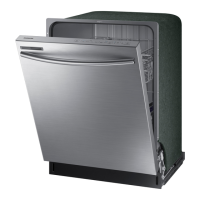
Samsung DW80M9550US - User Manual

Samsung DW80M9550US
80 pages
Print Icon
To Next Page IconTo Next Page
Loading...
Dishwasher
user manual
imagine the possibilities
Thank you for purchasing this Samsung product.
DW80M9* Series
DW9900M_DD68-00184A-06_EN.indd 1DW9900M_DD68-00184A-06_EN.indd 1 2018-10-12  11:55:062018-10-12  11:55:06

Questions and Answers

  • T
    Travis BrownAug 18, 2025
    Why Samsung DW80M9550US Dishwasher will not start?
    • L
      Lee CruzAug 18, 2025
      Your Samsung Dishwasher might not start due to several reasons: * The door isn't completely closed. Ensure the door is properly latched and closed, and that the Upper Rack is correctly joined with the Duct Nozzle, and is not crooked or unbalanced. * No cycle is selected, so select a proper cycle. * The power cable isn't connected properly; connect it correctly. * The water supply is off; check if the water supply valve is open. * The Control Panel is locked. * A circuit breaker is open; try resetting it.
  • M
    Madeline HoodAug 23, 2025
    How to make Samsung DW80M9550US Dishwasher dry dishes better?
    • B
      Billy ConleyAug 23, 2025
      To improve drying in your Samsung Dishwasher: * Make sure that there is rinse aid in the dispenser and that it is liquid type. * Connect the dishwasher to a hot water supply and use rinse aid with the Sanitize option. * Avoid overloading the dishwasher and load dishes as recommended. * Empty the lower rack first, then the upper rack after the cycle to prevent water from dripping onto the lower dishes. * Ensure Auto Release™ Dry is turned on by pressing the Lower + Hi-Temp Wash buttons for 3 seconds and selecting "A1".
  • E
    Emily GonzalezAug 26, 2025
    Why is Samsung Dishwasher too noisy?
    • J
      Jessica HernandezAug 26, 2025
      If your Samsung Dishwasher is too noisy: * The sound might be normal operation when the dispenser cover opens and the drain pump operates early in the cycle. * Ensure the dishwasher is level. * If there's foreign material in the pump chamber, contact a qualified service technician to remove it. * Rearrange the dishes if a nozzle is bumping against them, causing a ‘chopping’ sound.
  • Q
    qholdenAug 27, 2025
    Why I cannot close the door of my Samsung DW80M9550US Dishwasher?
    • J
      Johnathan WilsonAug 27, 2025
      If you cannot close the door of your Samsung Dishwasher, it may be because the Auto Release™ Dry mode is in operation. Once the door opens in this mode, it cannot be closed manually for the next 2 minutes. You may close it after this time.
  • C
    Christian RiveraAug 30, 2025
    What to do if Samsung DW80M9550US Dishwasher leaves glasses with a light film?
    • C
      Catherine ReyesAug 30, 2025
      If your Samsung Dishwasher is leaving a light film on glasses: * The water might be too soft and too much detergent was used. Try underloading the dishwasher and using a rinse aid. * Aluminum dishes might have been included in the wash load. Remove the marks on the dishes using a low sensitivity cleaner.
  • A
    Andrew YoungSep 1, 2025
    Why Samsung DW80M9550US Dishwasher leaves a yellow or brown film inside?
    • J
      Jose GonzalezSep 1, 2025
      A yellow or brown film inside your Samsung Dishwasher is likely due to coffee and tea soils. Remove these soils using a spot cleaner.
  • C
    colleenwiseSep 4, 2025
    What to do if water won’t pump out of the Samsung Dishwasher?
    • C
      coxashleySep 4, 2025
      If water won’t pump out of your Samsung Dishwasher, the drain may be clogged. Clean the drain pump by removing the drain-pump cover.
  • T
    troy48Sep 6, 2025
    Why is my Samsung Dishwasher taking too long?
    • L
      Lindsey KellySep 6, 2025
      If your Samsung Dishwasher is taking too long to complete a cycle, it might be connected to a cold water supply. To ensure proper operation, connect it to a hot water supply, as using cold water requires additional time to heat it.
  • R
    Rachael LopezSep 8, 2025
    Why does my Samsung DW80M9550US Dishwasher have a bad odor?
    • D
      dawnsmithSep 8, 2025
      A bad odor in your Samsung Dishwasher can be due to: * Water left over from an incomplete cycle. To resolve this, insert detergent without loading dishes and run the Normal cycle. * An obstructed Drain Hose. * Infrequent use or leaving soiled dishes in the unit for too long. To remedy this, place a glass with 8 ounces of vinegar upright into the lower rack with the dishwasher empty and no detergent, then run a Normal cycle.
  • E
    Eric FlynnSep 12, 2025
    What to do if Samsung DW80M9550US does not have a smoothly rotating nozzle?
    • A
      Andrea SmithSep 12, 2025
      If the nozzle in your Samsung Dishwasher isn't rotating smoothly: * The nozzle holes may be clogged with food particles. Clean the nozzle holes. * A dish or pot may be blocking the nozzle. Rotate the nozzles by hand after loading to check for any interference.

Summary

Safety Information

Important Safety Instructions

Details on safety icons, warnings, and precautions to prevent injury and property damage.

Tip-Over and Electric Shock Hazards

Specific warnings and measures to prevent tip-over incidents and electric shock.

Setting Up Your Dishwasher

Meeting Installation Requirements

Essential requirements for electrical supply, grounding, water supply, and flooring for proper installation.

Electrical Supply and Grounding

Detailed instructions for electrical connection and grounding to ensure user safety.

Water Supply and Flooring

Guidelines for water supply pressure, temperature, and installation on suitable flooring.

Using Your Dishwasher

Control Panel Overview

Explanation of the dishwasher's control panel buttons, indicators, and basic functions.

Cycle Selector Guide

Explanation of various wash cycles including Auto, Normal, Heavy, Delicate, Express 60, Rinse Only, Self Clean, and Chef.

Basic Operation Guidelines

Step-by-step instructions for loading dishes, adding detergent, selecting cycles, and starting the dishwasher.

Samsung Smart Home Setup (Android)

Instructions for installing and connecting the Samsung Smart Home app for Android devices.

Samsung Smart Home Setup (iOS)

Instructions for installing and connecting the Samsung Smart Home app for iOS devices.

Adjusting Upper Rack Height

Instructions for adjusting the upper rack height to accommodate larger dishes.

Loading the Lower Rack

Recommendations for loading dinner dishes, bowls, pots, and lids into the lower rack.

Cleaning and Maintaining Your Dishwasher

Cleaning the Filter

Step-by-step guide for removing, cleaning, and reinstalling the dishwasher's filter.

Troubleshooting

Common Dishwasher Problems

Troubleshooting guide for issues like the dishwasher not starting or taking too long.

Cleaning Performance Issues

Causes and solutions for food particles on dishes, film on glasses, and interior discoloration.

Samsung DW80M9550US Specifications

General IconGeneral
TypeBuilt-In
Capacity15 Place Settings
Smart FeaturesWi-Fi Connectivity
Number of Racks3
Cutlery BasketYes
Water FiltrationYes
ColorStainless Steel
Energy Star CertifiedYes
Third RackYes
Stainless Steel InteriorYes
Noise Level39 dBA
Drying SystemAutoRelease Door Drying
Control TypeTouch

Related product manuals