EasyManua.ls Logo

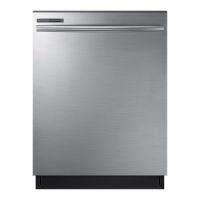
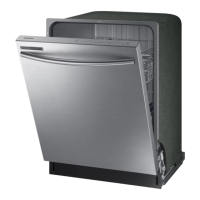
Samsung DW80M9550UG - User Manual

Samsung DW80M9550UG
80 pages
Print Icon
To Next Page IconTo Next Page
Loading...
Dishwasher
user manual
imagine the possibilities
Thank you for purchasing this Samsung product.
DW80M9* Series
DW9900M_DD68-00184A-06_EN.indd 1DW9900M_DD68-00184A-06_EN.indd 1 2018-10-12  11:55:062018-10-12  11:55:06

Questions and Answers

  • L
    Louis WallAug 18, 2025
    Why Samsung DW80M9550UG will not start?
    • D
      Daniel DanielAug 18, 2025
      Your Samsung Dishwasher might not start due to several reasons: * The door isn't completely closed. Ensure the door is properly latched and closed, and that the Upper Rack is correctly joined with the Duct Nozzle, and is not crooked or unbalanced. * No cycle is selected, so select a proper cycle. * The power cable isn't connected properly; connect it correctly. * The water supply is off; check if the water supply valve is open. * The Control Panel is locked. * A circuit breaker is open; try resetting it.
  • J
    Jessica ShawAug 23, 2025
    How to make Samsung DW80M9550UG dry dishes better?
    • A
      Andrew SmithAug 23, 2025
      To improve drying in your Samsung Dishwasher: * Make sure that there is rinse aid in the dispenser and that it is liquid type. * Connect the dishwasher to a hot water supply and use rinse aid with the Sanitize option. * Avoid overloading the dishwasher and load dishes as recommended. * Empty the lower rack first, then the upper rack after the cycle to prevent water from dripping onto the lower dishes. * Ensure Auto Release™ Dry is turned on by pressing the Lower + Hi-Temp Wash buttons for 3 seconds and selecting "A1".
  • H
    Howard MorrisAug 26, 2025
    Why is Samsung Dishwasher too noisy?
    • S
      Stephanie SmithAug 26, 2025
      If your Samsung Dishwasher is too noisy: * The sound might be normal operation when the dispenser cover opens and the drain pump operates early in the cycle. * Ensure the dishwasher is level. * If there's foreign material in the pump chamber, contact a qualified service technician to remove it. * Rearrange the dishes if a nozzle is bumping against them, causing a ‘chopping’ sound.
  • M
    Mrs. Pamela RogersAug 28, 2025
    Why I cannot close the door of my Samsung DW80M9550UG?
    • J
      Jennifer LeeAug 28, 2025
      If you cannot close the door of your Samsung Dishwasher, it may be because the Auto Release™ Dry mode is in operation. Once the door opens in this mode, it cannot be closed manually for the next 2 minutes. You may close it after this time.
  • M
    Mark MasseyAug 30, 2025
    What to do if Samsung Dishwasher leaves glasses with a light film?
    • D
      Danny SchmidtAug 30, 2025
      If your Samsung Dishwasher is leaving a light film on glasses: * The water might be too soft and too much detergent was used. Try underloading the dishwasher and using a rinse aid. * Aluminum dishes might have been included in the wash load. Remove the marks on the dishes using a low sensitivity cleaner.
  • S
    Suzanne BallSep 1, 2025
    Why Samsung DW80M9550UG leaves a yellow or brown film inside?
    • C
      Christopher WilliamsSep 1, 2025
      A yellow or brown film inside your Samsung Dishwasher is likely due to coffee and tea soils. Remove these soils using a spot cleaner.
  • B
    Barbara RussellSep 3, 2025
    What to do if water won’t pump out of the Samsung DW80M9550UG?
    • R
      Robin WattsSep 3, 2025
      If water won’t pump out of your Samsung Dishwasher, the drain may be clogged. Clean the drain pump by removing the drain-pump cover.
  • C
    christine04Sep 6, 2025
    Why is my Samsung Dishwasher taking too long?
    • I
      igonzalezSep 6, 2025
      If your Samsung Dishwasher is taking too long to complete a cycle, it might be connected to a cold water supply. To ensure proper operation, connect it to a hot water supply, as using cold water requires additional time to heat it.
  • J
    Jason ContrerasSep 8, 2025
    Why does my Samsung DW80M9550UG Dishwasher have a bad odor?
    • S
      Sarah AdamsSep 8, 2025
      A bad odor in your Samsung Dishwasher can be due to: * Water left over from an incomplete cycle. To resolve this, insert detergent without loading dishes and run the Normal cycle. * An obstructed Drain Hose. * Infrequent use or leaving soiled dishes in the unit for too long. To remedy this, place a glass with 8 ounces of vinegar upright into the lower rack with the dishwasher empty and no detergent, then run a Normal cycle.
  • E
    elaineaguirreSep 12, 2025
    What to do if Samsung DW80M9550UG Dishwasher does not have a smoothly rotating nozzle?
    • K
      Kevin SmithSep 12, 2025
      If the nozzle in your Samsung Dishwasher isn't rotating smoothly: * The nozzle holes may be clogged with food particles. Clean the nozzle holes. * A dish or pot may be blocking the nozzle. Rotate the nozzles by hand after loading to check for any interference.

Summary

Safety Information

Important Safety Instructions

Key safety rules and icon meanings for safe operation and preventing injury.

General Safety Precautions

Essential precautions for safe use, installation, and handling to prevent hazards.

Setting Up Your Dishwasher

Electrical Supply and Grounding

Guidelines for proper electrical connections and grounding to ensure safety.

Water Supply and Flooring Requirements

Specifications for water pressure, temperature, and suitable flooring for installation.

Using Your Dishwasher

Control Panel Overview

Explanation of the dishwasher's control panel, including buttons and indicators for operation.

Advanced Control Panel Features

Details on Hi-Temp Wash, Sanitize, Display, Control Lock, and Delay Start functions.

Smart Control and Cycle Initiation

Instructions for using Smart Control and starting wash cycles.

Cycle Selector

Dishwasher Cycle Descriptions

Detailed explanation of each available wash cycle: Auto, Normal, Heavy, Delicate, Express 60, Rinse Only, Self Clean, Chef.

Basic Operation Guidelines

Step-by-Step Dishwasher Operation

A guide on loading dishes, adding detergent, selecting cycles, and starting the dishwasher.

Samsung Smart Home Connectivity

App Setup and Device Pairing

Steps for installing the app, creating an account, and connecting the dishwasher.

iOS Smart Home Connection and Features

Connecting an iPhone and overview of key Smart Home functionalities for remote control.

Dishwasher Loading Guide

Detergent and Rinse Aid Usage

Cleaning and Maintaining Your Dishwasher

Dishwasher Cycles

Troubleshooting Guide

Initial Checks and Cycle Issues

Troubleshooting steps for common problems like failure to start or long cycle durations.

Troubleshooting Common Issues

Addressing Poor Cleaning and Residue

Solutions for food particles on dishes, glass film, and internal cleaning problems.

Troubleshooting Performance Problems

Error Codes and Smart Control Troubleshooting

Samsung DW80M9550UG Specifications

General IconGeneral
Stylebuilt-in dishwashers
Colorblack stainless steel
Load Capacity15
Number of Cycles7
Cycle Selectionsauto, normal, heavy, delicate, express 60, rinse only, self clean
Options/Settingslower rack, zone booster, speed booster, hi-temp wash, sanitize, delay start
Delay Startyes
Child Lockyes
Number of Racks2
Sanitize Settingsyes
Smart Homeno
Annual Energy Consumption239 kilowatt hours
Weight and Dimensions IconWeight and Dimensions
Depth25 inches
Height35 inches
Width23 7/8 inches
Net Weight90 pounds

Related product manuals