EasyManua.ls Logo

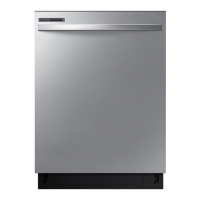
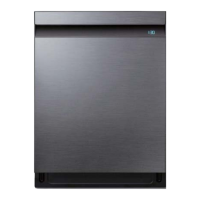
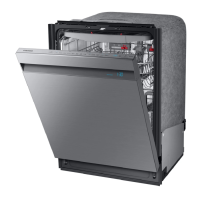
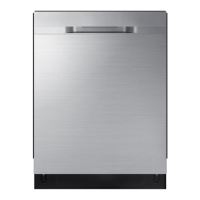
Samsung DW80R706 Series - User Manual

Samsung DW80R706 Series
56 pages
Print Icon
To Next Page IconTo Next Page
Loading...
Dishwasher
User manual
DW80R706* Series
DW8000R_DD68-00211A-00_EN.indd 1 2019-04-24  5:59:10

Other manuals for Samsung DW80R706 Series

Questions and Answers

  • H
    hillnicholasAug 16, 2025
    Why Samsung DW80R706 will not start?
    • T
      Tamara ShafferAug 16, 2025
      Your Samsung Dishwasher might not start due to several reasons: * The door may not be completely closed - ensure it is latched properly and that the Upper Rack is correctly connected to the Duct Nozzle, also check if the Upper Rack is crooked or unbalanced. * The START button might not have been pressed - check the display for information. * The power cable may not be properly connected - ensure it is securely plugged in. * The water supply valve might be closed, or the water pressure is not between 20 and 120 psi (140 and 830 kPa) - check the valve and pressure. * The Control Panel could be locked - unlock it. * A circuit breaker might be open - reset the breaker.
  • F
    frankjohnsonAug 19, 2025
    What to do if Samsung DW80R706 Dishwasher does not dry dishes well?
    • B
      Brian PetersenSep 12, 2025
      If your Samsung Dishwasher isn't drying dishes effectively, consider the following: * Check the rinse aid dispenser and add rinse aid, preferably a liquid type, and verify the rinse aid settings. * Ensure the water supply line is connected to a hot water supply and consider using rinse aid with the Sanitize option. * Avoid overloading the dishwasher and load dishes as recommended. * Empty the lower rack first, then the upper rack after the cycle to prevent water spillage from concave bottoms of glasses and cups. * Turn Auto Release™ Dry on by pressing the Lower + Hi-Temp Wash button for 3 seconds and selecting "A1". * If using multiple detergent tablets, select the Sanitize option or use rinse aid.
  • C
    Caleb BarkerAug 22, 2025
    Why are there food particles remaining on dishes in my Samsung Dishwasher?
    • J
      Jessica HannaAug 22, 2025
      If you find food particles on your dishes after a cycle in your Samsung Dishwasher, it could be due to: * An unsuitable cycle selection - choose a cycle appropriate for the number and soil level of the dishes. * Low water temperature - connect the dishwasher to a hot water supply; the water should be 120 ?F (49 ?C). * Low water pressure - ensure the water pressure is between 20 and 120 psi (140- 830 kPa). * Hard water - use a commercial dishwasher cleaner and high-quality detergent with rinse aid. * Not using dishwasher detergent - use automatic dishwasher detergent, such as a powder or multi-function tablet. * The detergent dispenser being blocked - ensure large items aren't blocking the dispenser and rearrange dishes if needed.
  • P
    pyoungAug 25, 2025
    Why my Samsung DW80R706 Dishwasher will not start?
    • T
      Timothy WalkerAug 26, 2025
      If your Samsung Dishwasher won't start, several factors could be the cause. First, ensure the door is fully closed and latched, and that the Upper Rack is correctly connected to the Duct Nozzle and is not crooked or unbalanced. Also, make sure the power cable is properly connected and the water supply valve is open, ensuring the water pressure is between 20 and 120 psi (140 and 830 kPa). Finally, check if the Control Panel is locked (unlock it), and reset the circuit breaker if it's open. If the START button was not pressed, check the information on the display.
  • N
    Nicholas StokesAug 28, 2025
    What to do if Samsung DW80R706 Dishwasher has a bad odor?
    • P
      Patricia CortezAug 28, 2025
      If your Samsung Dishwasher smells bad: * Run a Heavy cycle with the dishwasher empty and without detergent to clean water left over from an incomplete cycle. * Contact a qualified service technician to remove any obstruction from the drain hose. * If the dishwasher isn't used daily, place a glass with 8 ounces of vinegar upright into the lower rack with the dishwasher empty and no detergent, and then run a Heavy cycle.
  • M
    Mrs. Jillian AndersonAug 31, 2025
    What to do if water won’t pump out of the Samsung Dishwasher?
    • R
      Randy FowlerAug 31, 2025
      If water remains in your Samsung Dishwasher after a cycle, it might be because the drain is clogged. You should clean the drain pump by removing the drain-pump cover.
  • J
    John PalmerSep 3, 2025
    Why Samsung DW80R706 Dishwasher operation or cycle is taking too long?
    • A
      Amy KingSep 3, 2025
      If a cycle in your Samsung Dishwasher is taking longer than expected, it might be because the dishwasher is connected to a cold water supply. To ensure proper operation, connect it to a hot water supply.
  • E
    ewardSep 6, 2025
    How to clean yellow film inside Samsung DW80R706?
    • A
      Adam BestSep 6, 2025
      The yellow or brown film inside your Samsung Dishwasher is caused by coffee and tea stains. To remove it, use a spot cleaner or select a cycle with a higher temperature.
  • T
    Tiffany WintersSep 9, 2025
    Why is the Samsung DW80R706 Dishwasher cycle taking so long?
    • E
      Elizabeth LeeSep 9, 2025
      If a cycle on your Samsung Dishwasher is taking longer than expected, it might be connected to a cold water supply. For proper operation, the dishwasher should be connected to a hot water supply. If it's connected to cold water, additional time is needed to heat the water.
  • N
    Nicholas DiazSep 12, 2025
    How to fix Samsung DW80R706 Dishwasher nozzle that does not have a smoothly rotating?
    • D
      Donald FisherSep 12, 2025
      If the nozzle in your Samsung Dishwasher isn't rotating smoothly: * Clean the nozzle holes that are clogged with food particles. * Ensure that the nozzle is not blocked by a dish or pot, rotate the nozzles by hand after placing the dishes into the racks to check for any interference.

Summary

Safety Information

General Safety Instructions

Overview of important safety instructions and precautions.

Safety Symbols Explained

Explains the meaning of warning, caution, and note symbols.

California Proposition 65 Warning

Details the warning regarding cancer and reproductive harm.

Key Safety Precautions Before Use

Covers tip-over and electric shock hazards before use.

Before You Start

Unpacking and Inspection

Instructions on how to unpack and check the dishwasher for damage.

Parts Verification and Support

Verifying all parts are received and how to contact support if damaged.

Included Accessories

Illustrates and lists the included racks and accessories.

Unsuitable Items for Dishwasher

Lists items that should not be washed in the dishwasher.

Using Your Dishwasher

Rack Adjustments and Loading Basics

Guide to adjusting tines on lower and upper racks.

Upper Rack Height Adjustment

Instructions on how to adjust the upper rack height.

Removing the Upper Rack

Step-by-step guide to remove the upper rack.

Reinstalling the Upper Rack

Important cautions and steps for reinserting the upper rack.

3 rd Rack Operation

Detailed steps for removing and reinstalling the 3rd rack.

Loading the Lower Rack

Recommended loading patterns for the lower rack.

Loading the Storm Wash Area

Guidance on loading items into the Storm Wash area.

Loading the Upper Rack

Recommended loading patterns for the upper rack.

Using the Glass Support

How to use the glass support for wine glasses.

Loading the 3 rd Rack

Best use of the cutlery rack for flatware and utensils.

Cutlery Rack Loading Patterns

Illustrates loading patterns for cutlery in the rack.

Cutlery Placement Guide

Suggested placement for cutlery items in the rack.

Detergent Guidelines

Instructions on using detergent and filling the dispenser.

Detergent Dispenser Operation

Steps for applying detergent to the main compartment.

Detergent Amounts and Rinse Aid

Table of detergent amounts and instructions for rinse aid.

Touchpad Responsiveness Tips

Tips for maintaining touchpad responsiveness.

Operations

Control Panel Overview

Description of buttons and indicators on the control panel.

Sanitize and Control Lock Functions

Explains Sanitize option and how to use Control Lock.

Display and Indicators

Explanation of the display, indicators, and progress lights.

Cycle Overview and Selection

Details of each wash cycle available and how to select.

Starting a Wash Cycle

Simple steps to load, select cycle, and start the dishwasher.

Customizing Settings

How to adjust sound, dry alert, and rinse aid amount.

Auto Release Dry Function

How to enable/disable the Auto Release Dry feature.

Delay Start and Control Lock Features

Explains Delay Start and Control Lock features.

Maintenance

Exterior and Interior Cleaning

How to clean the dishwasher's exterior and interior surfaces.

Cleaning the Upper Nozzles

Steps for removing and cleaning the upper and top spray nozzles.

Cleaning the Lower Nozzle

Instructions for cleaning the lower spray nozzle.

Filter Cleaning Procedures

Detailed steps for removing and cleaning the filter components.

Drain Pump Cleaning

Steps to unclog and clean the drain pump.

Long-Term Care and Storage

How to prepare the dishwasher for extended periods of non-use.

Troubleshooting

Will Not Start Issues

Solutions for common startup problems like door closure and power.

Operation Taking Too Long

Reasons and solutions for slow or lengthy cycles.

Dishes Not Cleaning Properly

Solutions for inadequate cleaning, low temp, or pressure issues.

Dishes Not Cleaning Properly (cont.)

Solutions for clogged nozzles, improper loading, or filter issues.

Dishes Not Drying Well

Solutions for poor drying performance, rinse aid, or Auto Dry settings.

Bad Odor and Noise Issues

Solutions for bad odors and unusual noises.

Nozzle Rotation and Pumping Issues

Solutions for non-rotating nozzles or water not pumping out.

Bent Upper Rack Issue

Solutions for a bent upper rack after loading.

Cannot Close Door

Solutions for the dishwasher door not closing properly.

Information Codes Guide

Explanation of control panel information codes for diagnostics.

Cycle Chart

Cycle Details: Auto, Normal, Heavy

Details cycle sequence, temperature, water consumption, and options.

Cycle Details: Delicate, Express 60, Rinse Only

Details cycle sequence, temperature, water consumption, and options.

Appendix

Helping the Environment

Information on recycling, disposal, and eco-friendly usage.

Technical Specifications

Details on model, power, capacity, dimensions, and weight.

Warranty (U.S.A)

Limited Warranty Terms

Details of the limited warranty, parts, labor, and service.

Warranty Exclusions

Lists conditions and damages not covered by the warranty.

Limitation of Remedies and Contact

Explains remedies, limitations, and how to obtain warranty service.

Samsung DW80R706 Series Specifications

General IconGeneral
BrandSamsung
ModelDW80R706 Series
CategoryDishwasher
LanguageEnglish

Related product manuals