EasyManua.ls Logo

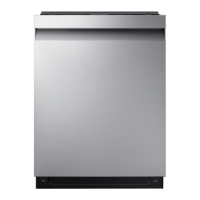
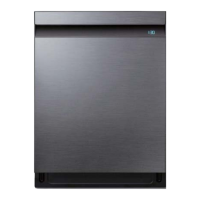
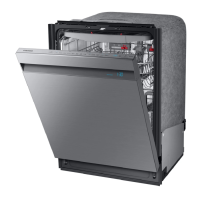
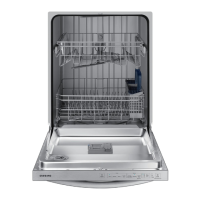
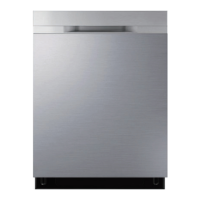
Samsung DW80R5061 Series - User Manual

Samsung DW80R5061 Series
114 pages
Print Icon
To Next Page IconTo Next Page
Loading...
Dishwasher
user manual
imagine the possibilities
Thank you for purchasing this Samsung product.
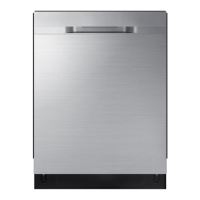
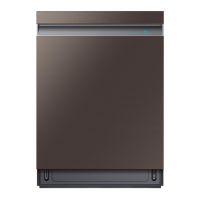
DW80K7050 Series
DW80K5050 Series
DW7000KM-02025 01_EN.indd 1DW7000KM-02025D-01_EN.indd 1 2016-0  10:47:10201 -0  10:47:10
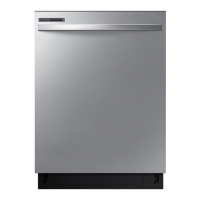
DW80R50 0 Series
DW80R50 Series
6
6
1
9 5-01
DW80 Series
T50
4
0

Table of Contents

Other manuals for Samsung DW80R5061 Series

Questions and Answers

  • D
    Dr. Joshua Duffy DVMAug 20, 2025
    Why is my Samsung DW80R5061 Dishwasher not draining?
    • J
      Jennifer StevensAug 20, 2025
      Your Samsung Dishwasher might not be draining due to several reasons. A foreign object may have entered and blocked the drain pump, in which case you should remove the object. Alternatively, the drain pump itself, the Main PBA, or the Inverter PBA could be out of order, requiring repair or replacement.
  • J
    johnsonmonicaAug 22, 2025
    Why won't my Samsung DW80R5061 Dishwasher start?
    • A
      Alyssa BallardAug 22, 2025
      Your Samsung Dishwasher might not start due to several reasons. Ensure the door is completely closed and latched. Check if you've selected a cycle. Verify the power cable is properly connected and the water supply valve is open. The control panel might be locked, so unlock the child lock. Lastly, check the circuit breaker and reset it if necessary.
  • J
    Jennifer ThompsonAug 25, 2025
    How to get my Samsung DW80R5061 Dishwasher to dry dishes better?
    • J
      Jessica Stone MDAug 25, 2025
      If your Samsung Dishwasher isn't drying dishes well, there are a few things you can check. First, ensure there's rinse aid in the dispenser and that you're using a liquid type. Make sure the water supply line is connected to a hot water supply and consider using rinse aid with the Sanitize option. Proper loading of items can affect drying, so avoid overloading. After the cycle finishes, empty the lower rack first and then the upper rack to prevent water from dripping. If available, activate the AutoRelease™ Dry mode.
  • B
    blongAug 26, 2025
    Why is my Samsung Dishwasher so noisy?
    • K
      Karen FordAug 26, 2025
      A Samsung Dishwasher can be noisy for several reasons. Sound may be generated when the dispenser cover is open and the drain pump is operating, which is normal. Ensure the dishwasher is level. Also, rearrange the dishes if a nozzle is bumping against them, creating a ‘chopping’ sound.
  • J
    John SinghAug 27, 2025
    Why I cannot close the door of my Samsung Dishwasher?
    • A
      ajohnsonAug 27, 2025
      If you cannot close the door of your Samsung Dishwasher, it may be because the AutoRelease™ Dry mode is in operation. Once the door opens in the AutoRelease™ Dry mode, the door cannot be closed manually for the next 2 minutes. You may close the door after 2 minutes.
  • K
    Kristina WarrenAug 29, 2025
    What to do if my Samsung DW80R5061 will not start?
    • J
      Jeffery WalterAug 29, 2025
      If your Samsung Dishwasher won't start, several factors could be at play. First, ensure the door is completely closed and latched. Then, make sure you've selected an appropriate cycle. Check that the power cable is properly connected and the water supply valve is open. If the control panel is locked, unlock the child lock. Lastly, verify that a circuit breaker hasn't tripped and reset it if necessary.
  • R
    Randy GrayAug 31, 2025
    Why is my Samsung DW80R5061 Dishwasher leaving food particles on dishes?
    • J
      jenkinsamberAug 31, 2025
      If your Samsung Dishwasher isn't cleaning dishes properly and food particles remain, consider these potential causes: ensure you've selected the appropriate cycle for the load size and soil level. Verify that the water supply line is connected to a hot water source. Low water pressure could also be the culprit; it should be between 20 and 120 psi. The water may be too hard, so use high-quality detergent with rinse aid. Make sure you're using automatic dishwasher detergent, preferably powder or gel. Check that nothing is blocking the detergent dispenser. Add rinse aid to the dispenser if it's empty. Finally, make sure the nozzles are not clogged and that the dishes are loaded properly, allowing for nozzle rotation and detergent dispensing.
  • A
    alan92Sep 2, 2025
    What to do if my Samsung DW80R5061 is not filling with water?
    • K
      Kimberly MyersSep 2, 2025
      If your Samsung Dishwasher isn't filling with water, it could be due to several reasons. The water supply pressure may be too low, so turn on the water supply valve. The water supply valve might be closed, so open it. The aqua stop could be faulty and may need checking or replacing. Finally, the case brake might not be detecting the pulse correctly, so check its functionality.
  • A
    ashleyjonesSep 4, 2025
    How to improve cleaning performance of my Samsung DW80R5061 Dishwasher?
    • L
      lchristensenSep 4, 2025
      If your Samsung Dishwasher isn't cleaning properly, several factors could be at play. First, make sure you're selecting the appropriate cycle for the load size and soil level. Ensure the water supply line is connected to a hot water source, ideally around 120°F (49°C). Check that the water pressure is between 20 and 120 psi (140 - 830 kPa). Use a high-quality, fresh detergent along with a rinse aid. Confirm you are using automatic dishwasher detergent, preferably a powder or gel type. Make sure that large items are not blocking the detergent dispenser. Check the dispenser and add liquid rinse aid if it's empty. Finally, rearrange the dishes so they do not interfere with nozzle rotation and detergent dispenser operation, and avoid overloading.
  • K
    Katherine HartSep 6, 2025
    What to do if my Samsung DW80R5061 Dishwasher leaves glasses with a dim polish?
    • A
      Alexis HillSep 6, 2025
      If your Samsung Dishwasher leaves glasses with a dim polish, it could be because the water supplied is soft and too much detergent was used. Try underloading the dishwasher and using a rinse aid to minimize this. Also, if aluminum dishes were included in the wash load, remove the marks on the dishes using a low sensitivity cleaner.

Summary

Safety Information

Important Safety Instructions

Details icons, warnings, and basic safety precautions for safe operation.

Before Using Your Dishwasher

General Usage Precautions

Covers essential usage guidance and warnings before operating the appliance.

Setting Up Your Dishwasher

Unpacking and Checking Parts

Guides on unpacking the unit and verifying all components are present.

Control Panel Overview

Explains the function of each button and indicator on the control panel.

Cycle Selector Guide

Describes available wash cycles like Auto, Normal, Heavy, Delicate, Express 60, and Rinse only.

Installation Requirements

Covers electrical, grounding, water supply, and flooring requirements for proper installation.

Using Your Dishwasher

Basic Operation and Guidelines

Step-by-step instructions for loading, adding detergent, and starting a cycle.

Controls and Features

Explains touch controls, Auto Release, Delay Start, and setting modes.

Rack Adjustments and Loading

Guides on adjusting plate supports, rack height, and loading dishes in racks.

Cutlery, Detergent, and Rinse Aid

Instructions for using cutlery racks, detergent, and rinse aid for optimal cleaning.

Cleaning and Maintaining Your Dishwasher

Exterior and Interior Cleaning

Procedures for cleaning the dishwasher's exterior, interior, and filters.

Nozzle Cleaning

Steps to clean the lower and upper nozzles to ensure effective spray.

Dishwasher Storage

Guidance on how to store the dishwasher for extended periods.

Cycles

Cycle Chart Overview

Provides a detailed chart of cycles, temperatures, water usage, and times.

Troubleshooting

Common Problems and Solutions

Lists common issues like 'Will not start' or 'food particles remaining' with their causes and solutions.

Information Codes

Explains error codes displayed on the control panel and corresponding actions.

Appendix

Environmental Considerations

Information on recycling and responsible disposal of the appliance.

Product Specifications

Technical details including model, power, dimensions, and weight.

Warranty (U.S.A.)

Limited Warranty Details

Outlines the terms, duration, and coverage of the limited warranty for US customers.

Warranty Exclusions and Limitations

Specifies conditions not covered by warranty and legal limitations.

Warranty (Canada)

Canadian Limited Warranty

Details the warranty terms and conditions specific to Canadian customers.

Samsung DW80R5061 Series Specifications

General IconGeneral
TypeBuilt-In
Capacity15 Place Settings
Noise Level48 dBA
Wash Cycles6
Energy Star CertifiedYes
Number of Options4
Water Usage Per Cycle3.5 gallons
ColorStainless Steel
Control TypeTouch Button

Related product manuals