EasyManua.ls Logo

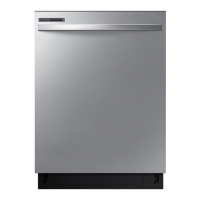
Samsung DW80T5040 Series - User Manual

Samsung DW80T5040 Series
114 pages
Print Icon
To Next Page IconTo Next Page
Loading...
Dishwasher
user manual
imagine the possibilities
Thank you for purchasing this Samsung product.
DW80K7050 Series
DW80K5050 Series
DW7000KM-02025 01_EN.indd 1DW7000KM-02025D-01_EN.indd 1 2016-0  10:47:10201 -0  10:47:10
DW80R50 0 Series
DW80R50 Series
6
6
1
9 5-01
DW80 Series
T50
4
0

Table of Contents

Questions and Answers

  • R
    Richard WilliamsJul 29, 2025
    What to do if my Samsung Dishwasher will not start?
    • G
      Grant WilliamsJul 29, 2025
      If your Samsung Dishwasher won't start, several factors could be at play. First, ensure the door is completely closed and latched. Then, make sure you've selected an appropriate cycle. Check that the power cable is properly connected and the water supply valve is open. If the control panel is locked, unlock the child lock. Lastly, verify that a circuit breaker hasn't tripped and reset it if necessary.
  • B
    bonillacolinAug 13, 2025
    Why is my Samsung DW80T5040 Dishwasher leaving food particles on dishes?
    • R
      Robert NewmanAug 13, 2025
      If your Samsung Dishwasher isn't cleaning dishes properly and food particles remain, consider these potential causes: ensure you've selected the appropriate cycle for the load size and soil level. Verify that the water supply line is connected to a hot water source. Low water pressure could also be the culprit; it should be between 20 and 120 psi. The water may be too hard, so use high-quality detergent with rinse aid. Make sure you're using automatic dishwasher detergent, preferably powder or gel. Check that nothing is blocking the detergent dispenser. Add rinse aid to the dispenser if it's empty. Finally, make sure the nozzles are not clogged and that the dishes are loaded properly, allowing for nozzle rotation and detergent dispensing.

Summary

Safety Information

Important Safety Instructions

Key safety warnings, precautions, and icon meanings for proper and safe operation.

Setting Up Your Dishwasher

Unpacking Your Dishwasher

Steps for carefully unpacking the dishwasher and checking for damage.

Checking Parts

Ensuring all included parts are present after unpacking the appliance.

Control Panel Overview

Explanation of buttons, indicators, options, and their functions on the control panel.

Meeting Installation Requirements

Guidelines for electrical, grounding, water supply, and flooring for safe installation.

Cycle Selector Guide

Cycle Details and Usage

Overview of available wash cycles, their settings, temperatures, and durations.

Using Your Dishwasher

Basic Operation Guidelines

Step-by-step process for loading, selecting cycles, and starting the dishwasher.

Rack Adjustments and Loading

How to adjust racks and load dishes for optimal cleaning and space utilization.

Detergent and Rinse Aid Usage

Guidance on adding detergent and refilling rinse aid for best washing and drying results.

Cleaning and Maintaining Your Dishwasher

Exterior and Interior Cleaning

Procedures for cleaning the dishwasher's outer surfaces and inner tub.

Filter and Nozzle Maintenance

Instructions for cleaning the filters and spray nozzles to ensure performance.

Storing Your Dishwasher

Steps for safely storing the appliance during extended periods of non-use.

Troubleshooting

Common Operational Problems

Solutions for issues like not starting, poor cleaning, drying, or noise.

Information Codes

Understanding error codes displayed on the panel and recommended actions.

Appendix

Product Specifications

Technical details such as dimensions, power, and capacity.

Helping the Environment

Guidance on environmentally responsible disposal and usage.

Warranty Information

USA Warranty Terms

Details of the limited warranty for Samsung dishwashers in the United States.

Canada Warranty Terms

Details of the limited warranty for Samsung dishwashers in Canada.

Samsung DW80T5040 Series Specifications

General IconGeneral
TypeBuilt-in
Place Settings15
Number of Wash Cycles5
Energy Star CertifiedYes
Control TypeElectronic
Number of Options4
Water Filtration SystemYes
ColorStainless Steel
Delay StartYes
Soil SensorYes
Third RackNo
Water HeaterYes
Drying SystemCondensation

Related product manuals