45
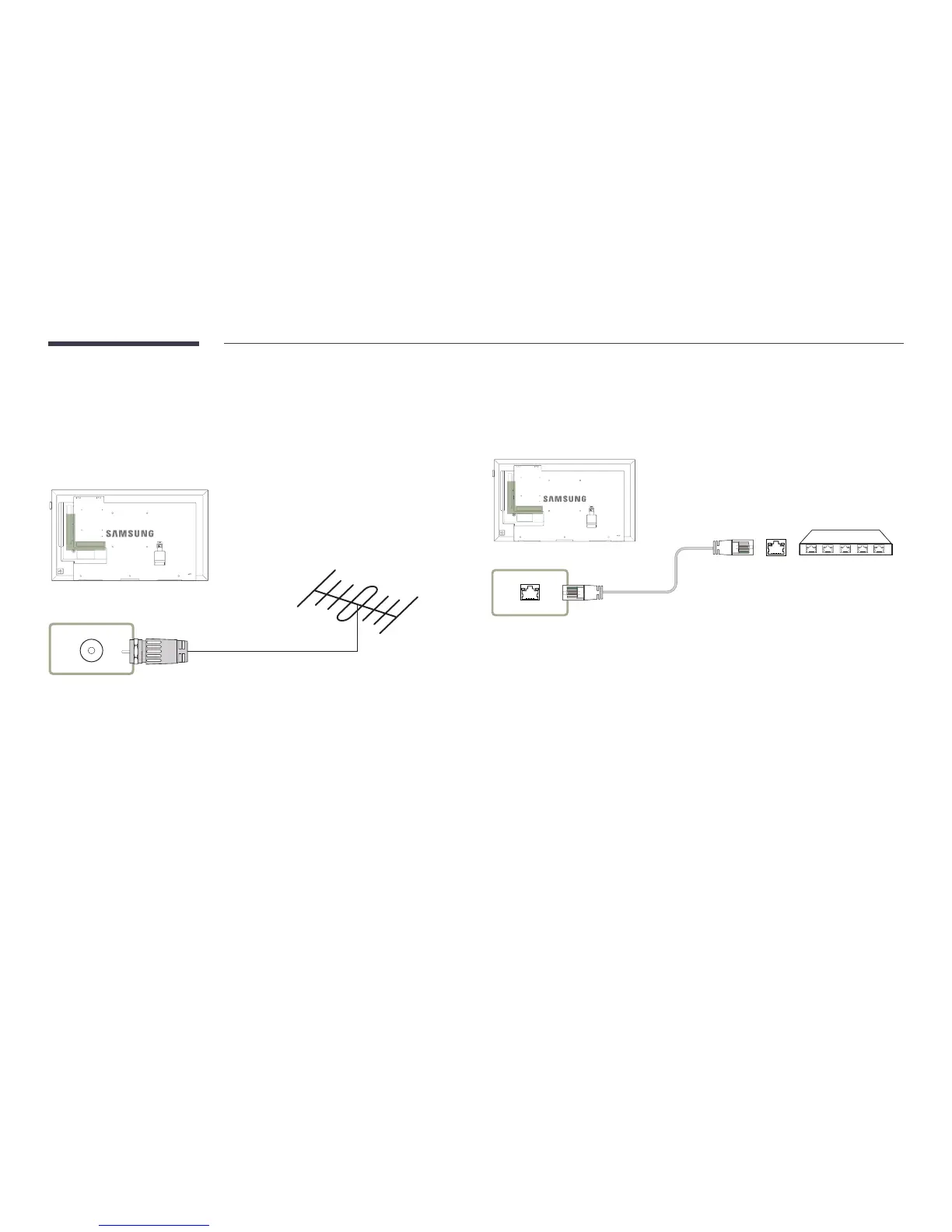
Connecting the Antenna
―
DCE, DCE-M models are only supported.
―
Connecting parts may differ in different products.
―
When the product is powered on for the first time, basic settings are configured automatically. Take
extra care to ensure the wires inside the antenna cable are not bent.
ANT IN
Connecting the LAN Cable
―
DCE, DCE-M, DCE-H models are only supported.
―
Connecting parts may differ in different products.
RJ45
•
Use Cat7(*STP Type) cable for the connection.
*Shielded Twist Pair



 To Next Page