E-23
ENGLISH
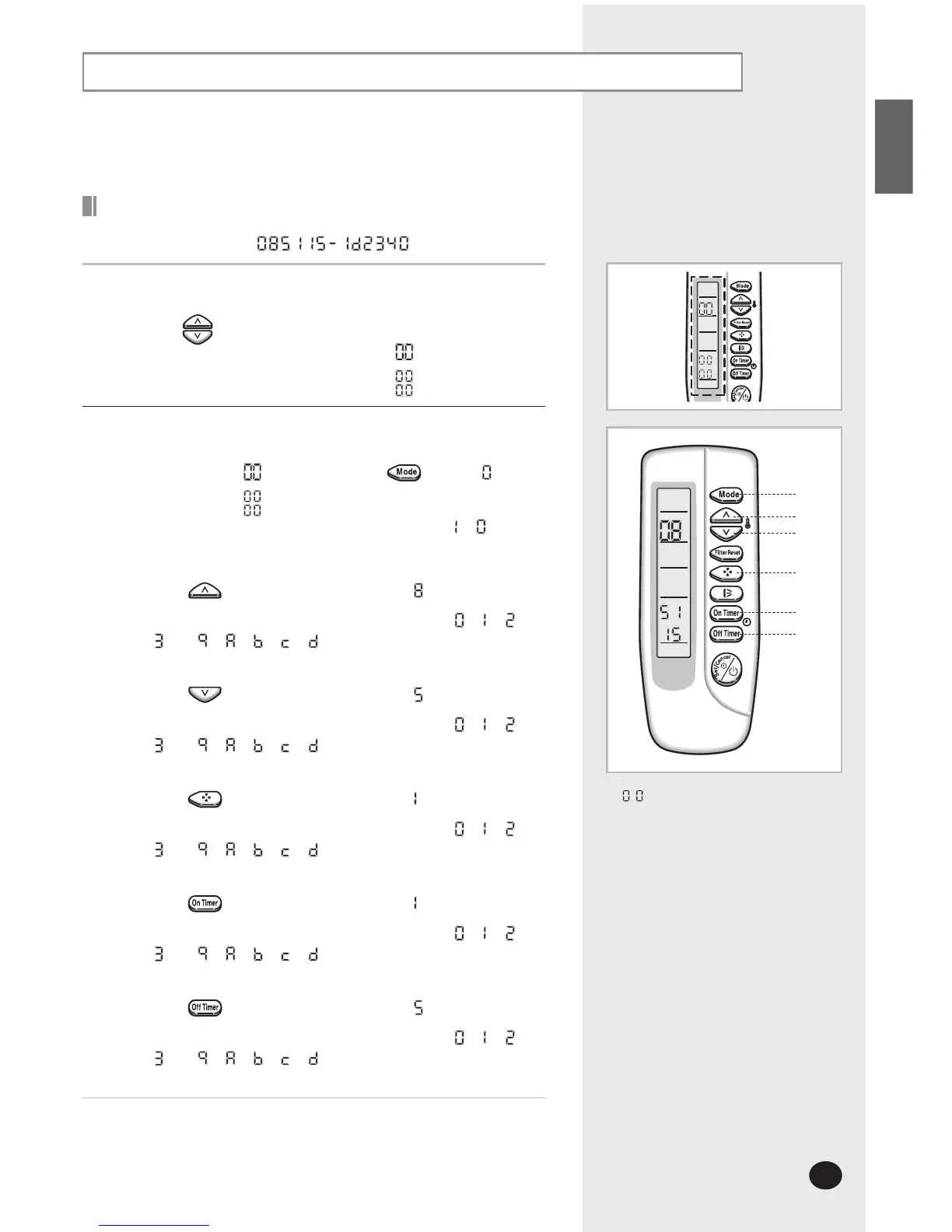
Setting up the mode option
Setting is not required if you want to input
. is displayed by default.
Setting option setup method
For example) Option code :
1
Prepare of the option setup mode.
a. Take out the batteries of remote control.
b. Press the
button simultaneously and insert the battery again.
c. Make sure the remote control display shows as
.
2
Enter the option setup mode and select your option according to the
following procedure.
The default value is . Otherwise, push the button to
.
Every time you press the button, the display panel reads
or
repeatedly.
Press the button to set the display panel to .
Every time you press the button, the display panel reads
...
repeatedly.
Press the button to set the display panel to .
Every time you press the button, the display panel reads
...
repeatedly.
Press the button to set the display panel to .
Every time you press the button, the display panel reads
...
repeatedly.
Press the button to set the display panel to .
Every time you press the button, the display panel reads
...
repeatedly.
Press the button to set the display panel to .
Every time you press the button, the display panel reads
...
repeatedly.
This operation is possible if the indoor unit is connected at wireless receiver
kit(MRK-A00), duct receiver kit wire(MRW-10A) and infrared remote control(MR-
AH01 or MR-BH01)



 To Next Page