E-26
Assigning address to indoor unit
1
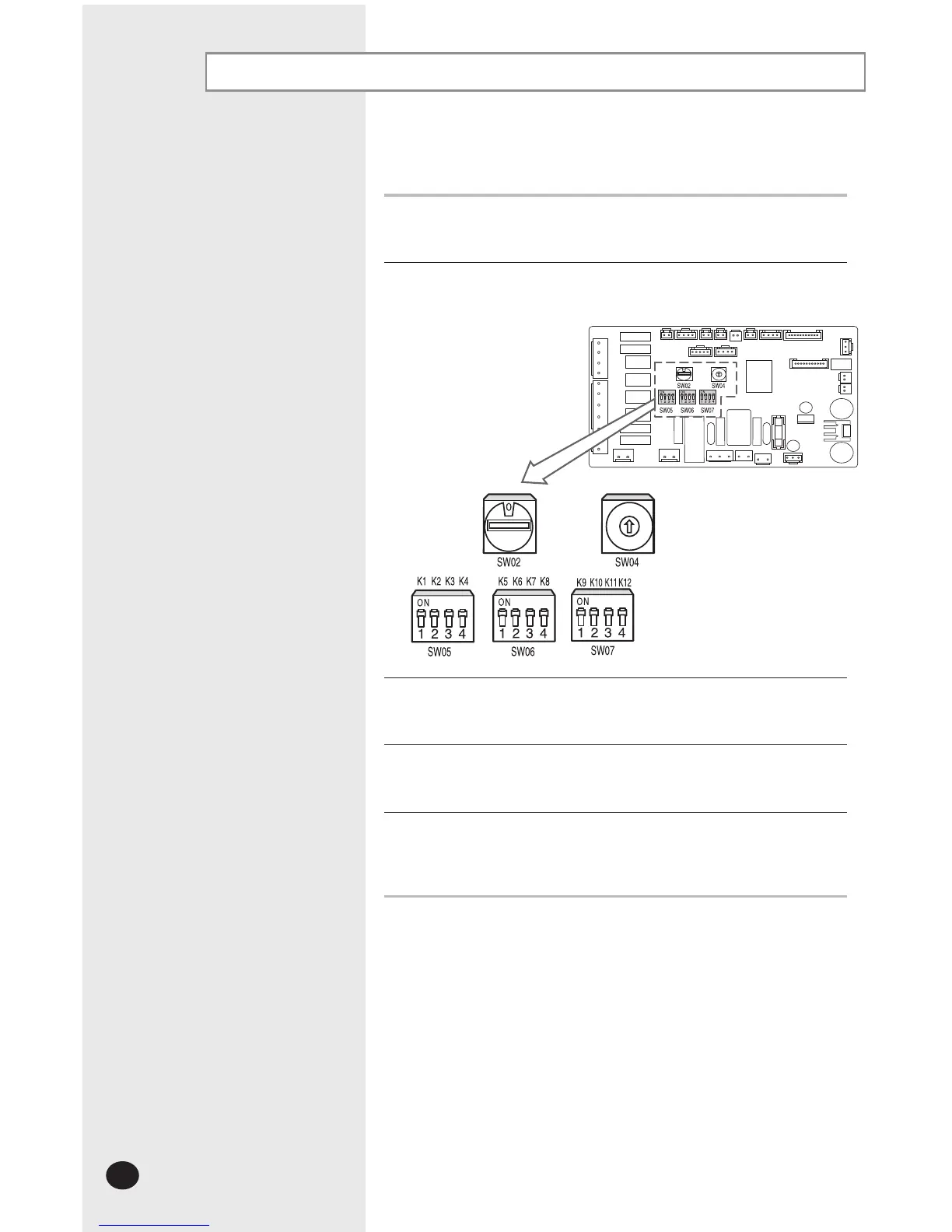
Before installing the indoor unit, assign an address to the indoor unit
according to the air conditioning system plan.
2
The address of the indoor unit is assigned by adjusting MAIN(SW02) and
RMC(SW04) rotary switches.
3
It is required to set the RMC address if you install the wired remote control
and/or the centralized control.
4
If you install optional accessories such as the wired remote control, centralized
control, etc. see an appropriate installation manual.
5
If an optional accessory is not installed, you do not have to set the RMC address.
However, adjust K1 and K2 switches of the SW05 DIP switch to "ON" position in
this case.



 To Next Page