
 Need help?
Do you have a question about the Samsung EO-PN900 and is the answer not in the manual?
Explains warning, caution, and note symbols used in the manual.
Lists items included in the product box and notes on variations and compatibility.
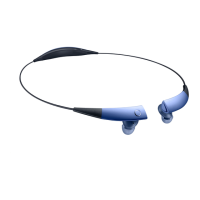
Illustrates and labels the different parts and components of the device.
Provides instructions and precautions for charging the device's built-in battery using the USB cable.
Explains how to operate the power switch to turn the headset on, off, or into pairing mode.
Lists important considerations and potential issues when using the Bluetooth wireless connection feature.
Describes the process of pairing the headset with another device using the NFC feature.
Details the steps for manually connecting the headset to a Bluetooth-enabled device via pairing mode.
Explains how to connect the headset simultaneously to two Bluetooth devices and manage primary/secondary connections.
Outlines methods to disconnect the headset from paired Bluetooth devices.
Instructs how to activate the noise-cancelling feature for a quieter listening experience.
Details how to use the touch pad on the headset for controlling functions like volume, playback, and calls.
Explains how to share audio from the headset with other compatible headsets.
Describes using the power switch for headset detection and music sharing.
Recommends downloading and using the Samsung Level app for advanced features like music sharing.
Provides instructions on how to stop sharing music with other headsets.
Offers solutions for common problems such as device not turning on or charging issues.
Provides instructions and warnings regarding the non-removable battery and its service.
 General
| Model | EO-PN900 |
|---|---|
| Microphone | Yes |
| Frequency Response | 20 Hz - 20 kHz |
| Colors | Black, White |
| Connectivity | Bluetooth |




 To Next Page