Getting started
7
Colour Status
Quickly flashes blue
three times
Connected via Bluetooth
Quickly flashes red
three times
Connected via Bluetooth (when the battery is low)
Flashes red every four
seconds
The battery is low
If the indicator light does not work as described, disconnect the charger from the
speaker bottle and reconnect it.
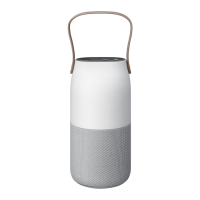
Charging the battery
Battery charging tips and precautions
•
You can charge the speaker bottle using the charger (sold separately).
•
If the battery is completely discharged, the speaker bottle cannot be turned on
immediately when the charger is connected. Allow a depleted battery to charge for a few
minutes before turning on the speaker bottle.
•
Using a power source other than the charger, such as a computer, may result in a slower
charging speed due to a lower electric current.
•
The speaker bottle can be used while it is charging, but it may take longer to fully charge
the battery.
•
If the speaker bottle receives an unstable power supply while charging, it may not
function. If this happens, unplug the charger from the speaker bottle.
•
While charging, the speaker bottle and the charger may heat up. This is normal and
should not affect the speaker bottle’s lifespan or performance. If the battery gets hotter
than usual, the charger may stop charging.
•
If the speaker bottle is not charging properly, take the speaker bottle and the charger to a
Samsung Service Centre.
•
The charging time may vary depending on the charger specification.


 To Next Page