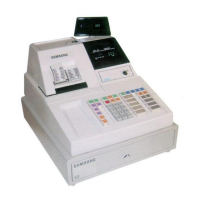
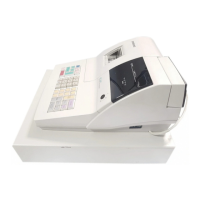
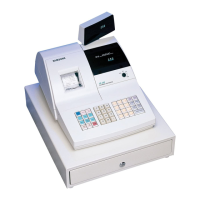
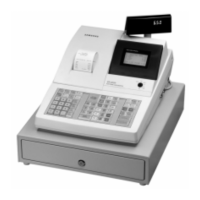
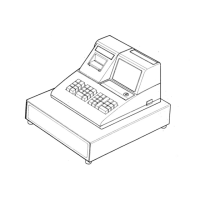
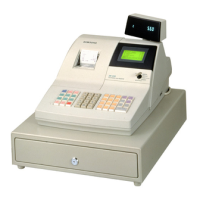
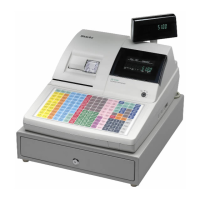
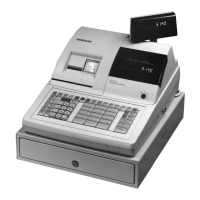
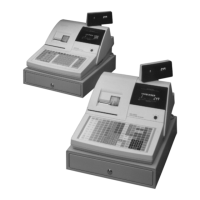
This document serves as a service manual for the Samsung Electronic Cash Register (ECR) models ER-4615R, ER-4615 series, and ER-4915 series. It provides technical information for troubleshooting, maintenance, and operation.
Function Description
The Samsung ECR is a microprocessor-based system utilizing an 8-bit single-chip microprocessor. Its primary function is to process sales transactions, record data, and print receipts and journal entries. It features a keyboard for input, a display for showing transaction details, and an impact dot matrix printer for physical records. The system also includes a cash drawer for secure storage of cash.
Important Technical Specifications
- Processor: INTEL 8032 / 8052
- Memory:
- SRAM: KM62256 (with battery back-up)
- EPROM: 27C512
- Power Source:
- EUROPE: 230V AC ±10% 50Hz
- U.S.A: 120V AC ±10% 60Hz
- Power Consumption: 34 watts (MAX)
- Printer:
- Type: ERP-300V, 9-Pin dot matrix
- Printing Speed: 3.0 lines/sec
- Printing Method: Mechanical serial dot matrix type
- Printing Direction: Bi-directional (Both left and right)
- Dot Interval: Horizontal 0.353mm, Vertical 0.350mm
- Total Number of Dots: Max 107 dots / 213 positions (Receipt/Journal side), Max 243 dots / 485 positions (Validation)
- Print Font: 9x9 (with half dots), 7x9 (with half dots)
- Printing Columns: 18 columns (Receipt/Journal side), 21 columns (Receipt/Journal side with 7x9 font), 40 columns (Validation)
- Character Size: 1.7 X 3.1 mm (9x9), 1.3 X 3.1 mm (7x9)
- Column Interval: 2.12 mm (9x9), 1.76 mm (7x9)
- Line Interval: 5.1 mm (9x9), 5.1 mm (7x9)
- Paper Feed: Receipt/Journal independent feed method
- Fast Feed Speed: Receipt approx. 26.5 lines/sec, Journal approx. 9.9 lines/sec
- Battery:
- Ni-Cad, 60mA (Charge time: 24 hours)
- Lithium, 3V, 950mAH (for ER-4615R)
- Drawer:
- Configuration: 4B/8C, 5B/5C
- Weight: 9.0 kg
- Dimension: 460(W) x 60(L) x 110(H)
- Dimensions (ECR): 450(L) X 400(W) X 309(H)mm
- Weight (ECR): 18.3Kg
- Display:
- Front: 10 DIGITS
- Rear: 9 DIGITS
- Keyboard:
- 60 KEY (MEMBRANE TYPE)
- 15 KEY: DEPARTMENT KEY
Usage Features
The ECR offers various operational modes controlled by a keylock switch:
- OFF: Operation stop.
- REG: Sales Operation.
- X: X level reports (read-only reports without clearing totals).
- Z: Z level reports (reports that clear totals).
- P: Program mode (for programming the ECR).
- SM (Service Mode): For diagnostic routines and service adjustments.
Initial Setup: Before first use, the ECR should be powered on in "REG" mode for at least 24 hours to fully charge the Ni-Cad battery, which maintains memory when power is off.
Paper Insertion: The manual details the process for inserting both receipt and journal paper, including folding the paper for the ERP-300V printer and winding the journal paper onto the rewind spindle.
Mode Switch: A keylock switch allows selection of different operational modes, including "OFF", "REG", "X", "Z", "P", and "SM". The "SM" mode is specifically for service diagnostics.
Maintenance Features
The service manual provides detailed procedures for maintenance and troubleshooting:
Initial Clear: This procedure clears keyboard lock-ups and temporary memory buffers without affecting register programming or stored totals. It involves turning the keylock to "P", pressing "SUBTOTAL", powering the ECR off and on while holding "SUBTOTAL".
Clearing Totals From Memory (RAM Clear):
- Total Memory RAM Clear (00 Key): Erases all totals and installs the default program. Requires the "C" key in "SM" mode.
- Clear All RAM Memory: A more comprehensive clear procedure that involves unplugging the ECR, turning the control lock to "SM" mode, holding the "00" key down while powering the register off and on, and switching off the CN21 shunt switch (for ER-4615R).
Service Mode Diagnostics: Accessed by turning the "C" key to "SM" mode, these diagnostics include:
- Printer / Display Test: Enter '1' and press "CASH TEND" to cycle through print character sets and test the display.
- Keyboard Test: Enter '2' and press "CASH TEND". Each key press shows its location code on the display. Exit by pressing "CLEAR" twice.
- Keylock Test: Enter '3' and press "CASH TEND". The display shows a code as the "C" key is rotated through positions.
- EPROM Check Sum: Enter '4' and press "CASH TEND" to print software version and check sum data.
- Setting the Number of Departments: A specific key sequence (XX - [X/TIME] - [CASH/TEND]) is used in "SM" mode to configure the number of departments.
Troubleshooting: Common issues and their solutions are provided:
- "P.P." on display: Check printer connections (CN7, CN8, CN13), ribbon, and paper jam.
- Buzzer Sound during POWER ON: Check display and turret connector connections.
- "E" on display: Press "CLEAR" key.
Alignments and Adjustments:
- Roll Paper Near-end Detector Adjustment: Instructions for adjusting the slide bracket based on paper thickness and desired remnant length.
- ERP-300V Printer Adjustment: Detailed disassembly and assembly procedures for the printer, including:
- Removing upper frame and ribbon frame.
- Separating upper and lower frames.
- Removing stamp paper guide and platen paper guide.
- Head Gap Adjusting Method: A precise procedure involving inserting a 0.5mm gap gauge between the head and platen and tightening screws.
Circuitry Overview: The manual includes descriptions of the power circuit, battery circuit, reset and power fail circuit, display circuit, drawer and buzzer circuit, keyboard circuit, real time clock circuit, printer circuit, and paper sensor circuit, along with block diagrams and circuit diagrams for detailed analysis.
Component Specifications: Detailed specifications for major components like the CPU, memory, and various ICs (e.g., 74HCT541, 74LS139, LM393, SN75518, 74LS05, 74LS14, 74HCT138, 74HCT573, 74HCT574) are provided, including pin names, functions, and truth tables.
Parts List: A comprehensive list of parts for the main PCB, cover printer, turret, upper assembly, display, keyboard, lower assembly, and printer (ERP-300V) is included, with code numbers, descriptions, quantities, and remarks.
Timing Charts: Timing diagrams for printing and paper feed, fast feeding, and receipt issuing are provided to illustrate the operational sequences of the printer.

 Need help?
 General

 To Next Page