053
Settings ( )
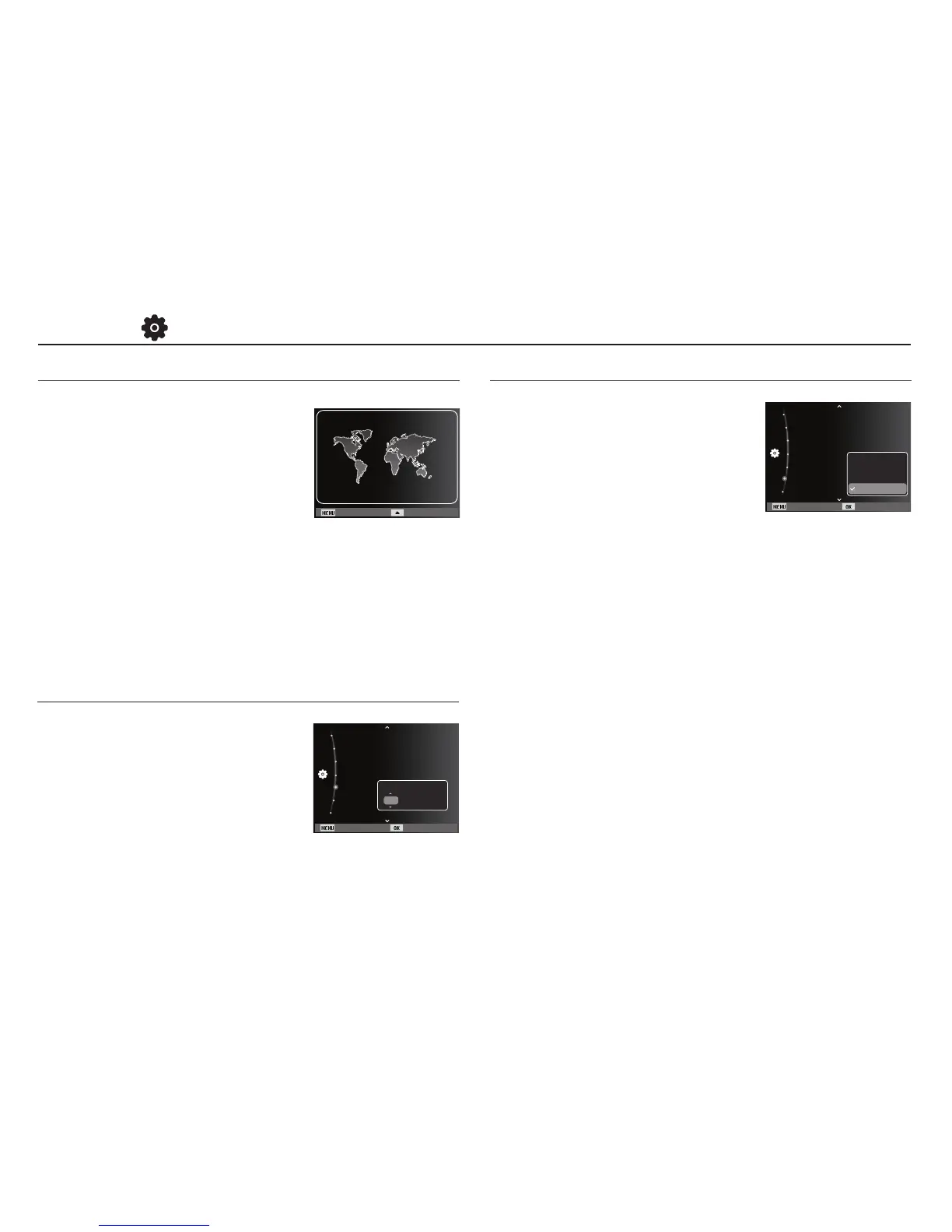
Available cities:
London, Cape Verde, Mid-Atlantic,
Buenos Aires, Sao Paulo, Newfoundland,
Caracas, La Paz, NewYork, Miami,
Chicago, Dallas, Denver, Phoenix, LA,
San Francisco, Alaska, Honolulu, Hawaii,
Samoa, Midway, Wellington, Auckland,
Okhotsk, Guam, Sydney, Darwin,
Adelaide, Seoul, Tokyo, Beijing, Hong Kong, Bankok, Jakarta,
Yangon, Almaty, Kathmandu, Mumbai, New Delhi, Tashkent,
Kabul, Abu Dhabi, Teheran, Moscow, Athens, Helsinki, Rome,
Paris, Berlin
Ä
DST : Daylight Saving Time
Time Zone
Back DST
London
[GMT +00:00] 2010/01/01 12:00 PM
Time Zone
Setting up the Date & Time
You can change the date and time that
will be displayed on the captured images.
Setting [Time Zone] enables you to display
the local date and time on the LCD monitor
when travelling overseas.
Back Set
Reset
Language :English
Time Zone :London
Date/Time Set :10/01/01
Date Type :Series
Format
File No. :Off
2010 / 01 / 01 12:00
yyyy mm dd
Setting up the Date Type
You can select a date type that you want.
- Date type : [Off], [DD/MM/YYYY],
[MM/DD/YYYY],
[YYYY/MM/DD]*
Back Set
Reset
Language :English
Time Zone :London
Date/Time Set :10/01/01
Date Type :Series
Format
File No. :Off
DD/MM/YYYY
MM/DD/YYYY
Off
YYYY/MM/DD



 To Next Page