063
Play & Pause / OK button
In Play mode, the play & pause / OK button works as follows:
-
When the menu is displayed on the LCD monitor, the OK button
is used for confirming data that is changed by using the 5 function
button.
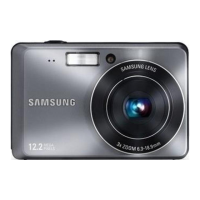
- If a still image with a voice memo, a voice file or a movie clip is
playing
·In Stop mode : Plays a still image with a voice memo, a voice
file or a movie clip.
·During playback : Temporarily stops playback.
·In Pause mode : Resumes playback
Info (DISP) / Up button
When the menu is displayed on the LCD monitor, the Up button
operates as a direction button.
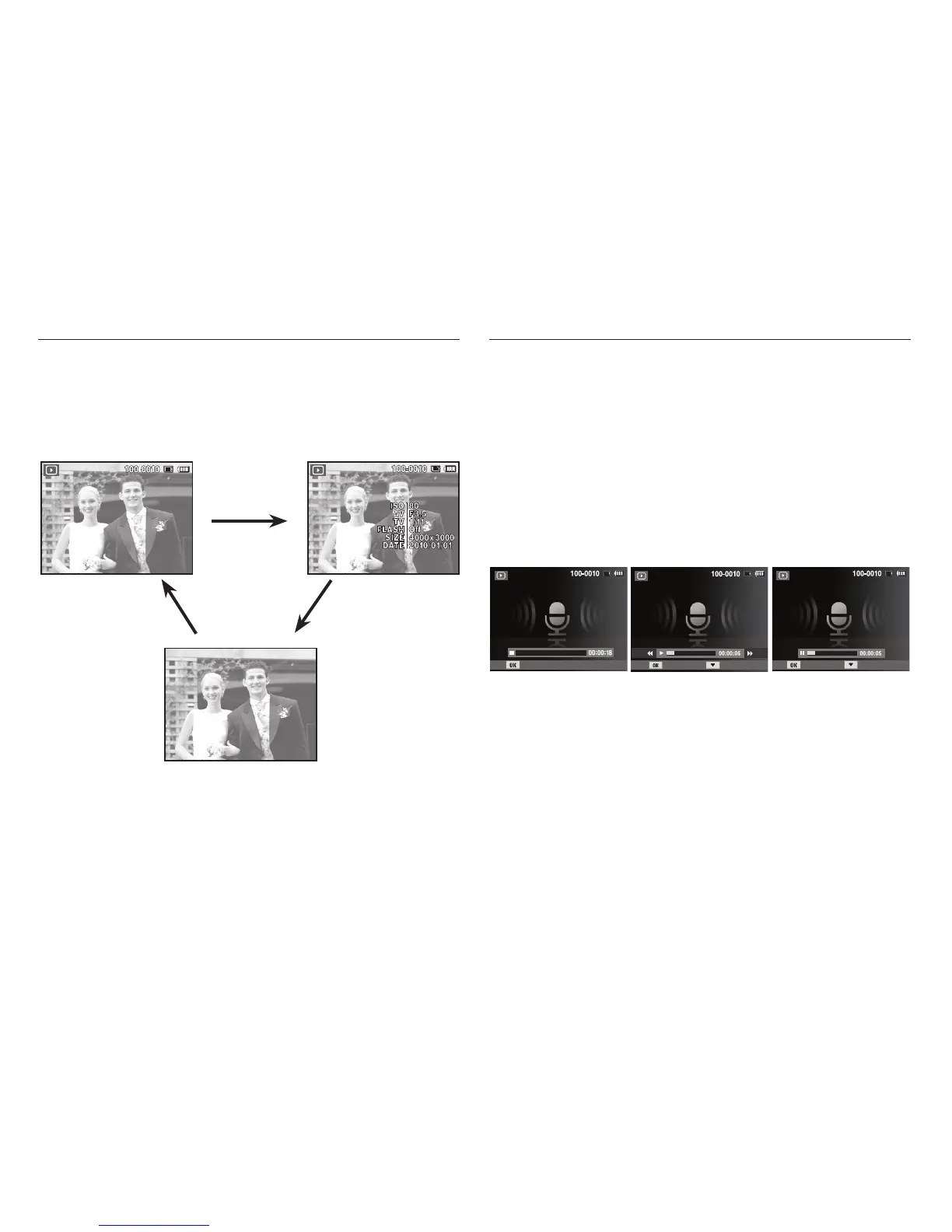
When the menu is not displayed on the LCD monitor, pressing the
Info button will display image information on the LCD monitor.
[ Voice recording is stopped ] [ Voice recording is playing ] [ Voice recording is paused ]
Play
Pause Stop
Play Stop
Info (DISP) button
Info (DISP) button
Info (DISP) button



 To Next Page