Getting Started 3
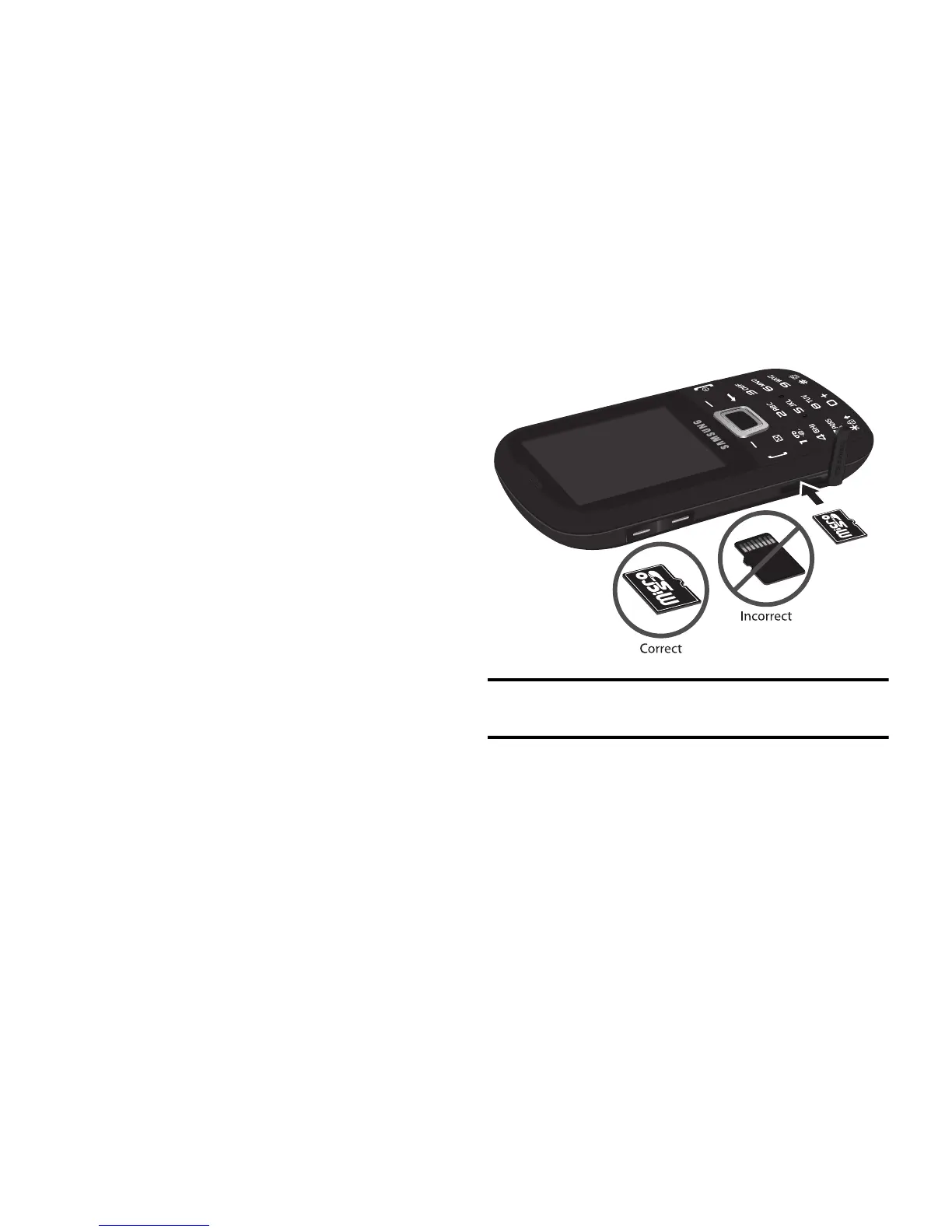
Installing the Memory Card
Your phone also supports the use of a memory
card (microSD) for data storage of such things as
data, music, pictures, and video files. This type of
memory card is designed for use with this mobile
phone and other devices.
1.
Push the microSD card into the slot until it
clicks (as shown). Make sure the microSD’s
gold contact pins face downward and the
card is securely inserted.
Note:
Your device has been tested to support up to a 16GB
memory card.



 To Next Page