12
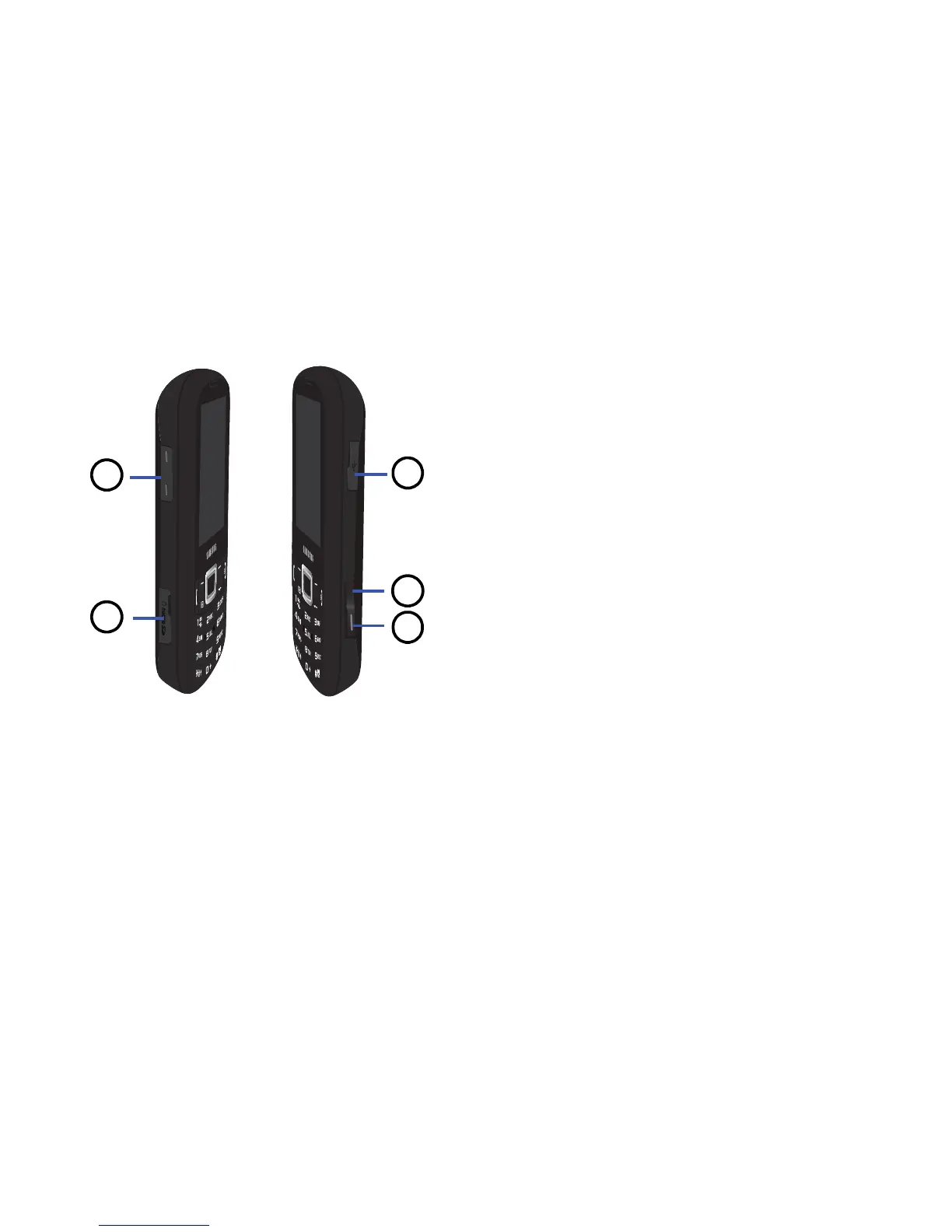
Side Views of Your Phone
1. Volume keys
: allows you to adjust the ringer
volume while in standby mode or adjust the
voice volume during a call. When receiving
an incoming call, briefly press either volume
key to mute the ring tone. Press and hold
either volume key to reject a call and send it
directly to voicemail. Adjusts text size when
reading a message or using the browser.
2. Memory card port
: Your phone has an
external memory port for a microSD or
microSDHC card.
3. Camera key
: in Idle mode, press to launch
the camera. In camera mode, press to take a
picture.
4.
Multitasking key: opens the application
switch window which allows you to select
from a group of different applications without
having to exit from the currently active
application. These options include Call,
Messaging, Mobile Web, Music Player,
Games, and End all.
5. Headset/power adapter/data cable jack
: allows
you to plug in the travel adapter (power), PC
connection cable (data transfer), and
optional headset.



 To Next Page