22
Using SYM (symbol) Mode
Symbol mode enables you to insert symbols and
punctuation marks into text.
1.
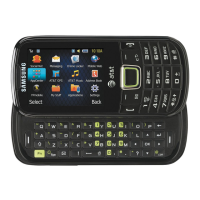
In Landscape mode, press the key to
display a matrix of symbols. Use the arrow
keys to display more tables.
2.
Select the number of the corresponding
symbol and press the
OK
soft key to insert
the symbol into the text message.
3.
In Portrait mode, press
Options
Text Mode
Symbols
.
– or –
Press and hold the key.
4.
Press the number key that corresponds to
the symbol you want to enter in your
message.
5.
Continue until you are finished composing
your message.
For more information on sending messages,
see “Creating and Sending Messages” on
page 37.
Using T9 Predictive Text in Portrait Mode
The T9 Predictive Text input method is based on a
built-in dictionary. A series of keystrokes is
interpreted by the phone using this dictionary to
determine the likely word.
1.
In Portrait mode, press
Options
Text Mode
T9 Predictive Text
.
2.
Begin entering a word by pressing the 2 to 9
keys. Press each key only once for each
letter. The built-in dictionary lists words that
match the entered keystrokes.
3.
Example: To enter “Hello”, press
, , , ,



 To Next Page