38
Tip:
In Idle mode, you can create a new message by
pressing up on the Navigation key.
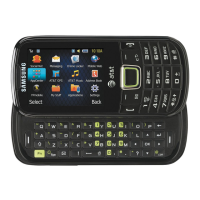
2. Use the QWERTY keypad to enter a
message. For more information, refer to
“Entering Text” on page 19.
3. Press
Insert
to insert one of the following into
your message:
•Picture
: allows you to choose a picture from the
Photos folder.
•
Music
: allows you to choose a music file from
the Music folder.
•
Image
: allows you to choose a picture from the
Images folder
• Sound
: allows you to choose an audio file from
the Sounds folder.
•Video
: inserts a video from the Videos folder.
• Templates
: allows you to insert pre-written
sentences, such as “Call me”.
•Emoticon
: allows you to add emoticons to your
message, such as a happy face.
• Take Picture
: allows you to temporarily exit the
message, take a photo with phone’s camera,
and then add it to your message by pressing
Add
.
• Record Video
: allows you to temporarily exit the
message, record a video clip using the phone’s
camera, and then add it to your message by
pressing
Add
.
• Record Sound
: allows you to temporarily exit the
message, record an audio clip using the phone’s
microphone, and then add it to your message by
pressing
Options
Add to message
.
• URL
: allows you to attach a web URL from your
Bookmarks list.
• Contact Info
: allows you to tap on an existing
Contacts entry, then add it to your message by
pressing
Select
.
4. Review your message and press
Send to
.



 To Next Page