
 Need help?
Do you have a question about the Samsung Falcon and is the answer not in the manual?
Explains keysets, line types, and how call status is indicated.
Covers speakerphone usage and volume controls.
Explains the tri-colored indicator light and its status meanings.
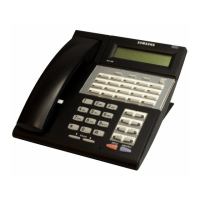
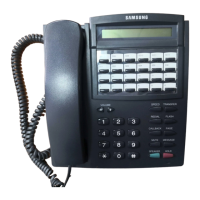
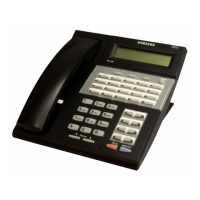
Details the display, keys, and components of the 28-button keyset.
Describes various system tones like dial tone, ringback, and busy tone.
Details the display, keys, and components of the 18-button keyset.
Details the display, keys, and components of the 8-button keyset.
Describes the 64-button Add-On Module and its programmable keys.
Discusses the three types of daughter modules (FKDBD, FKDBS, FKDBF).
Step-by-step instructions for assembling the keyset.
Instructions for installing a daughterboard module onto the keyset.
Steps for making, answering, and queuing outside calls.
Procedures for recalling dial tone and sending a flash signal.
Steps for dialing, answering, and managing internal calls.
Explains Voice Announce, Auto Answer, Busy Station handling, and calling the operator.
How to place calls on hold and retrieve them, including recall.
How to transfer calls and perform consultation holds.
How to transfer calls with camp-on, handle call waiting, and set up conferences.
Introduction to call forwarding features.
How to forward all calls or follow your extension.
How to forward calls based on busy/no answer, externally, or when DND is active.
How to pick up station or group calls.
How to use and program speed dial numbers.
Covers one-touch speed dialing, last number redial, and saving numbers.
Explains chain dialing, automatic redial, and pulse-to-tone conversion.
How to make internal, external, and all pages, plus meet me pages.
How to leave and retrieve message indications.
How to cancel, return, and use programmed messages.
How to use Do Not Disturb, Mute, and Background Music.
How to set alarms, answer door phones, and use hot lines.
How to use group listening and charge calls to accounts.
How to lock keyset and use OHVA features like block and reject.
How to manage your station's membership in ring groups.
How to configure AME BGM, password, and emulation modes.
How to select ring tones and change your passcode.
How to set the answer mode for internal calls.
How to enable automatic hold, switch to headset, and activate the hot keypad.
How to manage key confirmation tones and ring preference.
How soft keys, directory features, and call progress displays work.
How to use the call timer feature.
How to use auto timer, stopwatch, and view message indications.
How to program reminder messages and assign names to speed dials.
How to assign station names and manage key assignments.
Explains Caller ID types and common display scenarios (Private, Out of Area, Payphone).
How to choose CID display format and view queued call information.
How to save, redial, and store incoming CID numbers.
How to view CID for parked or held calls before retrieving them.
How to review past calls and correct LCR dialing errors.
Visual guide and initial steps for using the voicemail system.
Detailed instructions for accessing and managing voicemail messages.
How to forward messages, send messages, and manage alerts.
How to set personal greetings and configure pager notifications.
How to set passwords, record names, and use message waiting lights.
Quick messaging methods and how display keyset users interact with SVMi-4.



 To Next Page
 General