EasyManua.ls Logo

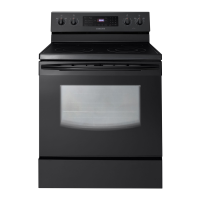
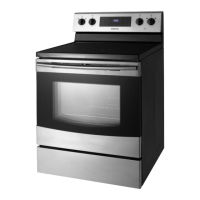
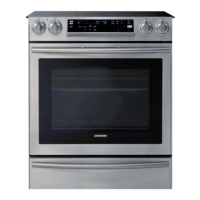
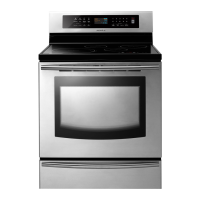
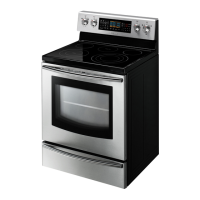
Samsung FE710DRS/XAA - User Manual

Samsung FE710DRS/XAA
72 pages
Print Icon
To Next Page IconTo Next Page
Loading...
imagine the possibilities
Thank you for purchasing this Samsung product.
To receive more complete service, please register
your product at
www.samsung.com/register
1-800-SAMSUNG(726-7864)
Electric Range
user manual
This manual is made with 100% recycled paper.
ENGLISH
FE710DRS
FE710DRS_XAA_DG68-00333A-01.indd 1 2011-03-16 �� 2:46:34

Questions and Answers

  • B
    Benjamin HallAug 15, 2025
    Why is my Samsung FE710DRS/XAA Ranges oven not turning on?
    • K
      Kenneth BarnesAug 15, 2025
      Your Samsung Ranges oven might not turn on because the range isn't fully plugged into the electrical outlet. Ensure the electrical plug is inserted into a live, properly grounded outlet. Also, a fuse in your home may be blown, or the circuit breaker tripped, so replace the fuse or reset the circuit breaker. Finally, the oven controls may have been set improperly.
  • H
    Heather BerryAug 18, 2025
    How to fix Samsung FE710DRS/XAA Ranges surface units not maintaining a rolling boil?
    • M
      Megan PerezAug 18, 2025
      If the surface units on your Samsung Ranges won't maintain a rolling boil or cook fast enough, it might be due to using inappropriate cookware. Use pans which are flat and match the diameter of the surface unit selected. In some areas, the power (voltage) may be low, so cover the pan with a lid until the desired heat is obtained.
  • C
    Clarence BurkeAug 21, 2025
    What to do if my Samsung FE710DRS/XAA Ranges oven control beeps and displays F error code?
    • E
      Eric WestAug 22, 2025
      If your Samsung Ranges oven control beeps and displays an F error code, press the CLEAR/OFF pad and restart the oven. If the problem persists, disconnect all power to the range for at least 30 seconds and then reconnect the power. If this does not solve the problem, call for service.
  • H
    heidi12Aug 25, 2025
    What to do if my Samsung FE710DRS/XAA Ranges surface units will not turn on?
    • J
      jnewtonAug 26, 2025
      If the surface units on your Samsung Ranges won't turn on, first check if a fuse in your home is blown or the circuit breaker tripped; if so, replace the fuse or reset the circuit breaker. Also, ensure the cooktop controls are correctly set for the surface unit you are using.
  • A
    Angela HensonAug 27, 2025
    Why does my Samsung FE710DRS/XAA Ranges oven smoke excessively during broiling?
    • D
      Dominic GreenAug 27, 2025
      Excessive smoke during broiling in your Samsung Ranges oven can occur if the control hasn't been set properly. Also, the meat may be placed too close to the element, so reposition the rack to provide proper clearance and preheat the broil element for searing. Another reason may be that the meat hasn't been properly prepared, so remove the excess fat from the meat, cutting away fatty edges. Finally, grease may have built up on oven surfaces, so regular cleaning is necessary when broiling frequently.
  • A
    Anthony JensenAug 30, 2025
    Why is my Samsung FE710DRS/XAA food drying out in the warming drawer?
    • C
      Christopher GutierrezAug 30, 2025
      Food dries out in the warming drawer of your Samsung Ranges because moisture is escaping. Cover food with a lid or aluminum foil. Also, the drawer may not be fully closed, so push the drawer in until the latch engages.
  • A
    Alexander RoweSep 2, 2025
    How to level a Samsung FE710DRS/XAA Ranges?
    • G
      greenroseSep 3, 2025
      To level your Samsung Ranges, place the oven rack in the center of the oven. Place a level on the oven rack. Adjust the leveling legs at the base of the range until the oven rack is level. If the floor is sagging or sloping, contact a carpenter to correct the situation. Ensure the kitchen cabinets are square and provide sufficient room for installation. If the kitchen cabinets are not square and are too close to the range, contact a builder or installer to make the appliance accessible. Provide sufficient space so the range can be lifted over the carpet if the carpet is interfering with movement of the range.
  • M
    mark36Sep 5, 2025
    Why will my Samsung FE710DRS/XAA Ranges oven not self-clean?
    • E
      Edward EvansSep 5, 2025
      The Samsung Ranges oven will not self-clean if the oven temperature is too high to start a self-clean operation. Allow the range to cool and reset the controls. The oven controls may have been set incorrectly. You cannot start a self-cleaning cycle if you have activated the oven lockout feature or if a radiant surface element is on.
  • P
    Patricia MasseySep 8, 2025
    Why is there excessive smoke during a self-cleaning cycle in my Samsung Ranges?
    • B
      brownchristinaSep 9, 2025
      Excessive smoke during a self-cleaning cycle in your Samsung Ranges indicates there is excessive soiling in the oven. Press the CLEAR/OFF pad, open the windows to rid the room of smoke, wait until the self-cleaning cycle is canceled, wipe up the excessive soil, and reset the oven for self-cleaning.
  • D
    Douglas ClarkSep 12, 2025
    How do I fix a Samsung FE710DRS/XAA oven light that will not turn on?
    • S
      Shawn GordonSep 12, 2025
      If the oven light in your Samsung Ranges won't turn on, the light bulb is loose or defective, so tighten or replace the bulb. If that doesn't work, the switch operating the light may be broken, so call for service.

Summary

Features of Your New Range

Key Features Overview

Highlights major features like heat distribution, cleaning, capacity, and cooking modes.

Important Safety Instructions

General Safety Guidelines

Explains safety symbols, precautions, and general safe practices for operation.

Critical Warnings: Installation, Usage, and Cleaning

Covers essential safety warnings for installation, operation, and cleaning.

Surface Cooking

About Surface Cooking

General information and precautions for using the surface cooking elements.

Cooktop Controls and Features

Details the location of elements, controls, indicators, and the warming center.

Using Cookware and Protecting the Cooktop

Guides on selecting cookware and maintaining the cooktop surface.

Operating the Oven

Control Panel and Twin Oven Operation

Overview of the control panel and twin oven setup.

Setting Time and Temperature

Instructions for setting the clock, timer, and adjusting temperatures.

Cooking Modes and Features

Guides on bake, convection, roasting, timed, delay, broiling, custom, easy, warm, defrost, and Sabbath modes.

Maintaining Your Appliance

Self-Cleaning and Steam-Cleaning

Instructions and precautions for self-cleaning and steam-cleaning cycles.

Oven and Cooktop Cleaning

Guidance on cleaning oven parts, door, and the glass cooktop.

Component Replacement and Maintenance

Steps for replacing the oven door, warming drawer, and oven light.

Troubleshooting

Common Range Problems and Solutions

Addresses issues like leveling, error codes, and surface unit problems.

Cooktop and Oven Performance Issues

Solutions for discoloration, improper cooking, and self-cleaning failures.

Warranty Information

Limited Warranty Details

Outlines the terms and conditions of the product warranty.

Samsung FE710DRS/XAA Specifications

General IconGeneral
Stylefreestanding
Colorstainless steel
Main Capacity3 cubic feet
Extra Capacity2.7 cubic feet
Inductionno
Interior Lightyes
Fuelelectric
Weight and Dimensions IconWeight and Dimensions
Depth26 inches
Height47.13 inches
Width29.9 inches
Net Weight194 pounds

Related product manuals