
 Need help?
Do you have a question about the Samsung FTQ352IWUX and is the answer not in the manual?
Explains the meaning of various warning and caution symbols used throughout the manual to indicate hazards.
Details the critical importance and installation of the anti-tip device to prevent range tipping hazards.
Presents crucial safety precautions and guidelines for using the electric range safely and preventing accidents.
Addresses issues with the range not being level and provides solutions for alignment.
Discusses problems related to appliance accessibility for servicing and solutions.
Explains oven error codes and troubleshooting steps for resolving them.
Troubleshoots issues with surface units not heating properly or maintaining desired temperatures.
Addresses problems where surface units fail to power on and suggests solutions.
Explains that this is normal behavior for surface units and what it signifies.
Explains causes of cooktop discoloration and refers to cleaning sections for solutions.
Addresses issues where surface units cycle on and off frequently, explaining it as normal operation.
Troubleshoots why the oven may not turn on, checking power and control settings.
Addresses general power issues for the appliance, checking plug, fuses, and house lights.
Troubleshoots why the oven light may not turn on, checking bulb and switch.
Provides troubleshooting steps for excessive smoking during broiling, including rack positioning.
Addresses issues with food not baking or roasting correctly, checking controls, racks, and cookware.
Troubleshoots issues with broiling performance, including controls, rack position, and cookware.
Addresses oven temperature inaccuracies and suggests checking the sensor or adjusting the thermostat.
Explains that scratches are permanent but can be minimized, advising on proper cleaning.
Addresses brown streaks or specks on the cooktop and refers to cleaning procedures.
Explains causes of metallic sheen discoloration on the cooktop and cleaning methods.
Troubleshoots reasons why the self-clean cycle may not start, such as temperature or lockout.
Explains that crackling or popping sounds during cooking/cleaning are normal.
Addresses excessive smoking during self-cleaning and suggests ventilation and cleaning.
Explains that the door remains locked until the oven cools down after self-cleaning.
Troubleshoots why the oven may not be clean after one cycle and suggests repeating or longer cycles.
Explains that steam from the vent during convection is normal and depends on usage.
Notes that new oven odors are normal and will disappear over time.
Explains that initial odors from insulation are normal for new ovens.
States that convection fan noise is normal and may cycle on and off.
Provides a tip for easier sliding of oven racks after self-cleaning.
Troubleshoots blank displays due to power issues like blown fuses or tripped breakers.
Troubleshoots flashing displays, usually indicating a power failure or tripped breaker.
Addresses issues with the warming drawer sliding smoothly and provides alignment/weight solutions.
Troubleshoots why the warming drawer may not work, checking power and controls.
Explains that liquid in the drawer can cause condensation and suggests removing it.
Troubleshoots food drying out, suggesting covering food and adjusting temperature.
 General
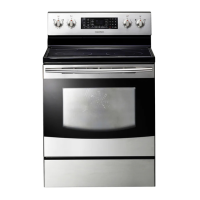
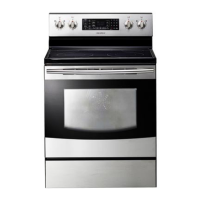
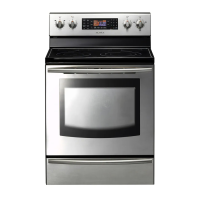
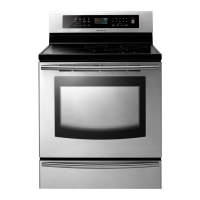
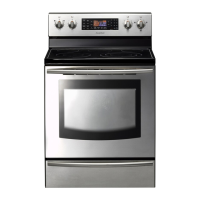
| Type | Freestanding |
|---|---|
| Oven Capacity | 5.9 cu. ft. |
| Number of Burners | 5 |
| Self-Cleaning | Yes |
| Wi-Fi Connectivity | No |
| Color | Stainless Steel |
| Fuel Type | Electric |


 To Next Page