Basics
13
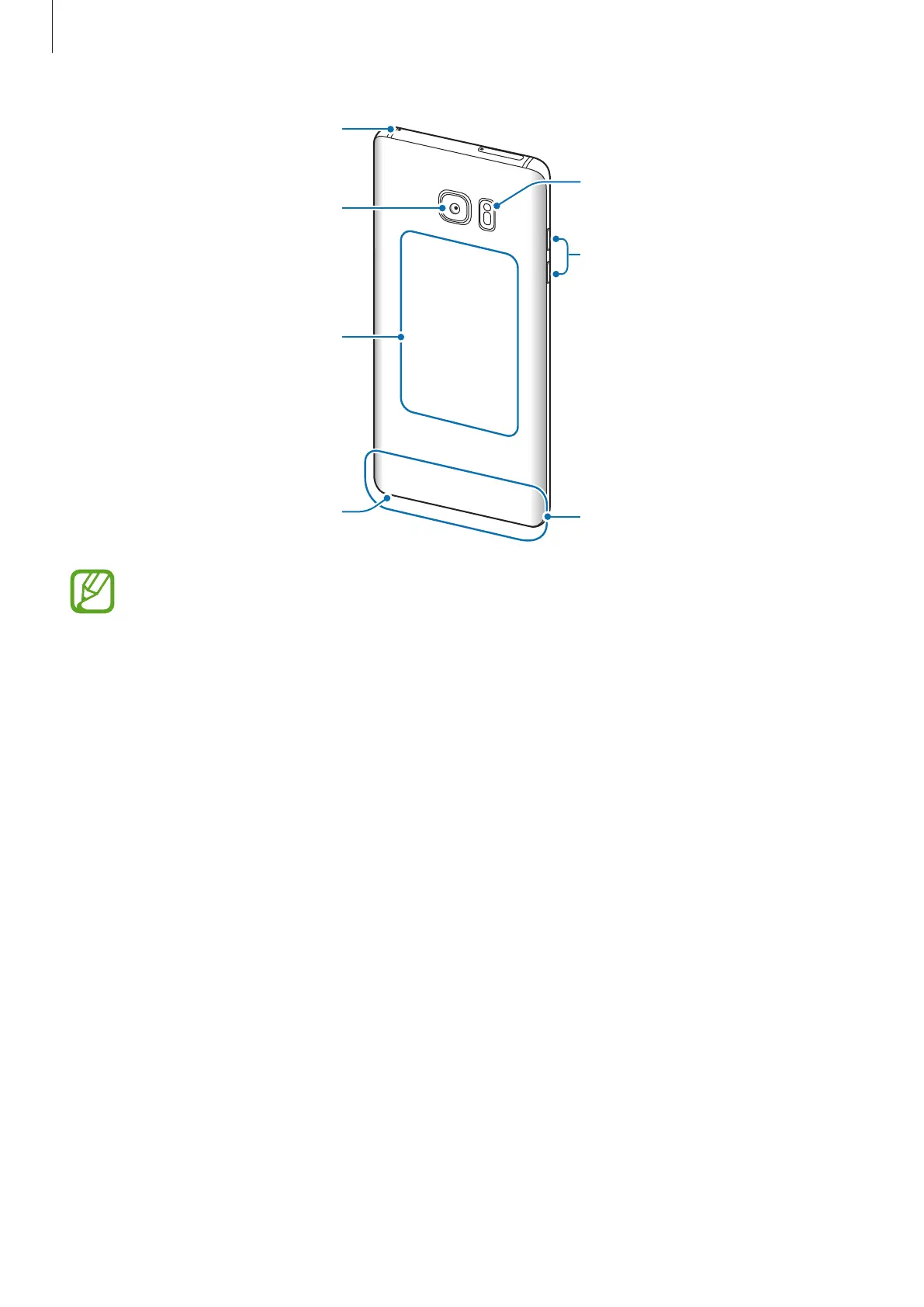
Main antenna
Volume key
NFC antenna / MST
antenna / Wireless
charging coil
Rear camera
S Pen
Flash
•
Connectivity problems and battery drain may occur in the following situations:
–
If you attach metallic stickers on the antenna area of the device
–
If you attach a device cover made with metallic material to the device
–
If you cover the device’s antenna area with your hands or other objects while
using certain features, such as calls or the mobile data connection
•
Using a Samsung-approved screen protector is recommended. Unapproved screen
protectors may cause the sensors to malfunction.
•
Do not cover the proximity/light sensor area with screen accessories, such as a
screen protector or stickers. Doing so may cause the sensor to malfunction.
•
The colours on the curved screen may look different depending on your viewing
position.












 To Next Page