10
ENGLISH
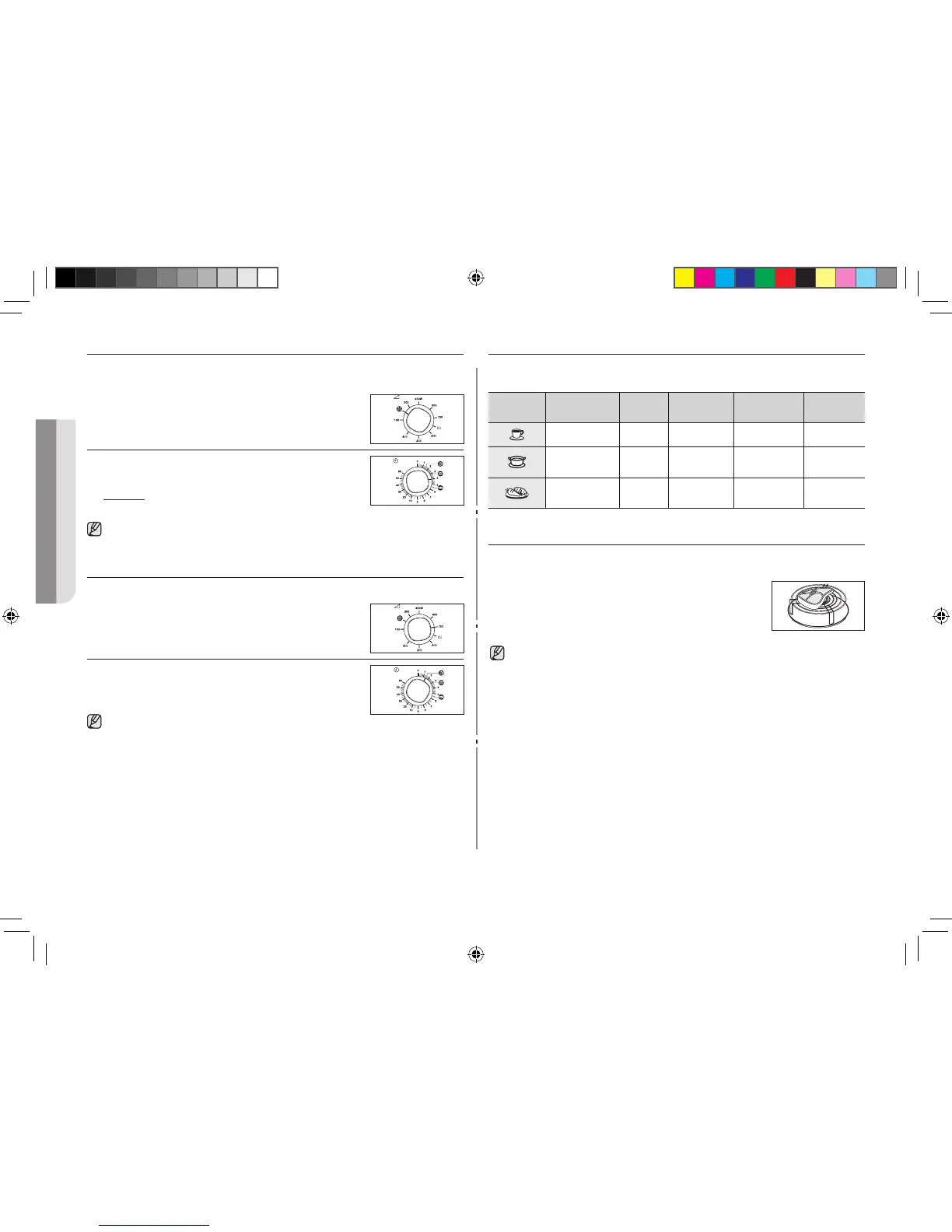
MANUAL DEFROSTING FOOD
The defrost feature enables you to defrost meat, poultry, fish or bread/cake.
First, place the frozen food in the centre of the turntable and close the door.
1. Turn the COOKING POWER CONTROL knob to
(180 W).
2. Turn the TIMER knob to select the appropriate
weight.
Result : Defrosting begins.
Use only recipients that are microwave-safe.
USING THE INSTANT REHEAT/COOK FEATURE
First, place the food in the center of the turntable and close the door.
1. Turn the COOKING POWER CONTROL knob to
max power.
2. Turn the TIMER knob to select instant reheat.
(drinks or soup/sauce, fresh vegetables)
Use only recipients that are microwave-safe.
INSTANT REHEAT/COOK SETTINGS
Here are a few tips and recommendations to be followed when cooking or
reheating food with whe instant reheat and cooking feature.
Symbols Serving
type
Power Portion Cooking
time
Standing
time
Drinks 750 W 150 ml 1 min 30 sec 1-2 min.
Soup/Sauce
(chilled)
750 W 200-250 ml 3 min 10 sec 2-3 min.
Fresh
vegetables
750 W 300-350 g 5 min 30 sec 3 min.
CHOOSING THE ACCESSORIES
Use microwave-safe recipients; do not use plastic containers, dishes, paper
cups, towels, etc.
If you wish to select the combined cooking mode (grill
and microwave), use only dishes that are microwave-
safe and oven-proof.
For further details on suitable cookware and utensils, refer to the cookware guide
on page 12.
GE71A_BOL_DE68-04050C_EN.indd 10 2011-09-06 10:25:56



 To Next Page