English - 11
Samsung will charge a repair fee for replacing an accessory or repairing
acosmeticdefectifthedamagetotheunitand/ordamagetoorlossof
the accessory was caused by the customer. Items this stipulation covers
include:
(a)ADented,Scratched,orBrokenDoor,Handle,Out-Panel,orControl
Panel.
(b)ABrokenormissingTray,GuideRoller,Coupler,orWireRack.
• Usethisapplianceonlyforitsintendedpurposeasdescribedinthis
instruction manual. Warnings and Important Safety Instructions in this
manual do not cover all possible conditions and situations that may
occur. It is your responsibility to use common sense, caution, and
care when installing, maintaining, and operating your appliance.
• Becausethesefollowingoperatinginstructionscovervariousmodels,
the characteristics of your microwave oven may dier slightly from
those described in this manual and not all warning signs may be
applicable. If you have any questions or concerns, contact your
nearest service centre or find help and information online at www.
samsung.com.
• Thismicrowaveovenissupposedforheatingfood.Itisintendedfor
domestic home-use only. Do not heat any type of textiles or cushions
filled with grains, which could cause burns and fire. The manufacturer
cannot be held liable for damage caused by improper or incorrect
use of the appliance.
• Failuretomaintaintheoveninacleanconditioncouldleadto
deterioration of the surface that could adversely aect the life of the
appliance and possible result in a hazardous situation.
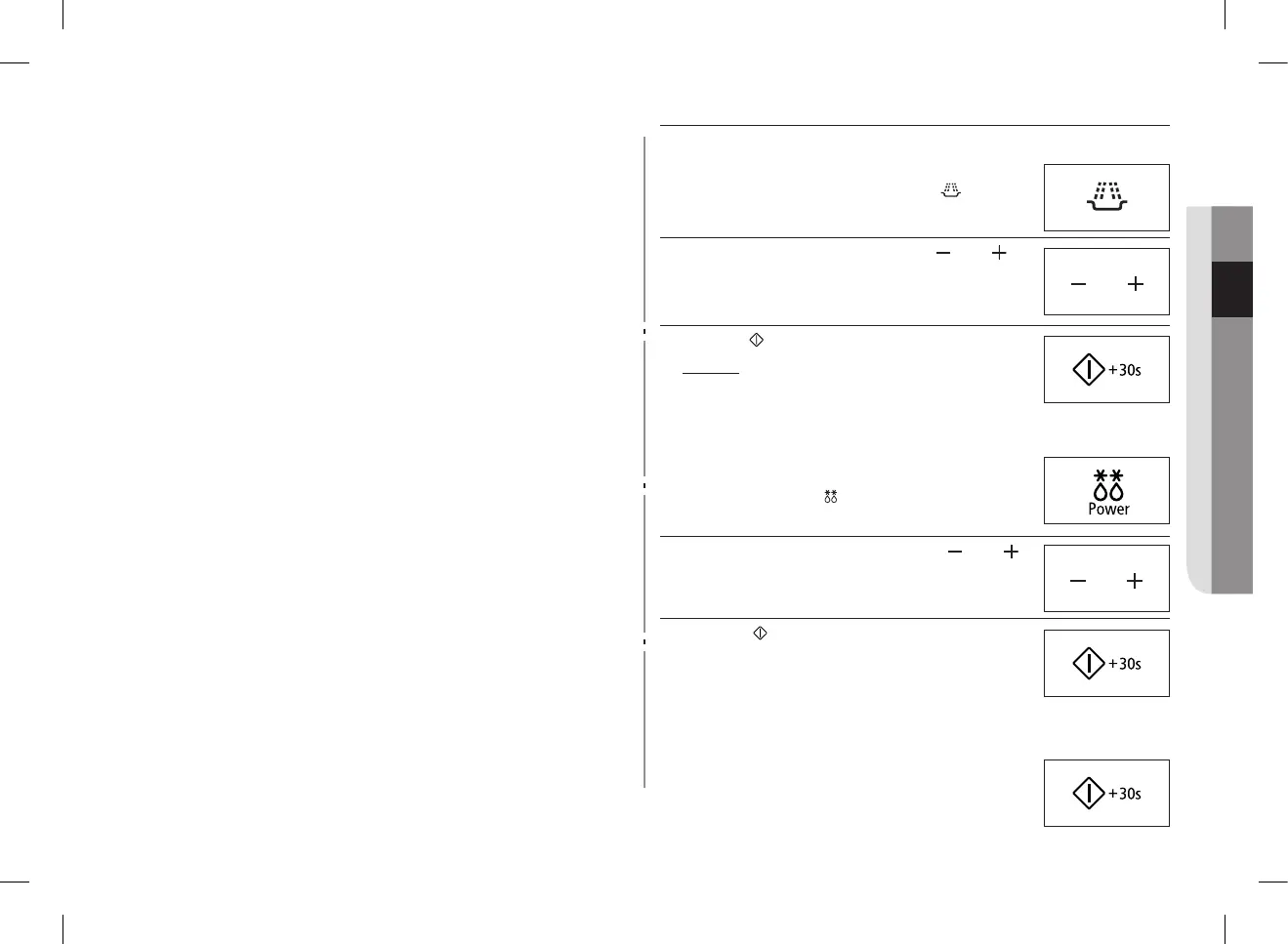
quick look-up guide
If you want to cook some food.
1. Place the food in the oven.
Select the power level by pressing the button one
or more times.
2. Set the cooking time by pressing the ( ) and ( )
buttons as required.
3. Press the button.
Result : Cookingstarts.Theovenbeepsfour
times when cooking is over.
If you want to auto power defrost some food.
1. Place the frozen food in the oven.
Select the type of food that you are cooking by
pressing the Power ( ) button one or more times.
2. Select the food weight by pressing the ( ) and ( )
buttons.
3. Press the ( ) button.
If you want to add extra 30 seconds.
Leave the food in the oven.
Press +30s one or more times for each extra 30
seconds that you wish to add.
GE87M_SUT_DE68-04114G-02_EN.indd 11 2014-03-31 �� 2:32:09


 To Next Page