English - 16
ADJUSTING THE COOKING TIME
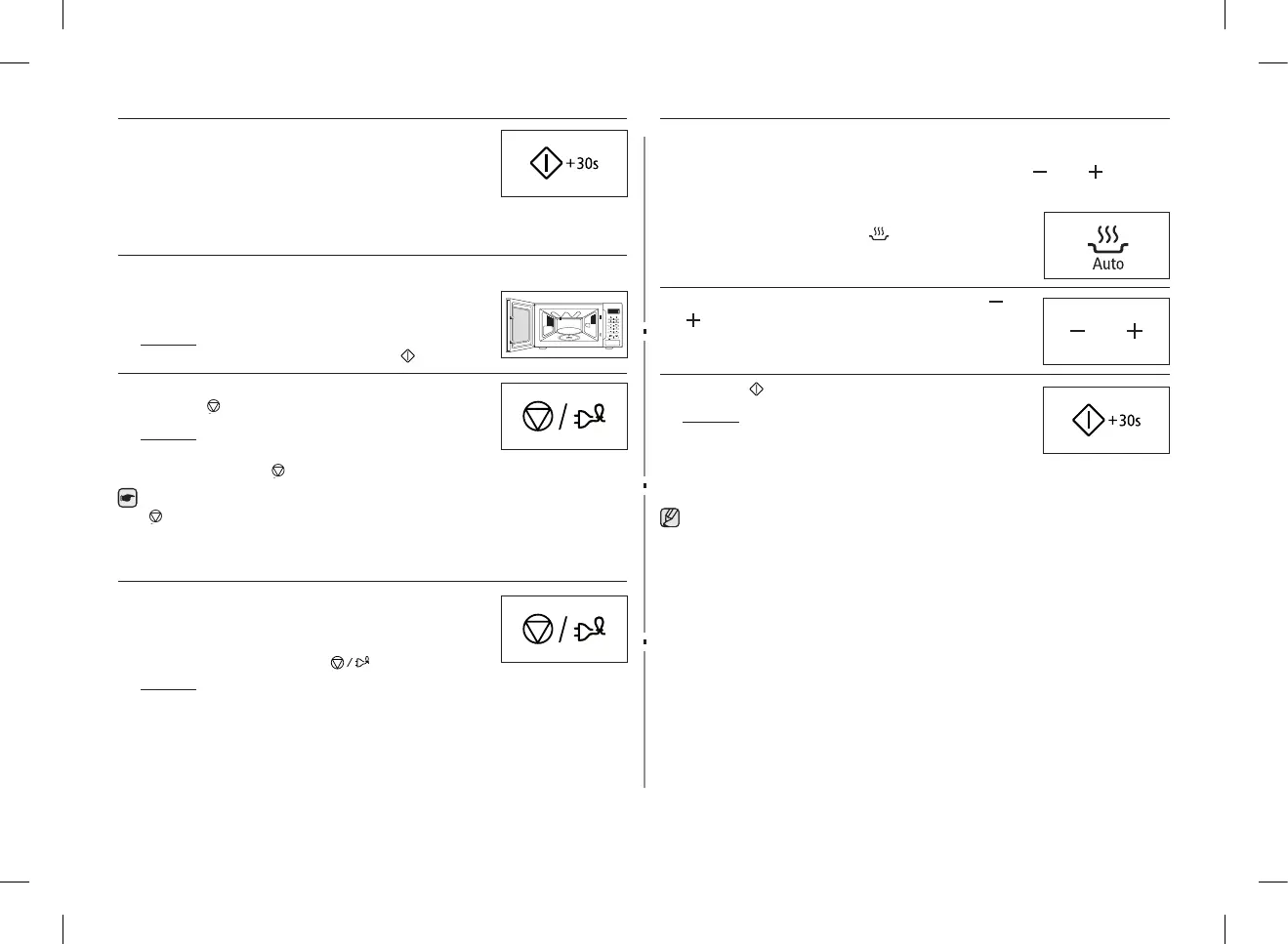
Youcanincreasethecookingtimebypressingthe+30s
button once for each 30 seconds to be added.
Press the +30s button once for each 30 seconds to be
added.
STOPPING THE COOKING
You can stop cooking at any time to check the food.
1. To stop temporarily;
Open the door.
Result : Cookingstops.Toresumecooking,
close the door and press again.
2. To stop completely;
Press the button.
Result : The cooking stops. If you wish to
cancel the cooking settings, press the
Stop ( ) button again.
You can also cancel any setting before starting by simply pressing Stop
( ).
SETTING THE ENERGY SAVE MODE
The oven has an energy save mode. This facility saves
electricity when the oven is not in use. Normal condition
is standby mode and show clock when not using.
• Press the Stop/Eco mode ( ) button.
Result : Display o.
• To remove energy save mode, open the door and then display shows
current time. The oven is ready for use.
USING THE AUTO REHEAT FEATURE
TheAutoReheatfeaturehasfourpre-programmedcookingtime.
You do not need to set either the cooking times or the power level.
You can adjust the number of servings by pressing the ( ) and ( ) buttons.
First, place the food in the centre of the turntable and close the door.
1. Select the type of food that you are cooking by
pressing the Auto Reheat ( ) button once or more
times.
2. Select the size of the serving by pressing the ( ) and
( )buttons.(Refertothetableontheside).
3. Press the button.
Result : Cookingstarts.Whenithasnished.
1) The oven beeps four times.
2) The end reminder signal will beep 3
times (once every minute).
3) The current time is displayed again.
Use only recipients that are microwave-safe.
GE87M_SUT_DE68-04114G-02_EN.indd 16 2014-03-31 �� 2:32:16


 To Next Page