English - 21
USING THE SETTINGS
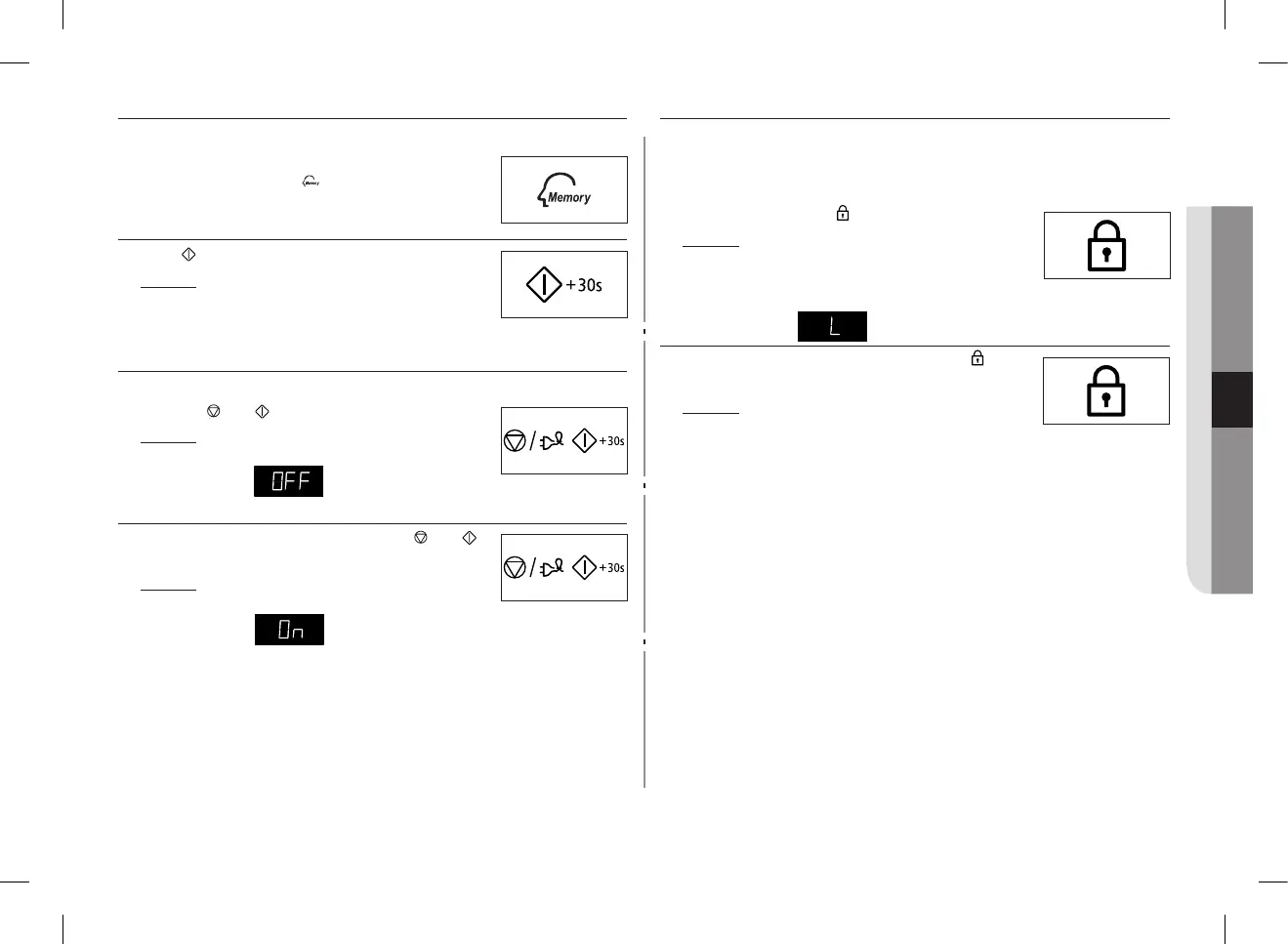
First, place the food in the centre of the turntable and close the door.
1. To select the...
Then press the Memory
( ) button...
First setting
Second setting
Once (Display is P1)
Twice (Display is P2)
2. Press button.
Result : The food is cooked as requested.
SWITCHING THE BEEPER OFF
You can switch the beeper o whenever you want.
1. Press the and buttons at the same time.
Result :
• Thefollowingindicationisdisplayed.
• Theovendoesnotbeepeachtimeyoupressabutton.
2. To switch the beeper back on, press the and
buttons again at the same time.
Result :
• Thefollowingindicationisdisplayed.
• Theovenoperateswiththebeeperonagain.
SAFETY-LOCKING YOUR MICROWAVE OVEN
YourmicrowaveovenisttedwithaspecialChildSafetyprogramme,which
enables the oven to be “locked” so that children or anyone unfamiliar with it
cannot operate it accidentally.
The oven can be locked at any time.
1. Press the Child Lock ( ) button for one second.
Result :
• Theovenislocked(nofunctionscan
be selected).
• Thedisplayshows“L”.
2. To unlock the oven, press the Child Lock ( ) button
for one second.
Result : The oven can be used normally.
GE87M_SUT_DE68-04114G-02_EN.indd 21 2014-03-31 �� 2:32:25


 To Next Page