EasyManua.ls Logo

Samsung GT-S5301 - User Manual

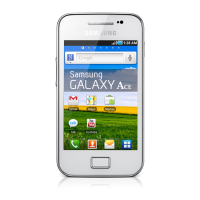
Samsung GT-S5301
136 pages
Print Icon
To Next Page IconTo Next Page
Loading...
GT-S5301
user manual

Table of Contents

Questions and Answers

  • S
    Stephen BennettAug 18, 2025
    What to do if my Samsung GT-S5301 freezes?
    • B
      Barbara FisherAug 18, 2025
      If your Samsung Cell Phone freezes or hangs, try these steps to regain functionality: * If responsive, close the frozen application using the task manager. * If unresponsive, press and hold the Power key for 8-10 seconds. * If the problem continues, perform a factory data reset.
  • J
    joshua71Aug 20, 2025
    Why does my Samsung Cell Phone get so hot?
    • K
      Kayla ChaseAug 21, 2025
      If your Samsung Cell Phone feels hot, especially when using power-intensive applications or using applications for a long time, this is normal and should not affect your device’s lifespan or performance.
  • M
    Michael MurphyAug 23, 2025
    What to do if my Samsung GT-S5301 loses network connection?
    • J
      john65Aug 23, 2025
      If you cannot connect to the network on your Samsung Cell Phone, it may be due to weak signals or poor reception. Move to another area and try again.
  • H
    Heidi ParkAug 26, 2025
    What to do if my Samsung GT-S5301 Cell Phone loses reception?
    • J
      Jeffery CalderonAug 26, 2025
      If you are losing reception on your Samsung Cell Phone, move to an area with better signal strength and try again. The issue may be due to weak signals or poor reception in your current location.
  • R
    Richard FoxAug 28, 2025
    What to do if SIM card is blocked on Samsung Cell Phone?
    • F
      Frederick SavageAug 28, 2025
      If your SIM or USIM card is blocked on your Samsung Cell Phone, you must enter the PUK supplied by your service provider.
  • P
    Paul BrownAug 30, 2025
    How to use FM radio on Samsung GT-S5301?
    • P
      Patrick SinghAug 30, 2025
      To use the FM radio on your Samsung Cell Phone, make sure the headset is properly connected. Then, scan for and save the available radio stations. If it still doesn't work, try accessing your desired station with another radio receiver.
  • R
    rcarlsonSep 1, 2025
    What to do if my Samsung GT-S5301 Cell Phone battery is low?
    • D
      deborah79Sep 1, 2025
      If your Samsung Cell Phone battery is low, recharge or replace the battery to continue using the device.
  • T
    Thomas BrownSep 3, 2025
    Why won't my Samsung Cell Phone find other Bluetooth devices?
    • M
      Mario MontoyaSep 3, 2025
      If another Bluetooth device is not being located by your Samsung Cell Phone, ensure that the Bluetooth feature is activated on your device and on the device you wish to connect to, if necessary. Also, make sure that both devices are within the maximum Bluetooth range (10 m).
  • D
    Dakota PalmerSep 6, 2025
    Why can't I play some music files on my Samsung Cell Phone?
    • E
      Edward CummingsSep 6, 2025
      If some music files may not play on your Samsung Cell Phone, try freeing memory by transferring files to a computer or deleting files from your device. Also, ensure that the music file is not Digital Rights Management (DRM)-protected and that your device supports the file type.
  • E
    edwindavilaSep 8, 2025
    What to do if camera application isn't working on Samsung GT-S5301 Cell Phone?
    • S
      Sylvia ThompsonSep 8, 2025
      If your Samsung Cell Phone camera application isn't working, try the following: * Charge the battery or replace it with a fully charged one. * Free up memory by moving files to a computer or deleting them. * Restart the device. If problems persist, contact a Samsung Service Centre.

Summary

Using this manual

Read me first

Important preliminary information before using the device and manual.

Instructional Icons

Copyright

Legal information regarding manual reproduction and distribution.

Assembling

Device layout

Identification of the physical components and buttons of the device.

Insert the SIM or USIM card and the battery

Step-by-step guide for installing the SIM/USIM card and battery.

Charge the battery

Procedures for charging the device's battery using different methods.

Getting started

Turn on or off your device

Basic steps for powering the device on and off.

Use the touch screen

Learn basic actions and proper handling of the touch screen interface.

Get to know the Home screen

Understanding the device's main screen and its navigation.

Communication

Calling

Instructions for making, answering, and managing phone calls.

Messages

Guide to creating, sending, and managing text and multimedia messages.

Entertainment

Camera

Learn how to operate the camera to take photos and videos.

Music Player

Guide to listening to music files on the device.

Personal information

Contacts

Learn to create, manage, and organize personal and business contacts.

S Planner

Organize schedules, events, and tasks using the S Planner.

Web

Internet

Access and bookmark webpages using the device's internet browser.

Maps

Use Google Maps for finding locations and getting directions.

Connectivity

USB connections

Instructions for connecting the device to a computer via USB.

Wi-Fi

Activate and connect to wireless local area networks.

Bluetooth

Exchange data or media files with other devices via Bluetooth.

Tools

Calculator

Perform calculations using the device's built-in calculator.

Clock

Set and control alarms, and use the clock display.

Settings

Security

Change settings for securing the device and SIM card.

Language and input

Customize language settings and text input methods.

Troubleshooting

The touch screen responds slowly or improperly

Steps to resolve issues with the touch screen's responsiveness.

Your device freezes or has fatal errors

Procedures to regain functionality when the device freezes or encounters errors.

Samsung GT-S5301 Specifications

General IconGeneral
ModelGT-S5301
StatusDiscontinued
NetworkGSM / HSPA
2G bandsGSM 850 / 900 / 1800 / 1900
3G bandsHSDPA 900 / 2100
SpeedHSPA 7.2/5.76 Mbps
GPRSYes
EDGEYes
SIMMini-SIM
Display TypeTFT capacitive touchscreen, 256K colors
Resolution240 x 320 pixels (~133 ppi pixel density)
MultitouchYes
Operating SystemAndroid 4.0 (Ice Cream Sandwich)
CPU850 MHz
Card slotmicroSD, up to 32 GB (dedicated slot)
Internal Memory4 GB
RAM512 MB
Primary Camera2 MP
Camera FeaturesGeo-tagging
Secondary CameraNo
Alert typesVibration; MP3, WAV ringtones
LoudspeakerYes
3.5mm jackYes
WLANWi-Fi 802.11 b/g/n, hotspot
Bluetoothv3.0, A2DP
GPSYes, with A-GPS
RadioFM radio, RDS
USBmicroUSB v2.0
MessagingSMS(threaded view), MMS, Email, Push Email, IM
BrowserHTML
JavaNo
BatteryRemovable Li-Ion 1200 mAh battery
Display Size3.0 inches (~47.6% screen-to-body ratio)
SensorsAccelerometer
ColorsWhite
SAR EU0.70 W/kg (head)
VideoYes
Stand-byUp to 300 h

Related product manuals