EasyManua.ls Logo

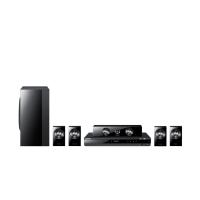
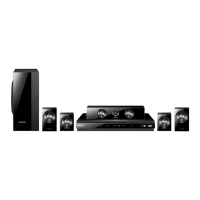
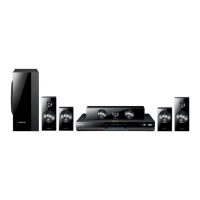
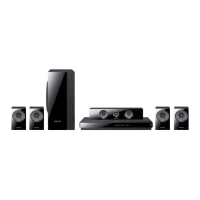
Samsung HT-D5300 - User Manual

Samsung HT-D5300
91 pages
Print Icon
To Next Page IconTo Next Page
Loading...
5.1CH Blu-ray™
Home Entertainment System
user manual
imagine the possibilities
Thank you for purchasing this Samsung product.
To receive more complete service,
please register your product at
www.samsung.com/register
HT-D5300
HT-D5300_XAA_0125.indd 1 2011-01-25 12:01:13

Table of Contents

Questions and Answers

  • C
    Catherine JohnsonJul 26, 2025
    Why is my Samsung HT-D5300 video playing intermittently?
    • M
      michele69Jul 26, 2025
      Intermittent video playback on your Samsung Home Theater System can occur due to several reasons: the network may be unstable or overloaded, the network cable might not be properly connected, or there could be a wireless connection issue. To resolve this, first, check if your network connection is stable. Next, ensure the network cable is correctly connected and that the network isn't overloaded. Finally, verify the wireless connection.
  • G
    Glenda MckeeAug 5, 2025
    What to do if I cannot connect to the BD-LIVE server on my Samsung Home Theater System?
    • B
      Brandon Bryant MDAug 5, 2025
      If you're unable to connect to the BD-LIVE server with your Samsung Home Theater System, start by checking your network connection using the Network Test menu to ensure it's successful. Also, verify that a USB memory device is connected to the product. Ensure the memory device has at least 1GB of free space, which you can check in BD Data Management, as this is required for the BD-LIVE service. Finally, confirm that the BD-LIVE Internet Connection menu is set to Allow(All).
  • S
    schroederjamesAug 15, 2025
    Why is the AllShare connection between my TV and PC unstable on my Samsung HT-D5300 Home Theater System?
    • K
      Kristie RamirezAug 15, 2025
      An unstable AllShare connection between your TV and PC on your Samsung Home Theater System can be caused by a couple of things. First, IP collision can occur if IP addresses under the same subnetwork aren't unique. Second, a firewall might be enabled. To fix this, ensure each IP address under the same subnetwork is unique to prevent IP collision. Also, check if you have a firewall enabled and, if so, disable it.

Summary

Safety Information

Safety Warnings and Precautions

General warnings and precautions for safe usage.

Important Safety Instructions

Key operational safety guidelines.

Disc Handling and Storage Cautions

Guidelines for disc care.

Getting Started

Product Features and Disc Compatibility

Overview of system features and supported discs.

Product Interface and Remote Control

Description of front/rear panels and remote operation.

USB Notes and Accessories

Notes on USB connections and list of included accessories.

Connections

Speaker Connections

Guide to setting up the 5.1 channel speaker system.

Video, Audio, and Network Connections

Methods for connecting to TV, audio components, and network.

Setup

Initial Settings Configuration

Step-by-step guide for initial product setup.

Display and Audio Settings

Adjusting screen aspect ratio, resolution, and audio configurations.

Network Settings Configuration

Setting up wired and wireless network connections.

Basic Functions

Disc Playback and Navigation

How to play discs and use playback controls.

Media Playback Modes

Using search, skip, slow motion, and repeat playback.

USB and iPod;iPhone Media Playback

Connecting and using USB devices and iPod/iPhone.

Network Services

Using Smart Hub Online Services

Accessing online content and applications.

Account Management and Samsung Apps

Setting up accounts and downloading applications.

Other Information

Troubleshooting Common Issues

Solutions for product malfunctions and errors.

Product Specifications and Support

Technical details and contact information.

Samsung HT-D5300 Specifications

General IconGeneral
RMS rated power1000 W
Audio output channels5.1 channels
HDMIYes
Tuner type-
Audio systemDolby Digital, Dolby Pro Logic II, Dolby Digital Plus, Dolby TrueHD, DTS, DTS 96/24, DTS-HD
Video formats supportedDIVX
Supported radio bandsFM
Disc types supportedCD, CD-R, CD-RW, DVD, DVD+R, DVD+RW, DVD-R, DVD-RW
Optical disc player typeBlu-Ray
USB version2.0
Product colorBlack

Related product manuals