EasyManua.ls Logo

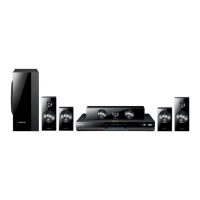
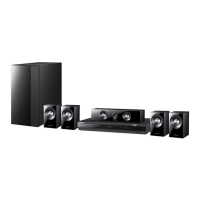
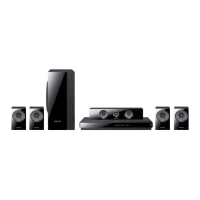
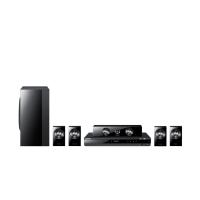
Samsung HT-D550 - User Manual

Samsung HT-D550
48 pages
Print Icon
To Next Page IconTo Next Page
Loading...
Digital Home
Entertainment System
user manual
Imagine the possibilities
Thank you for purchasing this Samsung product.
To receive more complete service,
please register your product at
www.samsung.com/register
HT-D550
HT-D555
HT-D550_D555-TK-ENG-1228.indd Sec1:1HT-D550_D555-TK-ENG-1228.indd Sec1:1 2011-12-29  11:36:122011-12-29  11:36:12

Table of Contents

Other manuals for Samsung HT-D550

Questions and Answers

  • J
    Jose AnthonySep 10, 2025
    What to do if disc is rotating but no picture is produced on my Samsung Home Theater System?
    • S
      Stephen LawsonSep 10, 2025
      First, verify if the TV power is on and check that the video cables are connected properly. Ensure the disc isn't dirty or damaged. If the issue persists, the disc may be poorly manufactured and not playable.
  • R
    Randy ThorntonAug 22, 2025
    Why is Dolby Digital 5.1 CH Surround Sound not produced on my Samsung HT-D550 Home Theater System?
    • W
      willissusanAug 23, 2025
      Dolby Digital 5.1 CH Surround Sound is only produced if the disc is recorded with 5.1 channel sound. Also, check if the audio language is correctly set to Dolby Digital 5.1-CH in the information display.
  • H
    Hector BrownAug 25, 2025
    What to do if my Samsung HT-D550 disc is rotating but no picture is produced?
    • X
      xjenningsAug 25, 2025
      If the disc is rotating but no picture appears, ensure that the TV is powered on. Verify that the video cables are correctly connected. Check if the disc is dirty or damaged. A poorly manufactured disc might also be the cause.
  • U
    umartinAug 26, 2025
    Why can I only hear sound from a few speakers on my Samsung HT-D550 Home Theater System?
    • E
      Elizabeth BaxterAug 26, 2025
      Sound may output from only the front speakers on certain DVD discs. Check if all speakers are correctly connected. Adjust the volume levels. When listening to a CD, radio, or TV, sound typically outputs only to the front speakers; select "PROLOG" by pressing PL II (Dolby Pro Logic II) on the remote to use all six speakers.
  • A
    Alicia JacksonAug 27, 2025
    What to do if Dolby Digital 5.1 CH Surround Sound is not produced by my Samsung Home Theater System?
    • B
      bernardmoyerAug 28, 2025
      Dolby Digital 5.1 CH Surround Sound is produced only if the disc is recorded with 5.1 channel sound. Check the disc for the "Dolby Digital 5.1 CH" mark. Also, verify that the audio language is correctly set to Dolby Digital 5.1-CH in the information display.
  • M
    Matthew LeeAug 29, 2025
    What to do if sound can be heard only from a few speakers and not all 6 on my Samsung HT-D550 Home Theater System?
    • J
      Joseph RochaAug 29, 2025
      First, ensure that all speakers are connected properly. You can also adjust the volume. If you are listening to a CD, radio, or TV, sound is typically output to the front speakers only. Select 'PROLOG' by pressing PL II (Dolby Pro Logic II) on the remote control to use all six speakers. Note that on certain DVD discs, sound is output from the front speakers only.
  • L
    Loretta JordanSep 18, 2025
    Why the Disc/Title menu screen does not appear even when the Disc/Title function is selected on my Samsung HT-D550?
    • A
      Andrew RichardsonSep 18, 2025
      This can happen if you are using a disc that does not contain menus.
  • W
    Wesley GibsonSep 12, 2025
    Why I cannot eject the disc from my Samsung HT-D550 Home Theater System?
    • M
      Matthew ParksSep 12, 2025
      Check if the power cord is plugged securely into the outlet. If it is, try turning the power off and then back on.
  • M
    Mary MurraySep 8, 2025
    Why doesn't the Disc/Title menu screen appear on my Samsung HT-D550?
    • K
      kennedypaulSep 8, 2025
      The Disc/Title menu screen may not appear if you are using a disc that does not contain menus.
  • D
    Daniel CummingsSep 5, 2025
    Why can't I change the aspect ratio on my Samsung HT-D550?
    • C
      Cody McculloughSep 5, 2025
      You can play 16:9 DVDs in 16:9 WIDE mode, 4:3 LETTER BOX mode, or 4:3 PAN SCAN mode. However, 4:3 DVDs can only be viewed in a 4:3 ratio. Refer to the DVD disc jacket and select the appropriate function.

Samsung HT-D550 Specifications

General IconGeneral
TypeHome Theater System
Power Output1000 W
Number of Channels5.1
DVD PlaybackYes
Blu-ray PlaybackNo
HDMI Outputs1
USB PlaybackYes
Playable Disc TypesDVD, CD
Video UpscalingYes
Anynet+ (HDMI-CEC)Yes
Audio DecodingDolby Digital, DTS
BluetoothNo
Wi-FiNo
Audio Formats SupportedDolby Digital, DTS
Video Formats SupportedDivX
Supported FormatsMP3, WMA, JPEG

Related product manuals