EasyManua.ls Logo

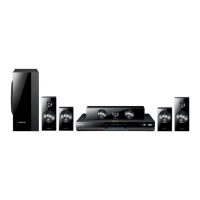
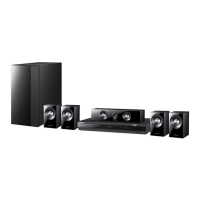
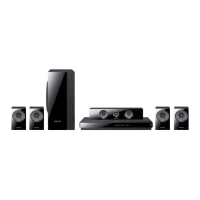
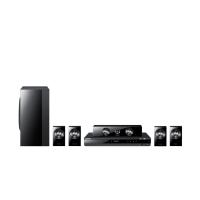
Samsung HT-D550 - User Manual

Samsung HT-D550
48 pages
Print Icon
To Next Page IconTo Next Page
Loading...
Digital Home
Entertainment System
user manual
Imagine the possibilities
Thank you for purchasing this Samsung product.
To receive more complete service,
please register your product at
www.samsung.com/register
HT-D550
HT-D555
HT-D550_D555-TK-ENG-1228.indd Sec1:1HT-D550_D555-TK-ENG-1228.indd Sec1:1 2011-12-29  11:36:122011-12-29  11:36:12

Table of Contents

Other manuals for Samsung HT-D550

Questions and Answers

  • T
    theresa32Sep 3, 2025
    What to do if playback does not start on my Samsung HT-D550 Home Theater System?
    • J
      julie59Sep 3, 2025
      Check the region number of the DVD, as discs purchased from abroad may not be playable. Note that CD-ROMs and DVD-ROMs cannot be played on this product. Also, ensure that the rating level is correct.
  • G
    gonzalezjacquelineSep 1, 2025
    Why does my iPod fail to connect to my Samsung HT-D550?
    • C
      calebbennettSep 1, 2025
      Check the condition of the iPod connector. Ensure your iPod software is up to date.
  • R
    Rebecca MezaAug 31, 2025
    Why does the remote control not work with my Samsung HT-D550 Home Theater System?
    • A
      Anita SmithAug 31, 2025
      Check if the remote control is being used within its operational range of angle and distance. Also, verify if the batteries are drained and ensure that you have selected the correct mode (RECEIVER DVD/TV).
  • M
    Matthew LeeAug 29, 2025
    What to do if sound can be heard only from a few speakers and not all 6 on my Samsung HT-D550 Home Theater System?
    • J
      Joseph RochaAug 29, 2025
      First, ensure that all speakers are connected properly. You can also adjust the volume. If you are listening to a CD, radio, or TV, sound is typically output to the front speakers only. Select 'PROLOG' by pressing PL II (Dolby Pro Logic II) on the remote control to use all six speakers. Note that on certain DVD discs, sound is output from the front speakers only.
  • A
    Alicia JacksonAug 27, 2025
    What to do if Dolby Digital 5.1 CH Surround Sound is not produced by my Samsung Home Theater System?
    • B
      bernardmoyerAug 28, 2025
      Dolby Digital 5.1 CH Surround Sound is produced only if the disc is recorded with 5.1 channel sound. Check the disc for the "Dolby Digital 5.1 CH" mark. Also, verify that the audio language is correctly set to Dolby Digital 5.1-CH in the information display.
  • U
    umartinAug 26, 2025
    Why can I only hear sound from a few speakers on my Samsung HT-D550 Home Theater System?
    • E
      Elizabeth BaxterAug 26, 2025
      Sound may output from only the front speakers on certain DVD discs. Check if all speakers are correctly connected. Adjust the volume levels. When listening to a CD, radio, or TV, sound typically outputs only to the front speakers; select "PROLOG" by pressing PL II (Dolby Pro Logic II) on the remote to use all six speakers.
  • H
    Hector BrownAug 25, 2025
    What to do if my Samsung HT-D550 disc is rotating but no picture is produced?
    • X
      xjenningsAug 25, 2025
      If the disc is rotating but no picture appears, ensure that the TV is powered on. Verify that the video cables are correctly connected. Check if the disc is dirty or damaged. A poorly manufactured disc might also be the cause.
  • R
    Randy ThorntonAug 22, 2025
    Why is Dolby Digital 5.1 CH Surround Sound not produced on my Samsung HT-D550 Home Theater System?
    • W
      willissusanAug 23, 2025
      Dolby Digital 5.1 CH Surround Sound is only produced if the disc is recorded with 5.1 channel sound. Also, check if the audio language is correctly set to Dolby Digital 5.1-CH in the information display.

Samsung HT-D550 Specifications

General IconGeneral
TypeHome Theater System
Power Output1000 W
Number of Channels5.1
DVD PlaybackYes
Blu-ray PlaybackNo
HDMI Outputs1
USB PlaybackYes
Playable Disc TypesDVD, CD
Video UpscalingYes
Anynet+ (HDMI-CEC)Yes
Audio DecodingDolby Digital, DTS
BluetoothNo
Wi-FiNo
Audio Formats SupportedDolby Digital, DTS
Video Formats SupportedDivX
Supported FormatsMP3, WMA, JPEG

Related product manuals