EasyManua.ls Logo

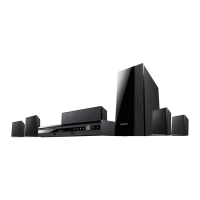
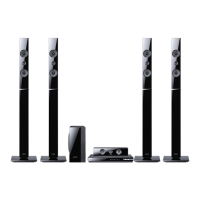
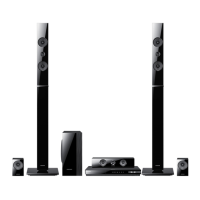
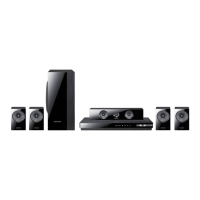
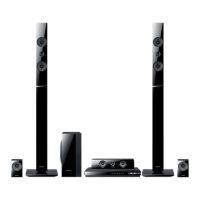
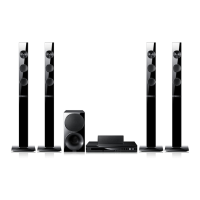
Samsung HT-E5500W - User Manual

Samsung HT-E5500W
82 pages
Print Icon
To Next Page IconTo Next Page
Loading...
imagine the possibilities
Thank you for purchasing this Samsung product.
To receive more complete service,
please register your product at
www.samsung.com/register
5.1CH Blu-ray™
Home Entertainment System
user manual
HT-E5500W
HT-E5500W_ZA_0417-1(D2D).indd 1 2012-04-17 6:57:52

Table of Contents

Questions and Answers

  • M
    Matthew ParkerSep 23, 2025
    Why can't I connect to the BD-LIVE server on my Samsung HT-E5500W Home Theater System?
    • M
      Miss Kimberly KeithSep 23, 2025
      To resolve the issue of not being able to connect to the BD-LIVE server on your Samsung Home Theater System: * Test whether the network connection is successful by using the Network Status function. * Check whether a USB memory device is connected to the product. * The memory device must have at least 1GB of free space to accommodate the BD-LIVE service. You can check the available size in BD Data Management. * See if the BD-LIVE Internet Connection option is set to Allow(All). * If all above fails, contact the contents provider or update to the latest firmware.
  • R
    Richard KochAug 23, 2025
    Why is sound not produced on my Samsung Home Theater System?
    • B
      brian97Aug 25, 2025
      If your Samsung Home Theater System is not producing sound, it may be due to fast playback, slow playback, or step motion playback, during which sound is not available. Ensure that the speakers are connected properly and the speaker setup is correctly customized. Also, check if the disc is severely damaged.
  • L
    Lauren GibsonAug 25, 2025
    Why is Dolby Digital 5.1 CH Surround Sound not produced on my Samsung HT-E5500W Home Theater System?
    • K
      Katie DennisAug 26, 2025
      If your Samsung Home Theater System is not producing Dolby Digital 5.1 CH Surround Sound, first check if there is a "Dolby Digital 5.1 CH" mark on the disc, as the sound is only produced if the disc is recorded with 5.1 channel audio. Additionally, verify that the audio language is correctly set to Dolby Digital 5.1-CH in the information display.
  • S
    Stacey WilliamsonAug 27, 2025
    Why is sound only coming from a few speakers on my Samsung HT-E5500W?
    • H
      Heather NorrisAug 27, 2025
      If the Samsung Home Theater System is only producing sound from a few speakers instead of all 6, it might be because certain Blu-ray/DVD discs output sound only from the front speakers. Check if the speakers are connected properly and adjust the volume. When listening to a CD, radio, or TV, sound is typically output to the front speakers only.
  • M
    Miss Michelle RodriguezAug 27, 2025
    What to do if my Samsung HT-E5500W is not working normally?
    • L
      Linda GutierrezAug 27, 2025
      If your Samsung Home Theater System is not working normally, for example, the power goes out or a strange noise is heard, press and hold the remote control's 5 button for 5 seconds in STANDBY mode. Note that using the RESET function will erase all stored settings, so only use it if necessary.
  • C
    crystal97Sep 15, 2025
    Why can't I change the aspect ratio on my Samsung HT-E5500W Home Theater System?
    • A
      April RomeroSep 15, 2025
      If you cannot change the aspect ratio on your Samsung Home Theater System, note that you can play 16:9 Blu-ray/DVD discs in 16:9 Full mode, 4:3 Letter Box mode, or 4:3 Pan-Scan mode, but 4:3 Blu-ray/DVD discs are played in 4:3 ratio only. Refer to the Blu-ray Disc jacket and then select the appropriate function.
  • S
    Stephanie StewartSep 12, 2025
    Why are audio language and subtitles not working on my Samsung HT-E5500W Home Theater System?
    • C
      Caitlin WardSep 12, 2025
      If the audio language and subtitles do not work on your Samsung Home Theater System, it is because the disc does not contain them.
  • W
    William KeySep 14, 2025
    Why doesn't the menu screen appear on my Samsung Home Theater System?
    • W
      warnermichaelSep 14, 2025
      If the menu screen does not appear on your Samsung Home Theater System even when the menu function is selected, it is because you are using a disc that does not contain menus.
  • C
    Christian MillerSep 5, 2025
    Why does playback not start immediately on my Samsung Home Theater System?
    • J
      James DeleonSep 5, 2025
      If playback does not start immediately when you press the Play/Pause button on your Samsung Home Theater System, it may be due to using a deformed disc or a disc with scratches on the surface. Try wiping the disc clean.
  • J
    jamesjohnsonSep 2, 2025
    How to eject a disc from my Samsung HT-E5500W Home Theater System?
    • W
      Wendy Cook DDSSep 3, 2025
      If you cannot eject the disc from your Samsung Home Theater System, check if the power cord is securely plugged into the outlet. If it is, try turning the power off and then back on.

Summary

Safety Information

Warning and Caution Notes

General warnings about electric shock, water exposure, and not removing covers.

Connections

Connecting to TV, External Devices, and Network

Methods for connecting to TVs, external devices, and network routers.

Settings

Initial Setup Procedure

Step-by-step guide for the initial setup process.

Software Update Procedures

Methods for updating the product's software (Online, USB, Disc).

Appendix

Troubleshooting Common Issues

Common issues and their solutions for product operation.

Product Specifications

Technical specifications for the main unit and accessories.

LIMITED WARRANTY TO ORIGINAL PURCHASER

Warranty Details

Details of the limited warranty for parts and labor.

Audio In Connections

Network Connections

Final Steps

Initial Settings

Networks

Safety Warnings

Important Safety Instructions

Essential safety guidelines for operating the product.

IMPORTANT: Player Update Information

Samsung HT-E5500W Specifications

General IconGeneral
BrandSamsung
ModelHT-E5500W
CategoryHome Theater System
LanguageEnglish

Related product manuals