EasyManua.ls Logo

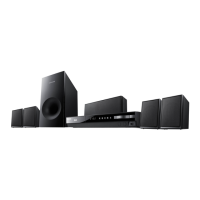
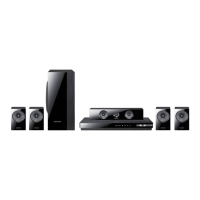
Samsung HT-EM35 - User Manual

Samsung HT-EM35
47 pages
Print Icon
To Next Page IconTo Next Page
Loading...
imagine the possibilities
Thank you for purchasing this Samsung product.
To receive more complete service,
please register your product at
www.samsung.com/register
5.1CH Blu-ray™
Home Entertainment System
user manual
HT-EM35
HT-EM35_ZA_0227.indd 1HT-EM35_ZA_0227.indd 1 2012-02-27 오전 10:52:372012-02-27 오전 10:52:37

Questions and Answers

  • A
    andersonannaSep 10, 2025
    Why is there no picture from my Samsung HT-EM35 when the disc is rotating?
    • C
      colemanjenniferSep 10, 2025
      If your Samsung Home Theater System shows no picture while the disc rotates, check if the TV is powered on, if the video cables are connected properly, and if the disc is dirty or damaged. A poorly manufactured disc may also not be playable.
  • B
    Brad ReedAug 22, 2025
    What to do if Samsung Home Theater System remote control does not work?
    • J
      Julia WashingtonAug 23, 2025
      If the remote control of your Samsung Home Theater System isn't working, ensure you are within the operational range and at the proper angle relative to the sensor. Also, check if the batteries are drained.
  • S
    swolfAug 25, 2025
    Why is there no sound from my Samsung HT-EM35?
    • S
      Sabrina HernandezAug 25, 2025
      If your Samsung Home Theater System isn't producing sound, it may be because the home theater does not play sound during fast playback, slow playback, and step motion playback or the disc might be severely damaged. Check if the speakers are connected properly and if the speaker setup is correctly customized.
  • K
    Kathleen SchwartzAug 26, 2025
    What to do if Dolby Digital 5.1 CH Surround Sound is not produced on Samsung HT-EM35?
    • C
      Christopher WrightAug 26, 2025
      If Dolby Digital 5.1 CH Surround Sound is not produced by your Samsung Home Theater System, check if the disc has the 'Dolby Digital 5.1 CH' mark. Also, ensure the audio language is correctly set to Dolby Digital 5.1-CH in the information display.
  • T
    timothydaviesAug 27, 2025
    Why does my Samsung HT-EM35 Home Theater System only output sound from a few speakers?
    • A
      Anthony FrankAug 28, 2025
      If your Samsung Home Theater System only outputs sound from a few speakers, it could be because sound is output from the front speakers only on certain Blu-ray/DVD discs. Also, when listening to a CD, radio, or TV, sound is typically output to the front speakers only. Check if the speakers are connected properly and adjust the volume.
  • J
    Jack KimAug 29, 2025
    What to do if my Samsung HT-EM35 Home Theater System won't eject the disc?
    • M
      Mr. Omar PhillipsAug 29, 2025
      If your Samsung Home Theater System won't eject the disc, ensure the power cord is securely plugged into the outlet. You can also try turning the power off and then back on.
  • M
    Michael ChristensenSep 18, 2025
    What to do if HDMI output is set to a resolution my TV cannot support on Samsung Home Theater System?
    • A
      Andrea WilliamsSep 18, 2025
      Press and hold the 5 button on the front panel of your Samsung Home Theater System for more than 5 seconds with no disc inserted. All settings will revert to the factory settings.
  • A
    Amber McconnellSep 12, 2025
    Why does Samsung HT-EM35 playback not start?
    • J
      jeffrey61Sep 12, 2025
      Playback on your Samsung Home Theater System might not start if the Blu-ray/DVD disc was purchased from abroad and its region number is incompatible. CD-ROMs and DVD-ROMs also cannot be played. Ensure the rating level is correct.
  • S
    Sandra MoodySep 8, 2025
    What causes abnormal HDMI output screen on Samsung HT-EM35?
    • C
      cindywagnerSep 8, 2025
      If random noise appears on the screen of your Samsung Home Theater System, it means that your TV does not support HDCP (High-bandwidth Digital Content Protection).
  • D
    dsimonSep 4, 2025
    Why can't I receive radio broadcasts on my Samsung HT-EM35?
    • R
      Rebecca RodriguezSep 5, 2025
      If you can't receive radio broadcasts on your Samsung Home Theater System, the antenna's input signal may be weak. Try installing an external FM antenna in an area with good reception.

Summary

Safety Information

Warning and Caution Statements

General warnings and cautions for electrical shock, fire, and laser product safety.

Precautions

Important Safety Instructions

Essential safety instructions for operating the unit and handling the product.

Getting Started

Disc and Format Compatibility

Details on supported and unsupported disc types and file formats for playback.

Getting Started (Continued)

Video File Support Details

Comprehensive list of supported video file extensions, codecs, and resolutions.

Remote Control Operation

Detailed guide to the remote control buttons and their functions for product operation.

Connections

Connecting the Speakers

Step-by-step instructions for connecting the speaker system to the main unit.

Connecting to a TV

Methods for connecting the home theater system to a television via HDMI or video cables.

Connecting External Audio Devices

How to connect external analog and digital audio sources using AUX IN and OPTICAL ports.

Settings

Initial Setup Procedure

Step-by-step guide for configuring initial settings like language and TV aspect ratio.

Accessing the Settings Screen

How to navigate to and use the product's settings menu for customization.

Display Settings

Configuration options for video output, including aspect ratio, resolution, and color settings.

Audio Settings

Options for speaker selection, audio output, dynamic range control, and audio sync adjustment.

Networks and the Internet

Configuring Network Connection

Detailed steps for setting up wired network connection using Automatic or Manual methods.

Settings (Continued)

Media Play

Troubleshooting

Common Playback and Sound Issues

Solutions for problems like disc not ejecting, no sound, or sound from few speakers.

Specifications

Limited Warranty

Warranty Terms and Coverage

Details on the limited warranty period, service procedures, and exclusions.

Samsung HT-EM35 Specifications

General IconGeneral
Number of Channels5.1
Blu-ray PlaybackYes
USB PlaybackYes
Wireless ConnectivityNo
Playable Disc TypesBD, DVD, CD
Video Up-ScalingYes
USB HostYes
HDMI Out1
TypeHome Theater System
BluetoothNo
Decoding FormatDolby Digital, DTS

Related product manuals