EasyManua.ls Logo

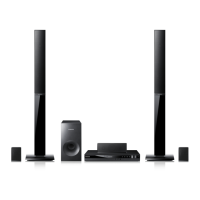
Samsung HT-EM54C - User Manual

Samsung HT-EM54C
65 pages
Print Icon
To Next Page IconTo Next Page
Loading...
imagine the possibilities
Thank you for purchasing this Samsung product.
To receive more complete service,
please register your product at
www.samsung.com/register
5.1CH Blu-ray™
Home Entertainment System
user manual
HT-EM54C
HT-EM54C_ZA_0417-1(D2D).indd 1HT-EM54C_ZA_0417-1(D2D).indd 1 2012-04-17 오후 6:50:452012-04-17 오후 6:50:45

Table of Contents

Questions and Answers

  • L
    Lauren Johnson MDAug 17, 2025
    What to do if my Samsung HT-EM54C remote control does not work?
    • N
      Natasha ChaseAug 17, 2025
      Ensure you are operating the remote within its operational range and at the proper angle relative to the sensor. Check if the batteries are drained. Verify that you have correctly selected the mode (TV/BD) functions of the remote control (TV or BD).
  • B
    Bethany MartinAug 20, 2025
    How to fix no HDMI output on Samsung HT-EM54C?
    • S
      Sarah WhiteAug 20, 2025
      Check the connection between the TV and the HDMI jack of the product. Verify if your TV supports 480p/720p/1080i/1080p HDMI input resolution.
  • H
    higginsalexAug 22, 2025
    Why is Dolby Digital 5.1 CH Surround Sound not produced on my Samsung Home Theater System?
    • H
      Heather MorenoAug 22, 2025
      Dolby Digital 5.1 CH Surround Sound is produced only if the disc is recorded with 5.1 channel sound. Check if there is a 'Dolby Digital 5.1 CH' mark on the disc and verify that the audio language is correctly set to Dolby Digital 5.1-CH in the information display.
  • H
    Heather RodriguezAug 26, 2025
    How to fix if the iPod fails to connect to Samsung HT-EM54C Home Theater System?
    • S
      suzannegriffinAug 26, 2025
      Check the condition of the iPod connector and Dock. Keep the iPod software version up to date.
  • J
    Jason MaldonadoAug 28, 2025
    How to fix if I can't receive radio broadcasts on my Samsung HT-EM54C Home Theater System?
    • J
      Jimmy CookAug 28, 2025
      Is the antenna connected properly? If the antenna's input signal is weak, install an external FM antenna in an area with good reception.
  • A
    Andrea BeckAug 30, 2025
    Why is there no sound from my Samsung Home Theater System?
    • K
      Kristen SmallAug 30, 2025
      The home theater does not play sound during fast playback, slow playback, and step motion playback. Ensure the speakers are connected properly and the speaker setup is correctly customized. Check if the disc is severely damaged.
  • A
    Ashley BoydSep 2, 2025
    What to do if the disc won't eject from my Samsung HT-EM54C Home Theater System?
    • S
      Sean SinghSep 2, 2025
      Make sure the power cord is plugged securely into the outlet. Try turning the power off and then back on.
  • P
    Paul LamSep 5, 2025
    Why does my Samsung HT-EM54C Home Theater System only play sound from a few speakers?
    • K
      keith18Sep 5, 2025
      On certain Blu-ray/DVD discs, sound is only output from the front speakers. Check if the speakers are connected properly. Adjust the volume. When listening to a CD, radio, or TV, sound is output to the front speakers only.
  • J
    Joel PachecoSep 8, 2025
    What to do if my Samsung HT-EM54C Home Theater System doesn't play Blu-ray or DVD?
    • R
      Robert CarterSep 8, 2025
      Blu-ray/DVD discs purchased from abroad may not be playable. Check the region number of the Blu-ray/DVD disc. CD-ROMs and DVD-ROMs cannot be played on this product. Make sure that the rating level is correct.
  • J
    Joe KirkSep 12, 2025
    Why can't I change the aspect ratio on my Samsung HT-EM54C?
    • A
      Alan White MDSep 12, 2025
      You can play 16:9 Blu-ray/DVD discs in 16:9 Full mode, 4:3 Letter Box mode, or 4:3 Pan-Scan mode, but 4:3 Blu-ray/DVD discs are played in 4:3 ratio only. Refer to the Blu-ray Disc jacket and then select the appropriate function.

Samsung HT-EM54C Specifications

General IconGeneral
TypeHome Theater System
Power Output1000W
Number of Channels5.1
Disc PlayerYes
HDMI Inputs1
USB Playback/HostYes
Dimensions (Main Unit)430 x 63 x 250 mm
Video Up-ScaleYes
HDMI Out1
ConnectivityBluetooth, Wi-Fi
Audio Formats SupportedDTS
Playable Disc TypesDVD, CD
Video FeaturesFull HD

Related product manuals