EasyManua.ls Logo

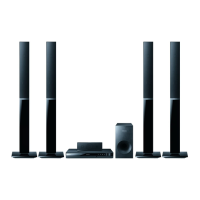
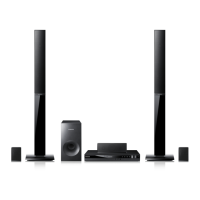
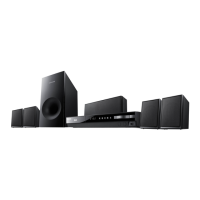
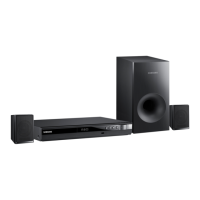
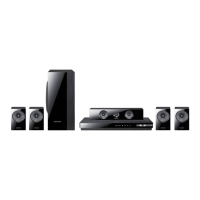
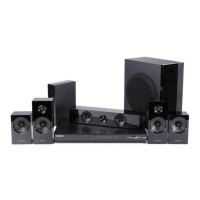
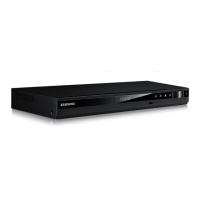
Samsung HT-E350 - User Manual

Samsung HT-E350
43 pages
Print Icon
To Next Page IconTo Next Page
Loading...
Digital Home
Entertainment System
user manual
Imagine the possibilities
Thank you for purchasing this Samsung product.
To receive more complete service,
please register your product at
www.samsung.com/register
HT-E350
HT-E355

Questions and Answers

  • B
    Brian RogersAug 18, 2025
    Why is my Samsung HT-E350 Home Theater System remote control not working?
    • W
      Wyatt LeeAug 18, 2025
      If your Samsung Home Theater System remote control isn't working, first ensure you're within the operational range. Then, check if the batteries are depleted and replace them if necessary. Finally, verify that you've selected the correct mode (RECEIVER DVD/TV).
  • C
    Carolyn BishopAug 20, 2025
    Why is there no sound coming from my Samsung HT-E350 Home Theater System?
    • A
      Amanda CurryAug 20, 2025
      If your Samsung Home Theater System isn't producing sound, it could be due to a few reasons. Ensure the speakers are properly connected and the speaker setup is correctly customized. Also, remember that no sound is produced during fast playback, slow playback, and step motion playback. Finally, check if the disc is severely damaged.
  • S
    Stephen PhillipsAug 23, 2025
    Why is my Samsung HT-E350 disc rotating but there is no picture?
    • M
      Mrs. Michelle JohnsonAug 23, 2025
      If your Samsung Home Theater System disc is rotating but no picture is produced, first check if the TV is powered on. Then, verify that the video cables are properly connected. Also, inspect the disc for dirt or damage. A poorly manufactured disc may also cause this issue.
  • D
    Deborah SandersAug 26, 2025
    What to do if my Samsung HT-E350 Home Theater System is not working?
    • R
      Rita MooneyAug 26, 2025
      If your Samsung Home Theater System is not working, try resetting it. Press and hold the STOP button on the remote control for longer than 5 seconds with no disc inserted. Note that using the RESET function will erase all stored settings, so only use this if necessary.
  • F
    fernandezpamelaAug 27, 2025
    Why is Dolby Digital 5.1 CH Surround Sound not working on my Samsung HT-E350 Home Theater System?
    • C
      Colin RichardsAug 27, 2025
      If Dolby Digital 5.1 CH Surround Sound is not produced on your Samsung Home Theater System, first check if the disc has the "Dolby Digital 5.1 CH" mark on it. Also, verify that the audio language is correctly set to Dolby Digital 5.1-CH in the information display.
  • P
    Patricia WilliamsAug 30, 2025
    Why are audio language and subtitles not working on my Samsung Home Theater System?
    • E
      Eric JohnsonAug 30, 2025
      If you're experiencing issues with audio language and subtitles on your Samsung Home Theater System, it's likely because the disc does not contain them.
  • B
    Becky LewisSep 1, 2025
    Why is sound only coming from a few speakers on my Samsung HT-E350?
    • M
      Maureen PrattSep 1, 2025
      If sound can be heard only from a few speakers and not all 6 on your Samsung Home Theater System, note that on certain DVD discs, sound is output only from the front speakers. Also, check if the speakers are connected properly and adjust the volume. When listening to a CD, radio, or TV, sound is output to the front speakers only. Select "PROLOG" by pressing PL II (Dolby Pro Logic II) on the remote control to use all six speakers.
  • M
    Martha SuttonSep 3, 2025
    Why can't my Samsung HT-E350 Home Theater System receive radio broadcast?
    • K
      Kara CordovaSep 4, 2025
      If you can't receive radio broadcast on your Samsung Home Theater System, ensure the antenna is properly connected. If the antenna's input signal is weak, consider installing an external FM antenna in an area with good reception.
  • N
    Nathaniel Warner DVMSep 6, 2025
    How to reset the rating level password on my Samsung HT-E350 Home Theater System?
    • A
      Audrey JacksonSep 6, 2025
      If you've forgotten the rating level password on your Samsung Home Theater System, make sure that the “NO DISC” message appears on the display of the product, then press and hold the remote control's STOP button for longer than 5 seconds. “INIT” will appear on the display, and all settings will return to the default values. Finally, press the POWER button. Remember that using the RESET function will erase all stored settings, so only use this if necessary.
  • A
    Andrea WhiteSep 8, 2025
    Why does playback not start immediately on my Samsung HT-E350?
    • F
      flowersanthonySep 8, 2025
      If playback doesn't start immediately on your Samsung Home Theater System when you press the Play/Pause button, it could be due to a deformed or scratched disc. Clean the disc to resolve this issue.

Summary

Safety Information

Safety Warnings and Cautions

Covers general warnings, specific cautions, and important safety notices like laser safety.

FCC Compliance Information

Details regarding FCC rules and user responsibilities for interference.

Important Safety Instructions

General Safety Guidelines

Essential operational and handling instructions for safe use.

Disc Handling and Product Features

Disc Handling and Storage Cautions

Advice on preventing disc damage and proper storage.

GETTING STARTED

Disc Compatibility and Usage

USB Connection and File Support

Front Panel Overview

Front Panel Controls and Functions

Describes each button and port on the front of the unit.

Rear Panel Connections

Rear Panel Ports and Functions

Describes each port on the back of the unit.

Remote Control Operation

Remote Control Layout and Functions

Explains buttons and their uses.

CONNECTIONS

Connecting the Speakers

Guides for speaker placement and connection.

Speaker Placement Guidelines

Recommendations for optimal speaker positioning.

Speaker Assembly and Installation

Tallboy Stand Speaker Installation

Step-by-step guide for assembling speakers on the stand.

Speaker Wiring and Wall Mounting

Connecting Speaker Wires

Explains how to connect speaker cables to the unit.

Connecting to Your TV

HDMI Connection

Guide for connecting via HDMI for high-quality video.

HDMI Functionality

External Component Connections

SETUP

Initial Setup Procedure

Steps for initial configuration upon first use.

Display and Video Settings

Display and TV Aspect Adjustment

Settings for screen display and aspect ratio.

Audio and Speaker Configuration

Speaker Settings and Size

Configuring speaker size and test tone.

Audio Calibration and Settings

Speaker Test Tone and Placement

Using test tone to check connections and adjust placement.

Advanced Audio and System Settings

System Configuration and Security

Other Information

Troubleshooting Common Issues

Solutions for playback, sound, and control problems.

Troubleshooting and Language Codes

Product Not Working and Password Issues

Solutions for product failures and forgotten passwords.

Specifications

General and Disc Specifications

Technical details on power, dimensions, and disc playback.

Amplifier and Input Specifications

Details on speaker output, frequency range, and sensitivity.

Speaker System Specifications

Limited Warranty Information

Warranty Period and Service

Details on warranty duration and how to obtain service.

Warranty Exclusions and Limitations

Conditions not covered by the warranty and liability limits.

Contact Information

Samsung HT-E350 Specifications

General IconGeneral
Disc loading typeTray
Disc types supportedCD, CD-R, CD-RW, DVD, DVD+R, DVD+RW, DVD-R, DVD-RW
Playback disc formatsCD audio, CD video
Number of optical discs1 discs
Optical disc player typeDVD player
Built-in HDDNo
CD-RW playbackYes
Image formats supportedJPG
Apple docking compatibilityNot supported
Video formats supportedDIVX, WMV
Audio decodersDolby Digital, Dolby Pro Logic II
RMS rated power330 W
Audio output channels5.1 channels
Audio formats supportedMP3, WMA
Supported radio bandsFM
Product colorBlack
Consumer Electronics Control (CEC)Anynet+
HDMI in0
USB version2.0
Number of HDMI outputs1
Power consumption (standby)0.47 W
Power consumption (typical)36 W
Cables includedAC, Composite
Weight and Dimensions IconWeight and Dimensions
Main unit weight2000 g
Subwoofer weight2800 g
Center speaker weight465 g
Main unit dimensions (WxDxH)430 x 560 x 250 mm
Subwoofer dimensions (WxDxH)155 x 285 x 300 mm
Front speaker dimensions (WxDxH)77 x 68 x 107 mm
Center speaker dimensions (WxDxH)228 x 70 x 77 mm

Related product manuals