EasyManua.ls Logo

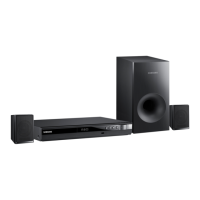
Samsung HT-E320 - User Manual

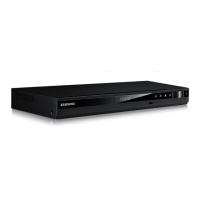
Samsung HT-E320
35 pages
Print Icon
To Next Page IconTo Next Page
Loading...
Digital Home
Entertainment System
user manual
Imagine the possibilities
Thank you for purchasing this Samsung product.
To receive more complete service,
please register your product at
www.samsung.com/register
HT-E320

Questions and Answers

  • S
    sweeneygarrettAug 10, 2025
    How to reset a Samsung Home Theater System that is not working?
    • K
      Karen CoxAug 11, 2025
      If your Samsung Home Theater System isn't working (e.g., power failure, front panel key malfunction, strange noises), try resetting it. Press and hold the STOP button on the remote control for more than 5 seconds while there is no disc inside. Keep in mind that this reset will erase all stored settings, so use it only when necessary.
  • M
    Megan HernandezAug 19, 2025
    What to do if I forgot the rating level password on my Samsung HT-E320?
    • D
      Daniel Morrison IIIAug 20, 2025
      If you've forgotten your rating level password on your Samsung Home Theater System, you can reset the system to its default values. When 'NO DISC' is displayed, press and hold the STOP button on the remote for more than 5 seconds. The display will show 'INIT', and all settings will revert. Then, press the POWER button. Be aware that this RESET function will erase all stored settings, so only use it if necessary.
  • K
    Kelsey McgeeAug 31, 2025
    Why can't my Samsung Home Theater System receive radio broadcast?
    • D
      Dr. Paul FoxAug 31, 2025
      If your Samsung Home Theater System can't receive radio broadcasts, the antenna's input signal might be weak. Try installing an external FM antenna in an area where reception is good.

Samsung HT-E320 Specifications

General IconGeneral
TypeHome Theater System
Audio Channels5.1
Total Power Output330 W
DVD PlaybackYes
HDMI Outputs1
USB PlaybackYes
BluetoothNo
Playable File FormatsMP3, WMA, JPEG
Video Up-ScaleYes
Anynet+ (HDMI-CEC)Yes
USB HostYes
Audio DecodingDolby Digital, DTS
Playable Disc TypesDVD, CD
Supported FormatsMP3, WMA, JPEG

Related product manuals