EasyManua.ls Logo

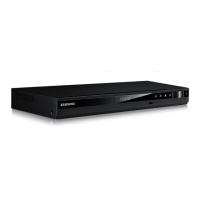
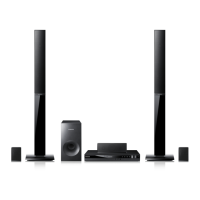
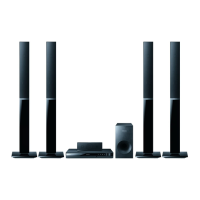
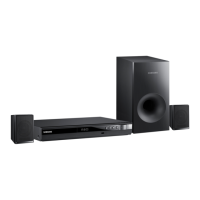
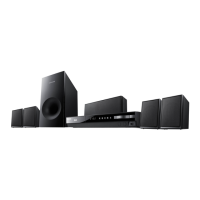
Samsung HT-E3500 - User Manual

Samsung HT-E3500
47 pages
Print Icon
To Next Page IconTo Next Page
Loading...
imagine the possibilities
Thank you for purchasing this Samsung product.
To receive more complete service,
please register your product at
www.samsung.com/register
5.1CH Blu-ray™
Home Entertainment System
user manual
HT-E3500
HT-E3500_ZA_code,모델명만다름.indd 1HT-E3500_ZA_code,모델명만다름.indd 1 2012-03-15 오전 10:29:052012-03-15 오전 10:29:05

Questions and Answers

  • W
    Walter ThomasSep 15, 2025
    How to fix Samsung Home Theater System when it can't receive radio broadcasts?
    • A
      Adam PorterSep 16, 2025
      Ensure the antenna is connected properly. If the antenna's input signal is weak, consider installing an external FM antenna in an area with good reception.
  • C
    Colton ReyesAug 25, 2025
    How to fix sound not produced on Samsung HT-E3500 Home Theater System?
    • K
      Kathleen CareyAug 25, 2025
      Ensure the speakers are connected properly and the speaker setup is customized correctly.
  • S
    sanchezjoannAug 25, 2025
    How to troubleshoot no HDMI output on Samsung HT-E3500?
    • Y
      ymathewsAug 26, 2025
      Check the connection between the TV and the HDMI jack on your Samsung Home Theater System. Also, ensure your TV supports the HDMI input resolution (480p/720p/1080i/1080p).
  • P
    Patrick PhillipsAug 26, 2025
    Why is Dolby Digital 5.1 CH Surround Sound not produced on my Samsung HT-E3500 Home Theater System?
    • E
      Erica FrankAug 27, 2025
      Dolby Digital 5.1 CH Surround Sound is only produced if the disc is recorded with 5.1 channel sound. Also, verify that the audio language is correctly set to Dolby Digital 5.1-CH in the information display.
  • J
    James NicholsonSep 16, 2025
    Why can't I connect my Samsung HT-E3500 to the BD-LIVE server?
    • J
      James FranklinSep 17, 2025
      Test the network connection using the Network Status function. Ensure a USB memory device is connected with at least 1GB of free space. Check that the BD-LIVE Internet Connection option is set to Allow(All). If all else fails, contact the content provider or update to the latest firmware.
  • S
    Steven StewartSep 23, 2025
    Why is the HDMI output screen abnormal on my Samsung HT-E3500?
    • A
      Ashley BridgesSep 23, 2025
      If random noise appears on the screen, it means that the TV does not support HDCP (High-bandwidth Digital Content Protection).
  • M
    Megan RoySep 8, 2025
    Why doesn't the menu screen appear on my Samsung HT-E3500 Home Theater System?
    • C
      crystal75Sep 8, 2025
      The menu screen will not appear if you are using a disc that does not contain menus.
  • S
    Stephen PatrickSep 9, 2025
    What to do if Samsung HT-E3500 can't receive radio broadcasts?
    • J
      James CameronSep 9, 2025
      Ensure the antenna is connected properly. If the antenna's input signal is weak, install an external FM antenna in an area with good reception.
  • D
    dustin86Sep 2, 2025
    Why sound can be heard only from a few speakers and not all 6 on Samsung HT-E3500?
    • S
      Steven ClaytonSep 2, 2025
      Check if the speakers are connected properly. When listening to a CD, radio, or TV, sound is output to the front speakers only. On certain Blu-ray/DVD discs, sound is output from the front speakers only. You may also need to adjust the volume.
  • V
    victoriamayoAug 31, 2025
    What causes an abnormal HDMI output screen on a Samsung HT-E3500?
    • M
      Meredith WilsonAug 31, 2025
      If random noise appears on the screen, it means that your TV does not support HDCP (High-bandwidth Digital Content Protection).

Summary

Safety Information

Warning and Precautions

General safety warnings, precautions, and laser product information.

Handling and Storage Cautions

Guidelines for safe handling, disc management, and storage.

Getting Started

Disc and Format Compatibility

Details on compatible/incompatible discs, formats, and region codes.

Product Accessories and Setup

Information on product accessories, panel layouts, and remote control.

Connections

Speaker and Audio Connections

Guides on connecting speakers and external audio devices.

TV and Network Connectivity

Instructions for connecting to TV, antennas, and network router.

Settings

Initial Setup and Home Screen

Guide to initial settings, language, TV aspect, and home screen navigation.

Network and Software Management

Configuring network connection and upgrading product software.

Media Play

Playing Discs and USB Devices

Playing commercial/recorded discs and multimedia files from USB.

Playback Control and Features

Controls for video, music, photo playback including special effects.

Appendix

Additional Information and Notes

Notes on HDMI output, TV aspect, BD Wise, and Anynet+.

Troubleshooting and Specifications

Common problems, solutions, and technical specifications.

Limited Warranty to Original Purchaser

Warranty Terms and Conditions

Details of the limited warranty period, terms, and conditions.

Customer Support Information

Contact information for customer support and website for inquiries.

Samsung HT-E3500 Specifications

General IconGeneral
Disc loading typeTray
Disc types supportedBD, CD, CD-R, CD-RW, DVD, DVD+R, DVD+RW, DVD-R, DVD-RW
Number of optical discs1 discs
Optical disc player typeBlu-Ray player
Built-in HDDNo
Image formats supportedJPG
Apple docking compatibilityNot supported
3DYes
Video formats supportedAVCHD, DIVX, MKV
Audio decodersDolby Digital, Dolby Digital Plus, Dolby Pro Logic II, Dolby TrueHD, DTS, DTS 96/24, DTS-HD
RMS rated power- W
Audio output channels5.1 channels
Audio formats supportedAAC, LPCM, MP3, WAV, WMA
Supported radio bandsFM
Front speaker type1-way
Subwoofer typePassive subwoofer
Product colorBlack
HDMI in0
USB version2.0
Number of HDMI outputs1
Digital audio coaxial in-
Power consumption (standby)0.4 W
Power consumption (typical)67.5 W
Weight and Dimensions IconWeight and Dimensions
Main unit weight2300 g
Subwoofer weight2800 g
Center speaker weight470 g
Main unit dimensions (WxDxH)430 x 250 x 55 mm
Subwoofer dimensions (WxDxH)155 x 285 x 300 mm
Front speaker dimensions (WxDxH)77 x 68 x 107 mm
Center speaker dimensions (WxDxH)228 x 70 x 77 mm

Related product manuals