EasyManua.ls Logo

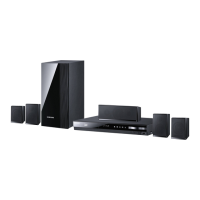
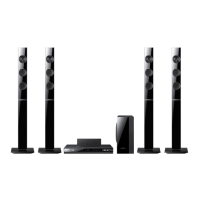
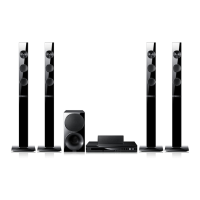
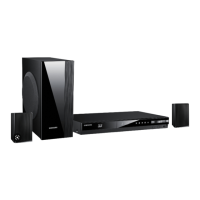
Samsung HT-E456K - User Manual

Samsung HT-E456K
46 pages
Print Icon
To Next Page IconTo Next Page
Loading...
Digital Home
Entertainment System
user manual
Imagine the possibilities
Thank you for purchasing this Samsung product.
To receive more complete service,
please register your product at
www.samsung.com/register
HT-E450K
HT-E453K
HT-E453HK
HT-E445K
HT-E456K
Code No. AH68-02443U

Questions and Answers

  • D
    Donna CarterAug 18, 2025
    How to reset my Samsung Home Theater System?
    • C
      connieariasAug 18, 2025
      If your Samsung Home Theater System isn't working at all, you can try resetting it. To do this, press and hold the STOP button on the remote control for longer than 5 seconds while there is no disc inside. Be aware that using the RESET function will erase all stored settings, so only use this if necessary.
  • D
    Dr. Jeff WellsAug 20, 2025
    Why is my Samsung Home Theater System remote control not working?
    • M
      Michael CastroAug 21, 2025
      If your Samsung Home Theater System remote control isn't working, make sure you're within the operational range for both angle and distance. Check if the batteries are dead and replace them if needed. Also, verify that you've selected the correct mode, such as RECEIVER, DVD, or TV.
  • R
    Richard MasonAug 23, 2025
    Why is there no sound coming from my Samsung HT-E456K Home Theater System?
    • P
      Paige RobinsonAug 23, 2025
      If your Samsung Home Theater System isn't producing any sound, here are a few things to check: * Ensure the speakers are correctly connected and the speaker setup is customized properly. * Be aware that no sound is produced during fast playback, slow playback, and step motion playback. * Check the disc for severe damage.
  • L
    Lisa WilkinsAug 26, 2025
    How to enable Dolby Digital 5.1 CH Surround Sound on Samsung HT-E456K?
    • J
      Joseph EatonAug 26, 2025
      If your Samsung Home Theater System is not producing Dolby Digital 5.1 CH Surround Sound, first check if the disc has the "Dolby Digital 5.1 CH" mark, as the sound is only produced if the disc is recorded with 5.1 channel sound. Next, verify that the audio language is correctly set to Dolby Digital 5.1-CH in the information display.
  • J
    Jordan Martinez Jr.Aug 28, 2025
    Why is sound only coming from a few speakers on my Samsung HT-E456K Home Theater System?
    • Q
      qallenAug 28, 2025
      If you're only hearing sound from a few speakers instead of all six on your Samsung Home Theater System: * Note that some DVD discs only output sound from the front speakers. * Ensure all speakers are connected correctly. * Adjust the volume levels. * When listening to a CD, radio, or TV, sound is typically output to the front speakers only; select "PROLOG" by pressing PL II (Dolby Pro Logic II) on the remote to utilize all six speakers.
  • C
    csmithAug 31, 2025
    What to do if my Samsung Home Theater System disc is rotating but there is no picture?
    • J
      Jeremy ElliottAug 31, 2025
      If your Samsung Home Theater System disc is rotating, but no picture is showing, first, ensure that your TV is powered on. Then, check whether the video cables are properly connected. Also, inspect the disc for any dirt or damage. Keep in mind that a poorly manufactured disc might not be playable.
  • D
    Denise SharpSep 2, 2025
    Why does playback not start immediately on my Samsung HT-E456K Home Theater System?
    • U
      ujohnsonSep 2, 2025
      If playback doesn't start immediately on your Samsung Home Theater System when you press the Play/Pause button, it could be due to a deformed or scratched disc. Try wiping the disc clean.
  • S
    Sally MillerSep 5, 2025
    Why won't playback start on my Samsung HT-E456K Home Theater System?
    • A
      Anthony HurstSep 5, 2025
      If playback won't start on your Samsung Home Theater System, check the DVD's region number, as discs from abroad may not be playable. Note that CD-ROMs and DVD-ROMs cannot be played on this product. Also, ensure the rating level is correct.
  • D
    David ShermanSep 7, 2025
    What to do if I forgot the rating level password on my Samsung Home Theater System?
    • D
      davidhobbsSep 7, 2025
      If you've forgotten the rating level password on your Samsung Home Theater System, make sure the “NO DISC” message is displayed. Then, press and hold the STOP button on the remote control for longer than 5 seconds. “INIT” will appear, resetting all settings to default. Finally, press the POWER button. Remember, this will erase all stored settings, so use it only when necessary.
  • T
    Troy WhitakerSep 10, 2025
    Why can't my Samsung Home Theater System receive radio broadcast?
    • J
      jonathonweaverSep 10, 2025
      If your Samsung Home Theater System can't receive radio broadcasts, check that the antenna is properly connected. If the antenna signal is weak, consider installing an external FM antenna in an area with better reception.

Samsung HT-E456K Specifications

General IconGeneral
TypeHome Theater System
Audio Channels5.1
Total Power Output1000W
DVD PlaybackYes
HDMI Outputs1
USB PlaybackYes
BluetoothNo
Anynet+ (HDMI-CEC)Yes
Audio DecodingDolby Digital, DTS
Playable File FormatsMP3, WMA, JPEG
Playback MediaDVD, USB
ConnectivityHDMI, USB, Optical

Related product manuals