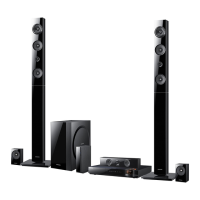
EasyManua.ls Logo

Samsung HT-E6530 - User Manual

Samsung HT-E6530
134 pages
Print Icon
To Next Page IconTo Next Page
Loading...
imagine the possibilities
Thank you for purchasing this Samsung product.
To receive more complete service,
please register your product at
www.samsung.com/register
5.1CH Blu-ray™
Home Entertainment System
user manual
HT-E6530
HT-E6530_ZC_0315.indd 1HT-E6530_ZC_0315.indd 1 2012-03-15 오후 4:37:052012-03-15 오후 4:37:05

Table of Contents

Questions and Answers

  • Z
    zvargasSep 23, 2025
    Why am I getting an error when using the BD-LIVE service on my Samsung HT-E6530?
    • M
      millsryanSep 23, 2025
      When using the BD-LIVE service, an error may occur if the memory device does not have at least 1GB of free space to accommodate the BD-LIVE service.
  • R
    Ruth HillAug 25, 2025
    How to reset my Samsung Home Theater System if it is not working?
    • N
      npenaAug 25, 2025
      If the product is not working, press and hold the remote control's 5 button for 5 seconds in STANDBY mode. Note that using the RESET function will erase all stored settings.
  • L
    Laura HigginsAug 25, 2025
    Why is there no sound coming from my Samsung HT-E6530?
    • D
      devinpriceAug 26, 2025
      If sound is not being produced, it could be due to several reasons. The home theater system does not play sound during fast playback, slow playback, and step motion playback. Ensure the speakers are connected properly and the speaker setup is correctly customized. Also, check if the disc is severely damaged.
  • P
    paulbellAug 27, 2025
    How to reset the rating level password on my Samsung Home Theater System?
    • K
      kyle39Aug 27, 2025
      If you've forgotten the rating level password, remove any disc from the product, then press and hold the 5 button on the product for longer than 5 seconds. 'INIT' will appear on the display, and all settings will return to the default values. Finally, press the POWER button. Keep in mind that using the RESET function will erase all stored settings.
  • K
    karlwilliamsAug 27, 2025
    Why is Dolby Digital 5.1 CH Surround Sound not working on my Samsung Home Theater System?
    • K
      Kevin HarveyAug 27, 2025
      If Dolby Digital 5.1 CH Surround Sound is not being produced, check if there is a 'Dolby Digital 5.1 CH' mark on the disc, as it is only produced if the disc is recorded with 5.1 channel sound. Also, verify that the audio language is correctly set to Dolby Digital 5.1-CH in the information display.
  • C
    Clayton McclainSep 16, 2025
    Why can't my Samsung HT-E6530 receive radio broadcasts?
    • D
      Denise EvansSep 16, 2025
      If you can't receive radio broadcasts, check if the antenna is connected properly. If the antenna's input signal is weak, install an external FM antenna in an area with good reception.
  • K
    kingdawnSep 13, 2025
    Why is there no HDMI output from my Samsung HT-E6530 Home Theater System?
    • I
      Isaac PatelSep 13, 2025
      To resolve the issue of no HDMI output, check the connection between the TV and the HDMI jack of the product. Also, check if your TV supports 480p/720p/1080i/1080p HDMI input resolution.
  • C
    charlesgonzalezSep 14, 2025
    Why won't my Samsung HT-E6530 Home Theater System start playback?
    • M
      Ms. Sara FordSep 15, 2025
      If playback does not start, check the region number of the Blu-ray/DVD disc; discs purchased from abroad may not be playable. Note that CD-ROMs and DVD-ROMs cannot be played on this product. Also, ensure that the rating level is correct.
  • R
    Ryan JacksonSep 5, 2025
    Why can't I see files in AllShare Play on my Samsung HT-E6530?
    • N
      nhunterSep 5, 2025
      If you can see folders shared through AllShare Play but cannot see the files, note that AllShare Play shows only files corresponding to the Photo, Music, and Movie categories. Files that do not correspond to these categories may not be displayed.
  • J
    jaime82Sep 3, 2025
    What to do if there is no picture on my TV because of unsupported HDMI resolution from my Samsung HT-E6530?
    • F
      Frederick BarnettSep 3, 2025
      If the HDMI output is set to a resolution your TV cannot support, press and hold the 5 button on the front panel for more than 5 seconds with no disc in the product. This will revert all settings to the factory defaults.

Summary

Safety Information

Warning and Caution Statements

General safety warnings regarding electric shock and laser hazards.

Precautions and Safety

Important Safety Instructions

Key safety guidelines for using the unit.

Safety Information (Cont.)

Getting Started (Cont.)

Remote Control Button Functions

Detailed explanation of each remote control button.

Connections

Connecting the Speakers

Guide to connecting and positioning speakers for optimal sound.

Connections (Cont.)

Connecting to a TV via HDMI or Video Cable

Methods for connecting the product to a TV.

Connecting External Devices

Connecting via HDMI, Optical, and AUX inputs.

Connecting to a Network Router

Setup for wired and wireless network connections.

Settings

Initial Settings Procedure

Step-by-step guide for first-time configuration.

Settings (Cont.)

WPS(PBC) Wireless Setup

Easy wireless setup using the WPS button.

Software Update via USB or Disc

Procedures for updating using USB drive or disc.

Settings (Cont.)

Auto Sound Calibration Process

Optimizing sound field for the environment.

Accessing the Settings Screen

How to navigate and use the settings menu.

Audio Settings Configuration

Options for speaker setup, equalization, and volume.

Security and Parental Controls

PIN setup, parental ratings, and reset functions.

Auto Sound Calibration Procedure

Detailed steps for sound field optimization.

Automatic Wireless Network Setup

Step-by-step guide for automatic wireless connection.

Software Update Overview

Methods for upgrading product firmware.

Network Connection Configuration

Steps to set up wired or wireless network.

Manual Wireless Network Setup

Manual configuration for wireless network.

Online Software Update Procedure

Steps for updating via the internet connection.

Media Play (Cont.)

Playing Files from USB Storage or iPod;iPhone

Accessing media on external devices.

Controlling Video Playback

Using remote buttons for video playback functions.

Using the Tools Menu

Accessing advanced playback options via the Tools menu.

Controlling Music Playback

Managing music playback, shuffling, and playlists.

Using Tools Menu for File Management

Sorting and selecting files using the Tools menu.

Using the AllShare Network Function

How to use AllShare over a network.

Controlling Photo Playback

Controlling photo slideshows and settings.

Tools Menu for Photo Playback

Advanced photo playback options via the Tools menu.

Network Services

Smart Hub Overview and Usage

Introduction to Smart Hub features and how to use them.

Network Services (Cont.)

Using the Web Browser

Accessing the internet via the built-in browser.

BD-LIVE Service Access

Connecting to and using BD-LIVE content services.

Appendix: Additional Information (Cont.)

Digital Output Selection Guide

Guide for digital audio output configurations.

Appendix: Troubleshooting

Basic Troubleshooting Steps

Common issues like disc ejection, connection, and playback.

Appendix: Troubleshooting (Cont.)

AllShare Play and BD-LIVE Troubleshooting

Issues with media sharing and BD-LIVE services.

Samsung HT-E6530 Specifications

General IconGeneral
TypeHome Theater System
BrandSamsung
ModelHT-E6530
Audio Channels5.1
Total Power Output1000 W
Blu-ray PlaybackYes
3D PlaybackYes
HDMI Inputs2
USB Ports1
Wi-FiYes
DLNA CertifiedYes
Smart HubYes
Video UpconversionYes
Speaker Configuration5.1 Channel
ConnectivityHDMI, USB, Wi-Fi
Supported Disc FormatsBD, DVD, CD
Audio FormatsDTS, Dolby Digital

Related product manuals