EasyManua.ls Logo

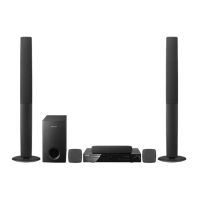
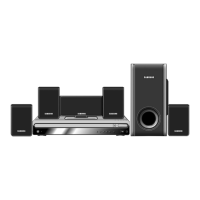
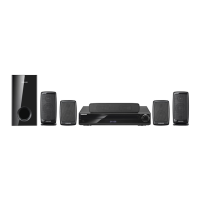
Samsung HT-Z520 - User Manual

Samsung HT-Z520
91 pages
Print Icon
To Next Page IconTo Next Page
Loading...
Digital Home
Theater System
user manual
imagine the possibilities
Thank you for purchasing this Samsung product.
To receive more complete service,
please register your product at
www.samsung.com/global/register
HT-Z520
HT-TZ522
HT-TZ525

Table of Contents

Questions and Answers

  • M
    mannalexisAug 15, 2025
    Why does my Samsung HT-Z520 Home Theater System remote control not work?
    • C
      Catherine JohnsonAug 15, 2025
      If the Samsung Home Theater System's remote control isn't working, examine the batteries first. Also, ensure that the remote is correctly paired with the system.
  • K
    Kevin WallaceAug 18, 2025
    How to fix no sound on Samsung HT-Z520?
    • K
      Kimberly FrankAug 18, 2025
      If no sound is coming from your Samsung Home Theater System, check both the connection and the playback settings to ensure they are properly configured.
  • H
    Heidi GeorgeAug 21, 2025
    Why is Dolby Digital 5.1 CH Surround Sound not working on my Samsung Home Theater System?
    • S
      Scott DavisAug 21, 2025
      If Dolby Digital 5.1 CH Surround Sound is not being produced by your Samsung Home Theater System, make sure the disc you are using is actually recorded with 5.1 channel sound.
  • M
    Marc OconnellAug 25, 2025
    How to fix sound only coming from a few speakers on Samsung Home Theater System?
    • B
      Brenda LoveAug 25, 2025
      If sound is only coming from some of the speakers on your Samsung Home Theater System, select "PRO LOGIC II" by pressing PL II (Dolby Pro Logic II) on the remote control.
  • A
    Ashley HenryAug 27, 2025
    Why are audio language and subtitles not working on my Samsung Home Theater System?
    • R
      Randy JohnsonAug 27, 2025
      If audio languages and subtitles aren't working on your Samsung Home Theater System, verify that the disc contains the audio languages and subtitles you are trying to use.
  • J
    Jeffrey BakerAug 30, 2025
    What to do if I fail to connect iPod to Samsung HT-Z520 Home Theater System?
    • J
      James DouglasAug 30, 2025
      If you fail to connect your iPod to the Samsung Home Theater System, try reconnecting the iPod and the cradle of the home theater.
  • S
    Shane MillerSep 2, 2025
    How to fix a Samsung HT-Z520 Home Theater System disc tray that does not open?
    • T
      tiffanyproctorSep 2, 2025
      If the disc tray on your Samsung Home Theater System does not open, turn off the system and disconnect the power cord.
  • S
    Sydney WernerSep 5, 2025
    What to do if my Samsung HT-Z520 Home Theater System can't receive radio broadcast?
    • H
      Hector GloverSep 5, 2025
      If your Samsung Home Theater System isn't receiving radio broadcasts, try adjusting the antenna in an area known for good reception.
  • L
    Lisa HooperSep 8, 2025
    What to do if the menu screen does not appear on Samsung HT-Z520 Home Theater System?
    • S
      smithdeniseSep 8, 2025
      If the menu screen does not appear on your Samsung Home Theater System, even when you select the menu function, check the connections and settings of the system.
  • M
    Michael ChungSep 12, 2025
    What to do if playback does not start immediately on Samsung Home Theater System?
    • K
      Kimberly HillSep 12, 2025
      If playback doesn't start immediately on your Samsung Home Theater System when you press the Play/Pause button, press the Play/Pause button again.

Summary

Features

Playback of many disc types

Details compatibility for DVD-VIDEO, CD, MP3-CD, WMA-CD, DivX discs.

USB Host support

Connect USB storage devices like MP3 players or cameras to access media files.

Safety Information

SAFETY WARNINGS

General warnings for electric shock, laser radiation, and appliance safety.

Important Safety Instructions

Essential precautions for proper operation and handling of the unit.

Getting Started

Remote Control

Connections

CONNECTING THE VIDEO OUT TO YOUR TV

Three methods (HDMI, Component, Composite) for connecting video output.

HDMI Function

Connecting an iPod

Playing Media Files Using the USB Host Feature

System Setup

SETTING THE LANGUAGE

Configuring OSD, audio, and subtitle languages for the system.

SETTING PARENTAL CONTROLS (RATING LEVEL)

Restricting playback of DVDs based on their rating level.

Disc Playback

Basic Disc Playback

Steps for loading a disc and starting playback.

Troubleshooting

Disc Tray Issues

Problems with the disc tray opening or operation.

Playback Issues

Problems with starting playback or sound during playback.

Speaker Output Issues

Sound only coming from some speakers or incorrect speaker setup.

Picture Quality Issues

Problems related to poor picture quality or display shaking.

Warranty

Samsung HT-Z520 Specifications

General IconGeneral
TypeHome Theater System
Audio Channels5.1
Total Power Output1000 W
DVD PlaybackYes
HDMIYes
USB PlaybackYes
BluetoothNo
Audio DecodingDolby Digital, DTS
Wi-FiNo
Playable File FormatsMP3, WMA, JPEG

Related product manuals