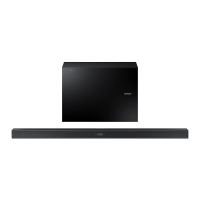
Need help?
Do you have a question about the Samsung HW-A445 and is the answer not in the manual?
Warnings to reduce the risk of electric shock and injury during product use.
Precautions regarding electrical shock and product care to prevent damage.
FCC supplier's declaration of conformity and compliance statement for the device.
Cautions on modifications, FCC statements, and radiation exposure limits.
A numbered list of critical instructions for safe operation and maintenance.
Essential precautions covering installation, environment, and product care.
Information on the available User Manual and Full Manual.
Lists and illustrates all included parts and accessories.
Step-by-step guide for inserting batteries into the remote control.
Identifies controls and display on the soundbar's top and front surfaces.
Details the connection ports located on the bottom of the soundbar.
Instructions for connecting the soundbar and subwoofer to power outlets.
Explains automatic subwoofer pairing and LED indicator status.
Step-by-step guide for manual subwoofer pairing.
Important notes and precautions for wireless subwoofer setup.
Instructions for connecting the optional wireless rear speaker kit.
Guide for connecting the soundbar to a TV using an optical cable.
Instructions for connecting the soundbar to a TV via Bluetooth.
Solutions for issues encountered during Bluetooth TV connectivity.
Steps to connect external devices like players or consoles via optical cable.
Instructions for connecting a USB device and playing music files.
List of supported file formats, codecs, and specifications for USB playback.
Guide for connecting a mobile device to the soundbar via Bluetooth.
Explains the differences between BT READY and BT PAIRING modes.
Details on enabling automatic soundbar power-on for Bluetooth devices.
Instructions for disconnecting mobile devices from the soundbar.
General information about Bluetooth technology and potential interference.
Identifies each button on the remote control and its primary function.
Explains secondary functions and special operations of remote buttons.
Guide to adjusting treble, bass, audio sync, and frequency bands.
Instructions for controlling soundbar volume using a TV's remote.
Explains multi-function buttons and sound mode output specifications.
Lists required mounting components and safety precautions for installation.
Detailed steps for physically mounting the soundbar on the wall.
Recommendations for positioning the soundbar on a TV stand.
Step-by-step guide to update the soundbar's firmware via USB.
Solutions for issues or errors during firmware updates.
Solutions for common problems like no power, erratic behavior, and sound output.
Troubleshooting steps for Bluetooth connection failures and sound dropouts.
Information regarding licensing for Dolby, DTS, and Bluetooth technologies.
Details on model, dimensions, power, and supported formats.
 General
| Type | Soundbar |
|---|---|
| Number of Channels | 2.1 |
| Subwoofer | Wireless |
| Bluetooth | Yes |
| HDMI Inputs | 1 |
| HDMI Output (ARC) | Yes |
| Optical Input | Yes |
| USB Playback | Yes |
| Sound Mode | Game |

 To Next Page