EasyManua.ls Logo

Samsung HW-C43M - User Manual

Samsung HW-C43M
2 pages
Print Icon
To Next Page IconTo Next Page
Loading...
Accessory type and quantity may vary
depending on the model.
The image shown here is for illustrative purposes
only and may be subject to change.
The cables mentioned in this guide is not supplied
with your unit.
with your unit.
Please read this manual carefully before operating your unit and retain for future reference.
814100214

Other manuals for Samsung HW-C43M

Question and Answer IconNeed help?

Do you have a question about the Samsung HW-C43M and is the answer not in the manual?

Summary

Safety Information

Warnings

Crucial safety warnings regarding electrical hazards, handling, and placement of the product.

Caution

Important precautions to prevent damage to the product or other property during use.

Health and Environmental Precautions

Guidelines for safe operation, handling, and environmental considerations for the product.

FCC Compliance Statement

Declaration of compliance with FCC regulations regarding radio frequency interference.

Troubleshooting

Soundbar Does Not Turn On

Steps to resolve issues when the soundbar fails to power on or respond.

Connecting the Soundbar Wirelessly

Instructions for establishing a wireless connection for the soundbar, including Bluetooth pairing.

Using the Remote Control

Installing the Wall Mount

Installation Precautions

Important considerations and steps for safely mounting the soundbar on a wall.

Refurbished Product Limited Thirty Day Warranty

Warranty Repair Information

Details on how to obtain service, necessary information, and shipping instructions for warranty repairs.

Owners Information

Section to record personal and product details for permanent record-keeping.

Overview

This document describes a Samsung Soundbar, model HW-C43M, designed to enhance your audio experience. It covers the device's functions, usage features, and maintenance information.

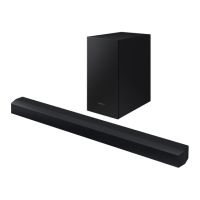
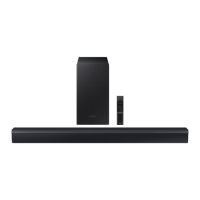
The Soundbar serves as an external audio system, connecting to various sources to deliver improved sound quality. It is equipped with multiple input options, including optical, USB, and Bluetooth, allowing for flexible connectivity with TVs, mobile devices, and other audio sources. The system includes a main Soundbar unit and a wireless subwoofer, working together to provide a rich and immersive sound experience.

Function Description:

The Soundbar's primary function is to amplify and process audio signals, delivering them through its speakers and the accompanying subwoofer. It supports various audio formats, including DTS 2.0 sound (played in DTS format), LPCM 2ch, and Dolby Audio™ (supporting Dolby® Digital). This ensures compatibility with a wide range of content, from movies and TV shows to music.

The wireless subwoofer is designed to provide deep bass, adding impact and richness to the audio. Its wireless connectivity simplifies setup and allows for flexible placement within your room.

Usage Features:

Remote Control: The Soundbar is primarily controlled via a dedicated remote control, offering a comprehensive set of functions:

  • Power Button: Turns the Soundbar on or off.
  • Source Button: Selects the input source (e.g., Optical, USB, Bluetooth) connected to the Soundbar.
  • Bluetooth PAIR Button: Initiates Bluetooth pairing mode, allowing you to connect mobile devices for wireless audio streaming.
  • Navigation Buttons (Up/Down/Left/Right): Used for navigating menus and adjusting settings.
  • Play/Pause Button: Controls media playback when using compatible sources like USB or Bluetooth.
  • Mute Button: Temporarily silences the audio output.
  • SOUND MODE Button: Allows you to select different sound effects or presets, optimizing the audio for various content types (e.g., Standard, Game, Adaptive Sound).
  • Info Button: Displays information about the current function or setting.
  • Volume Button: Adjusts the overall volume level of the Soundbar.
  • WOOFER (BASS) LEVEL Button: Specifically adjusts the bass level produced by the subwoofer, allowing you to customize the low-frequency impact.
  • CH LEVEL Button: When pressed, cycles through settings like VIRTUAL CENTER LEVEL. If rear speakers (sold separately) are connected, it also supports REAR LEVEL adjustment. These settings allow for fine-tuning of individual channel volumes.
  • Sound Control Button: Cycles through settings such as AUDIO SYNC (to synchronize audio with video), VOICE ENHANCE ON/OFF (to improve dialogue clarity), and NIGHT MODE ON/OFF (to reduce dynamic range for quieter listening).
  • TONE CONTROL Button: Cycles through TREBLE and BASS settings, enabling you to adjust the high and low frequencies of the overall sound.

Connectivity:

  • Optical Input: Connects to your TV or other devices using an optical cable for high-quality digital audio transmission.
  • USB Port: Allows you to play audio files directly from a USB storage device.
  • Bluetooth: Enables wireless audio streaming from compatible smartphones, tablets, and other Bluetooth-enabled devices. The Soundbar supports Bluetooth PAIRING and can automatically reconnect to previously paired devices.
  • Power Connection: The Soundbar and subwoofer each require a separate power connection.

Sound Modes: The Soundbar offers various sound modes to optimize your listening experience:

  • STANDARD: Provides a balanced sound profile.
  • GAME: Enhances audio for gaming, often emphasizing effects and spatial cues.
  • ADAPTIVE SOUND: Automatically adjusts the sound based on the content being played, aiming for optimal clarity and impact.
  • NIGHT MODE: Reduces the intensity of loud sounds and boosts quiet ones, making it suitable for late-night listening without disturbing others.
  • VOICE ENHANCE: Improves the clarity of dialogue, making conversations easier to understand.

Automatic Functions:

  • Auto Power Link: If enabled, the Soundbar can automatically turn on when it detects an audio signal from a connected optical source.
  • Auto Power Down: The Soundbar will automatically turn off after a period of inactivity to save energy.
  • TV Remote Control Sync: The Soundbar can be controlled by your TV remote if connected via optical cable and the TV's Universal Remote Control function is set up.

Wall Mounting: The Soundbar can be wall-mounted using a separate wall mounting kit. Installation precautions include mounting on a vertical wall, avoiding high temperature/humidity areas, and ensuring the wall is strong enough to support the product's weight. It is recommended to use appropriate fixing screws or anchors for the wall type. Cables should be connected before mounting, and the unit must be unplugged from the power source during installation to prevent electric shock.

Maintenance Features:

General Care:

  • Cleaning: The manual advises against using strong chemicals or solvents for cleaning. A soft, dry cloth is recommended for wiping surfaces.
  • Ventilation: Ensure adequate ventilation around the Soundbar to prevent overheating. Do not block ventilation openings.
  • Power Cord: Regularly check the power cord for damage. Do not bend, twist, or place heavy objects on the cord.
  • Safety Warnings: The manual includes important safety warnings regarding electrical shock, fire, and handling. These include not opening the device, avoiding contact with water, and ensuring proper grounding.

Troubleshooting: The manual provides a dedicated section for troubleshooting common issues, such as:

  • No Power: Checking the power cord connection and ensuring the power outlet is working.
  • No Sound: Verifying source selection, volume levels, and cable connections.
  • Bluetooth Connection Issues: Ensuring the device is in pairing mode and within range.
  • Remote Control Not Working: Checking battery levels and ensuring no obstructions.
  • Sound Quality Issues: Adjusting sound modes, tone control, and woofer levels.
  • Audio Sync Issues: Using the AUDIO SYNC function to align audio with video.

Refurbished Product Limited Thirty Day Warranty: For refurbished products, a specific warranty applies for thirty days from the original purchase date. This warranty covers electronic or mechanical defects but excludes cosmetic issues. Repairs or replacements will be provided free of charge for parts and labor. The warranty does not cover damage from accidents, misuse, improper wiring, or unauthorized alterations. To claim warranty service, customers must obtain a claim number from the Refurbished Product Service Center and send the unit freight prepaid and insured with a copy of the purchase receipt.

ENERGY STAR Compliance: The Soundbar is an ENERGY STAR qualified model, indicating its energy efficiency. It is designed to consume less power in its factory default settings. Certain features and settings may affect power consumption. The product includes power management settings that enable it to enter sleep mode and wake up with a button press.

Open Source Information: Samsung provides information regarding open sources used in the product, accessible via their open source website.

Important Notes About Service: The manual clarifies that an administration fee may be charged if a service engineer is called out or a unit is brought to a repair center and no defect is found. It recommends consulting the manual's troubleshooting section before contacting a service center.

Recycling and Disposal: The manual advises on proper disposal of batteries and the product itself, following local regulations to protect the environment.

This Samsung Soundbar is designed to be a user-friendly and versatile audio system, offering a range of features to enhance your home entertainment experience while also providing clear guidance on setup, operation, and maintenance.

Samsung HW-C43M Specifications

General IconGeneral
BrandSamsung
ModelHW-C43M
TypeSoundbar
Number of Channels2.1
Total Power Output200W
SubwooferYes
Wireless SubwooferYes
BluetoothYes
HDMIYes
Optical Audio InputYes
USB PortYes
Wall MountableYes
Total Power (RMS)200W
Audio DecodingDolby Digital, DTS
HDMI Inputs1

Related product manuals