EasyManua.ls Logo

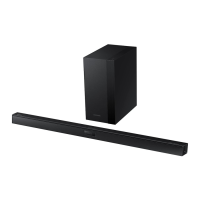
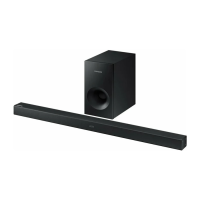
Samsung HW-HM45 - User Manual

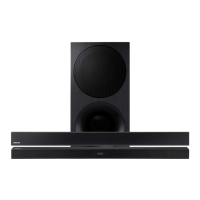
Samsung HW-HM45
26 pages
Print Icon
To Next Page IconTo Next Page
Loading...
Wireless Audio - Soundbar
Imagine the possibilities
Thank you for purchasing this Samsung product.
To receive more complete service, please register your product at
www.samsung.com/register
User manual
'This Nanum Gothic Eco font is provided by NAVER'
HW-HM45
HW-HM45C
HW-HM45_HM45C_USA_ENG_141105.indd 1HW-HM45_HM45C_USA_ENG_141105.indd 1 2014-11-05  1:53:452014-11-05  1:53:45

Questions and Answers

  • Z
    Zachary HodgesJul 26, 2025
    What to do if my Samsung Speaker System is not producing sound?
    • J
      Joseph HendricksJul 26, 2025
      If your Samsung Speaker System isn't producing sound, check if the Mute function is on or if the volume is set to minimum. Press the Mute button to cancel the function and adjust the volume accordingly.
  • T
    tharrisJul 30, 2025
    Why is my Samsung Speaker System remote control not working?
    • S
      saunderspaulaJul 30, 2025
      If the remote control for your Samsung Speaker System isn't working, the batteries may be drained, or you might be too far from the main unit. Try replacing the batteries with new ones and move closer to the unit.
  • A
    Aaron CarpenterAug 4, 2025
    Why did TV SoundConnect (TV pairing) fail on my Samsung HW-HM45 Speaker System?
    • M
      Michael ColemanAug 4, 2025
      TV SoundConnect may have failed on your Samsung Speaker System because your TV may not support TV SoundConnect, your TV firmware might not be the latest version, or an error occurred during connection. TV SoundConnect is supported by some Samsung TVs released from 2012 on, so check your TV's compatibility. Update your TV with the latest firmware. You can also try to reset the TV SoundConnect connection by pressing and holding the ?? button for 5 seconds.
  • R
    Rebecca PerryAug 8, 2025
    What to do if a function does not work when the button is pressed on Samsung HW-HM45?
    • H
      Heather BrooksAug 8, 2025
      If a function on your Samsung Speaker System doesn't work when the button is pressed, it might be due to static electricity in the air. Disconnect the power plug and then reconnect it.
  • R
    rosariodesireeAug 12, 2025
    What to do if the Samsung HW-HM45 Speaker System will not turn on?
    • X
      Xavier WalkerAug 13, 2025
      If your Samsung Speaker System will not turn on, make sure the power plug is securely connected to the outlet.
  • R
    richardvelezAug 17, 2025
    What to do if the subwoofer drones and vibrates noticeably on my Samsung HW-HM45 Speaker System?
    • B
      Briana GonzalezAug 17, 2025
      If the subwoofer on your Samsung Speaker System drones and vibrates noticeably, adjust its value by pressing the EQUALIZER WOOFER button on your remote control. You can set the value between SW-6 and SW+6.
  • J
    Jake Holmes MDAug 21, 2025
    Why is the red LED on my Samsung Speaker System subwoofer blinking and there is no sound?
    • H
      Harold BeckAug 21, 2025
      The red LED on your Samsung Speaker System subwoofer might be blinking, and no sound is produced because your subwoofer may not be connected to the main body of the product. Try to connect your subwoofer again.

Summary

Key Product Features

TV SoundConnect

Connects TV audio to Soundbar via Bluetooth for wireless listening and control.

HDMI Connectivity

Transmits video and audio signals, supports ARC for TV audio return.

3 D Sound Feature

Enhances listening experience with added depth and spaciousness.

Wireless Subwoofer Functionality

Connects wirelessly to the main unit, eliminating cables.

Special Sound Effects

Selectable sound modes like Music, Voice, Sports, Cinema, Standard.

Multi-function Remote Control

Allows control of various operations with simple button presses.

USB Host Support

Enables playback of music files from external USB storage devices.

Bluetooth Functionality

Connects to Bluetooth devices for wireless high-quality stereo sound.

Product Licenses and Trademarks

Information regarding Dolby, DTS, and HDMI licenses and trademarks.

Safety Information

Safety Warnings and Precautions

Covers electrical shock risks, exposure to rain/moisture, and attachment safety.

FCC Compliance Information

Details compliance with FCC rules for Class B digital devices.

Important Safety Instructions

Numbered list of crucial instructions for safe operation and installation.

Precautions and Warnings

Operational and Environmental Precautions

Covers AC power, installation, heat, sunlight, moisture, battery safety, and chemical hazards.

Getting Started Guide

Before Reading the User Manual

Introduces icons, safety instructions, and copyright information.

Whats Included

Lists and illustrates the accessories supplied with the product.

Product Descriptions

Top and Front Panel Overview

Details the buttons, display, and their functions on the main unit.

Rear Panel Overview

Identifies and describes the input/output ports on the rear of the unit.

Remote Control Operations

Buttons and Functions Overview

Explains the primary functions of each button on the remote control.

Detailed Button Functions

Provides in-depth explanations for specific buttons like Power, Volume, Sound Effect.

Installing the Remote Battery

Step-by-step guide on how to insert the battery into the remote control.

Connections and Installation

Installing the Wall Mount

Instructions and precautions for mounting the soundbar on a wall.

Detaching the Wall Mount

Procedure for safely removing the soundbar from its wall mount.

Installing Bracket Without Guide

Guidance for installing the bracket without using the provided installation guide.

Connecting the Wireless Subwoofer

Steps to wirelessly link the subwoofer to the main unit.

Wireless Subwoofer Connection Details

Information on standby mode, interference, transmission distance, and re-setting connection.

Connecting via HDMI Cable

How to connect external devices using HDMI for audio and video.

Connecting via Audio;Optical Cable

Instructions for connecting devices using analog audio or digital optical cables.

Product Functions and Operations

Input Mode Selection

How to select different audio input sources like D.IN, AUX, HDMI, BT, TV, USB.

ARC (HDMI OUT) Function

Enables digital audio output via the HDMI OUT (ARC) port.

Bluetooth Device Connection

Steps for pairing and connecting a Bluetooth device to the Soundbar.

Bluetooth Power On Feature

Allows the Soundbar to turn on automatically when a paired Bluetooth device attempts to connect.

Disconnecting Bluetooth Devices

Instructions on how to disconnect a paired Bluetooth device or the Soundbar.

About Bluetooth Technology

General information about Bluetooth technology and potential interference.

TV SoundConnect Setup

Guide to connecting the Soundbar to a Samsung TV supporting TV SoundConnect.

USB Device Playback

How to play music files from USB storage devices and file format compatibility.

Software Update Procedure

Instructions for updating the Soundbar's firmware using a USB device.

Troubleshooting Guide

Common Operational Issues

Solutions for problems like unit not turning on, functions not working, or no sound.

Connectivity Troubleshooting

Addresses issues with TV SoundConnect pairing and subwoofer connectivity.

Subwoofer Performance Issues

Guidance for resolving subwoofer noise, vibration, or connection problems.

Appendix: Specifications

Product Specifications

Detailed technical specifications including power, dimensions, and compatibility.

Product Warranty

Limited Warranty Terms

Details the limited warranty period, coverage, and exclusions for the product.

Samsung HW-HM45 Specifications

General IconGeneral
BrandSamsung
ModelHW-HM45
CategorySpeaker System
LanguageEnglish

Related product manuals