EasyManua.ls Logo

Samsung HW-K335 - User Manual

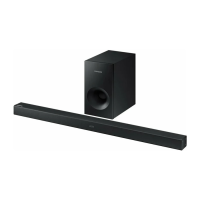
Samsung HW-K335
32 pages
Print Icon
To Next Page IconTo Next Page
Loading...
Imagine the possibilities
Thank you for purchasing this Samsung product.
To receive more complete service, please register your product at
www.samsung.com/register
HW-K335
User manual
©2016 Samsung Electronics Co.,Ltd. All rights reserved

Questions and Answers

  • B
    Brian PughAug 18, 2025
    What to do if my Samsung Speakers will not turn on?
    • J
      john18Aug 18, 2025
      If your Samsung Speakers won't turn on, try these steps: First, ensure the power plug is securely connected to the outlet. If it is, disconnect and reconnect the plug. Also, make sure the Mute function is off by pressing the (Mute) button. Check and adjust the volume. If you are using batteries, replace them with new ones. Move closer to the unit. If using TV SoundConnect, ensure your Samsung TV (2012 models and later) supports it and has the latest firmware. You can also reset the TV SoundConnect connection by pressing and holding the p button for 5 seconds to reconnect.
  • Y
    yvanceAug 21, 2025
    Why is there no sound coming from my Samsung Speakers?
    • J
      Joel RileyAug 21, 2025
      If no sound is produced, first ensure that the Mute function is off by pressing the (Mute) button. Also, check that the volume isn't set to the minimum and adjust it accordingly.
  • B
    brandon30Aug 23, 2025
    How to fix Samsung Speakers TV SoundConnect pairing failed?
    • M
      Morgan ThompsonAug 23, 2025
      TV SoundConnect is supported by some Samsung TVs released from 2012 on, so check if your TV supports it. Update your TV with the latest firmware. To reset the TV SoundConnect connection, press and hold the p button for 5 seconds.
  • J
    James BlackAug 26, 2025
    What to do if my Samsung Speakers won't turn on?
    • L
      Lisa BennettAug 26, 2025
      If the unit will not turn on, connect the power plug to the outlet.
  • G
    George TurnerAug 28, 2025
    What to do if the Samsung HW-K335 Speaker System remote control does not work?
    • P
      Patricia WadeAug 28, 2025
      If the remote control for your Samsung Speaker System isn't working, first, try replacing the battery with a new one. If that doesn't solve the problem, make sure you're not too far from the main unit; try moving closer.
  • J
    Justin RyanAug 30, 2025
    Why is there no sound coming from my Samsung HW-K335 Speaker System?
    • H
      Heather RogersAug 30, 2025
      If your Samsung Speaker System isn't producing sound, check if the Mute function is on. If it is, press the (Mute) button to cancel it. Also, make sure the volume isn't set to the minimum; adjust the volume accordingly.
  • S
    Suzanne WhiteSep 1, 2025
    Why is my Samsung Set-top box remote control not working?
    • M
      michaelcurrySep 1, 2025
      If the remote control for your Samsung Set-top box isn't working, the batteries may be drained, or you might be too far from the unit. Try replacing the batteries with new ones and move closer to the unit.
  • K
    keitholsonSep 3, 2025
    What to do if the Samsung Speakers remote control does not work?
    • A
      Alicia OrtegaSep 3, 2025
      If the remote control isn't working, try replacing the battery with a new one. Also, make sure you are not too far from the main unit; move closer and try again.
  • R
    Ryan ReedSep 6, 2025
    What to do if a function does not work when the button is pressed on my Samsung Speakers?
    • T
      Thomas RobinsonSep 6, 2025
      If a function doesn't work when a button is pressed, it could be due to static electricity in the air. Disconnect the power plug and then reconnect it.
  • C
    Christopher MurraySep 8, 2025
    How to fix Samsung Speaker System TV SoundConnect pairing failed?
    • L
      Lydia JohnsSep 8, 2025
      TV SoundConnect is supported by some Samsung TVs released from 2012. Check your TV to see if it supports TV SoundConnect. Update your TV with the latest firmware. To reset the TV SoundConnect connection, press and hold the p button for 5 seconds and connect again.

Summary

GETTING STARTED

Safety Information

Information regarding safety precautions and warnings for the product's operation and handling.

INSTALLATION

Installing the Soundbar

Provides instructions and precautions for setting up the soundbar, including wall mounting.

Installing the Wall Mount

Step-by-step guide for securely attaching the wall mount bracket to the soundbar.

CONNECTIONS

FUNCTIONS

Bluetooth

Guide on pairing and using Bluetooth-enabled devices with the soundbar for audio playback.

Software Update

Procedures for downloading and installing firmware updates for the soundbar.

TROUBLESHOOTING

Troubleshooting: Unit Not Turning On

Steps to resolve issues if the soundbar fails to power on.

Troubleshooting: No Sound Output

Steps to diagnose and fix problems related to the absence of audio output.

WARRANTY CONDITIONS

Samsung HW-K335 Specifications

General IconGeneral
Audio decodersDTS-ES (Matrix 6.1)
RMS rated power130 W
Audio output channels2.1 channels
Surround modes quantity2
BluetoothYes
USB 2.0 ports quantityUSB 2.0 ports have a data transmission speed of 480 Mbps, and are backwards compatible with USB 1.1 ports. You can connect all kinds of peripheral devices to them.
Connectivity technologyWired & Wireless
Digital audio coaxial in-
Package depth210 mm
Package width965 mm
Package height454 mm
Package weight6000 g
Apple docking compatibilityNot supported
Subwoofer driver diameter (imperial)5.25 \
FM radioNo
Product colorBlack
Audio formats supportedAAC, ALAC, FLAC, MP3, OGG, WAV
Power consumption (standby)0.45 W
Weight and Dimensions IconWeight and Dimensions
Depth70.5 mm
Width907.5 mm
Height53.5 mm
Soundbar weight4300 g
Subwoofer depth300 mm
Subwoofer width155 mm
Subwoofer height285 mm
Subwoofer weight2800 g

Related product manuals