EasyManua.ls Logo

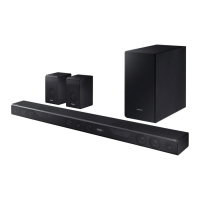
Samsung HW-K850 - User Manual

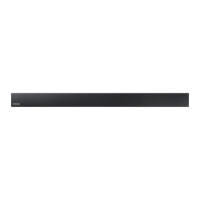
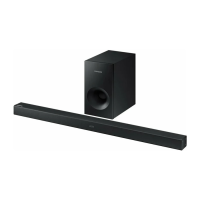
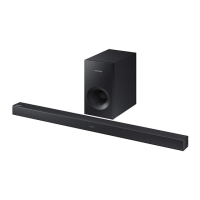
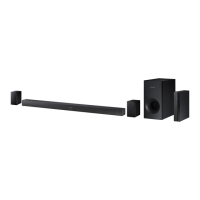
Samsung HW-K850
37 pages
Print Icon
To Next Page IconTo Next Page
Loading...
User manual
Imagine the possibilities
Thank you for purchasing this Samsung product.
To receive more complete service, please register your product at
www.samsung.com/register
HW-K850

Questions and Answers

  • M
    millerdanielJul 27, 2025
    Why is my Samsung HW-K850 Speaker System remote control not working?
    • M
      Michael TranJul 27, 2025
      If your Samsung Speaker System's remote control isn't working, first, replace the batteries with new ones. If that doesn't solve the problem, try moving closer to the main unit, as the distance may be too far.
  • G
    Gregory DavisJul 31, 2025
    Why is my Samsung Speakers subwoofer droning and vibrating?
    • J
      James ParsonsJul 31, 2025
      If the subwoofer on your Samsung Speakers drones and vibrates noticeably, adjust the woofer level using the WOOFER button on your remote control. You can set the value between -12, -6 and +6.
  • M
    Ms. Tracy HarveyAug 4, 2025
    Why is there no sound coming from my Samsung Speaker System?
    • E
      eboyerAug 4, 2025
      If your Samsung Speaker System isn't producing sound, first ensure that the Mute function is off by pressing the VOL button. Also, verify that the volume isn't set to the minimum and adjust it accordingly.
  • A
    Ariel MezaAug 8, 2025
    What to do if the Samsung Speakers remote control does not work?
    • R
      Rachael HodgesAug 9, 2025
      If the Samsung Speakers remote control isn't working, first, replace the batteries with new ones. If that doesn't solve the problem, try moving closer to the main unit.
  • R
    Rebekah ChurchAug 13, 2025
    What to do if red LED on Samsung Speaker System subwoofer blinks?
    • W
      William HansenAug 13, 2025
      If the red LED on your Samsung Speaker System's subwoofer is blinking and no sound is produced, your subwoofer may not be connected to the main unit. Try reconnecting your subwoofer.
  • M
    Madison BaileyAug 17, 2025
    How to stop Samsung HW-K850 subwoofer from droning?
    • S
      stephen06Aug 17, 2025
      If the subwoofer of your Samsung Speaker System drones and vibrates noticeably, use the WOOFER button on your remote control to adjust its value. You can set it between -12, -6 and +6 to find a comfortable level.
  • J
    josephdonaldsonAug 21, 2025
    What to do if a function button on my Samsung Speaker System doesn't work?
    • M
      mary69Aug 21, 2025
      If a function on your Samsung Speaker System doesn't work when you press the button, it might be due to static electricity. Disconnect the power plug and then reconnect it.

Summary

GETTING STARTED

SAFETY INFORMATION AND WARNINGS

Crucial safety warnings and precautions for product usage.

FCC COMPLIANCE AND SAFETY GUIDELINES

US FCC compliance statements and important safety guidelines.

PRODUCT PRECAUTIONS AND HANDLING

Guidelines for proper product placement, handling, and environmental considerations.

DOLBY ATMOS TECHNOLOGY OVERVIEW

Explanation and benefits of Dolby Atmos® sound technology.

WHATS INCLUDED IN THE BOX

List of accessories and components provided with the product.

DESCRIPTIONS

FRONT AND RIGHT SIDE PANEL OVERVIEW

Details of buttons and indicators on the front and right side of the unit.

BOTTOM PANEL CONNECTIONS AND PORTS

Description of ports and connection interfaces on the bottom of the unit.

REMOTE CONTROL FUNCTIONS AND BUTTONS

Explanation of remote control buttons, including standard and hidden functions.

HIDDEN BUTTON OPERATIONS

Explanation of less obvious functions accessible via button combinations.

INSTALLATION

INSTALLING THE SOUNDBAR UNIT

Steps for physically installing the soundbar unit, including wall mounting.

DETACHING FROM WALL MOUNT

Procedure for safely removing the soundbar from the wall mount.

CONNECTIONS

CONNECTING THE SUBWOOFER

Steps for wirelessly connecting the subwoofer to the soundbar, including manual pairing.

CONNECTING TO A TV

Instructions for connecting the soundbar to a television via HDMI or optical cable.

CONNECTING EXTERNAL DEVICES AND DOLBY ATMOS

Connecting various external sources and enabling Dolby Atmos compatibility.

CABLE CONNECTION TYPES

Details on using HDMI, optical, and analog audio cables for connection.

FUNCTIONS

INPUT MODE AND AUTO POWER DOWN

Selecting input sources and managing the auto power down feature.

BLUETOOTH OPERATIONS AND MANAGEMENT

Connecting, using, and disconnecting Bluetooth devices, plus additional tips.

MULTIROOM APP AND NETWORK SETUP

Guide to using the Multiroom app and connecting the soundbar to a network.

SOFTWARE UPDATE PROCEDURES

Instructions for updating the soundbar's firmware via USB or automatically.

TROUBLESHOOTING

APPENDIX

PRODUCT SPECIFICATIONS

Technical specifications of the soundbar unit, including dimensions and power.

WARRANTY

LIMITED WARRANTY INFORMATION

Details of the product's limited warranty for original purchasers.

SUPPORT AND CONTACT INFORMATION

Contact information for customer support, questions, and comments.

Samsung HW-K850 Specifications

General IconGeneral
Audio decodersDolby Atmos, DTS 2.0, Dolby Digital Plus, Dolby TrueHD
RMS rated power350 W
Audio Return Channel (ARC)Yes
Soundbar speaker RMS power- W
Subwoofer type-
Subwoofer locationSeparate
Cables includedAC, HDMI
Product colorBlack
Consumer Electronics Control (CEC)Anynet+
Main unit weight6667.808 g
HDMI in1
USB 2.0 ports quantityUSB 2.0 ports have a data transmission speed of 480 Mbps, and are backwards compatible with USB 1.1 ports. You can connect all kinds of peripheral devices to them.
Connectivity technologyWired & Wireless
Power consumption (standby)0.26 W
Power consumption (typical)10.6 W
Package depth25.908 mm
Package width127.254 mm
Package height58.928 mm
Package weight25854.8 g
Weight and Dimensions IconWeight and Dimensions
Depth12.954 mm
Width120.904 mm
Height8.128 mm
Subwoofer depth41.402 mm
Subwoofer width20.32 mm
Subwoofer height65.278 mm
Subwoofer weight9525.44 g
Dimensions (WxDxH)120.904 x 8.128 x 12.954 mm

Related product manuals