EasyManua.ls Logo

Samsung HW-K950/ZA - User Manual

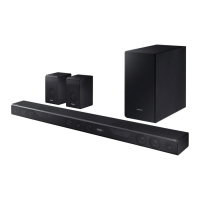
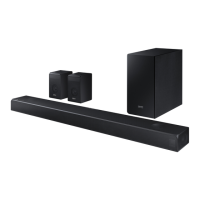
Samsung HW-K950/ZA
39 pages
Print Icon
To Next Page IconTo Next Page
Loading...
User manual
Imagine the possibilities
Thank you for purchasing this Samsung product.
To receive more complete service, please register your product at
www.samsung.com/register
HW-K950

Questions and Answers

  • M
    Maria SmithJul 29, 2025
    Why is my Samsung HW-K950/ZA Speaker System remote not working?
    • W
      willie95Jul 29, 2025
      If your Samsung Speaker System remote isn't working, the batteries might be dead, so try replacing them with new ones. Also, make sure you're not too far from the main unit; try moving closer.
  • C
    Cynthia BoydAug 4, 2025
    How to fix no sound on Samsung HW-K950/ZA?
    • Z
      Zachary LawsonAug 4, 2025
      If your Samsung Speaker System isn't producing sound, first check if the Mute function is on. If it is, press the VOL button to cancel it. Also, ensure the volume isn't set to the minimum; adjust the volume to an audible level.
  • K
    Karen RamirezAug 10, 2025
    What to do if Samsung Speaker System subwoofer drones?
    • J
      James AdamsAug 10, 2025
      If the subwoofer on your Samsung Speaker System drones and vibrates noticeably, adjust the woofer level using the WOOFER button on your remote control. You can adjust the value between -12, -6 and +6.
  • G
    Garrett BooneAug 15, 2025
    What to do if a function doesn't work on Samsung HW-K950/ZA Speaker System?
    • J
      jon49Aug 15, 2025
      If a function on your Samsung Speaker System doesn't work when you press the button, it could be due to static electricity in the air. Try disconnecting the power plug and then reconnecting it.
  • D
    Daniel ThompsonAug 22, 2025
    Why is red LED blinking on Samsung Speaker System subwoofer?
    • F
      fwilliamsAug 22, 2025
      The red LED blinking on your Samsung Speaker System subwoofer indicates that it might not be connected to the main unit. Try to connect your subwoofer again.

Summary

Safety Information

General Safety Warnings

Safety warnings, caution symbols, and precautions for electrical shock and user safety.

Installation Precautions

Environmental and Operational Precautions

Precautions for installation, ventilation, and protection from environmental factors.

Component Descriptions

Remote Control Functions

Detailed explanation of the buttons and functions of the remote control.

Installing the Soundbar

Wall Mount Installation Precautions

Precautions and initial steps for safely installing the soundbar on a wall.

Wall Mount Installation Steps

Steps for aligning template, marking holes, drilling, and inserting screws for wall mounting.

Attaching Brackets and Hanging Soundbar

Instructions for attaching bracket-wall mounts and hanging the soundbar on wall screws.

Connecting Audio Components

Subwoofer and Surround Speaker Connectivity

Instructions and recommendations for linking the subwoofer and surround speakers to the main unit.

Automatic and Manual Speaker Connection

Steps for automatic and manual connection of subwoofer and surround speakers.

Connecting to a TV

Connecting TV via HDMI Cable

Instructions for connecting the soundbar to a TV via HDMI cable for digital audio.

Connecting External Devices

Functions and Modes

Bluetooth Device Connection

Guide to connecting the soundbar to a Bluetooth device for wireless audio playback.

Software Update

Firmware Update via USB

Procedure for updating the soundbar's firmware using a USB device.

Troubleshooting

Specifications

Warranty Information

Samsung HW-K950/ZA Specifications

General IconGeneral
TypeSoundbar
Channels5.1.4
Total Power Output500W
Wireless SubwooferYes
Rear SpeakersYes
Dolby AtmosYes
DTS:XYes
HDMI Output1
BluetoothYes
Wi-FiYes
Optical Input1

Related product manuals