EasyManua.ls Logo

Samsung HW-KM36 - User Manual

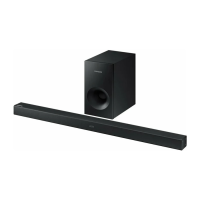
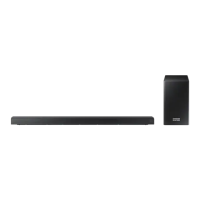
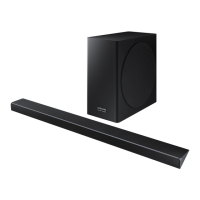
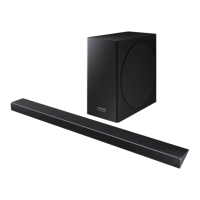
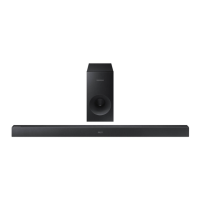
Samsung HW-KM36
35 pages
Print Icon
To Next Page IconTo Next Page
Loading...
Wireless Audio - Soundbar
Imagine the possibilities
Thank you for purchasing this Samsung product.
To receive more complete service, please register your product at
www.samsung.com/register
User manual
HW-K360
HW-KM36
HW-KM36C
Wireless Subwoofer (PS-WK360)

Questions and Answers

  • D
    danielswilliamJul 28, 2025
    What to do if my Samsung Soundbar remote control does not work?
    • L
      Lauren GreeneJul 28, 2025
      If your Samsung Soundbar remote isn't working, first, check the batteries and replace them if they're drained. Also, make sure you're not too far from the main unit.
  • W
    William WheelerAug 3, 2025
    How to fix no sound on Samsung Soundbar?
    • T
      Tina RogersAug 3, 2025
      If your Samsung Soundbar isn't producing sound, ensure that the Mute function is off by pressing the (Mute) button. Also, check that the volume isn't set to the minimum and adjust it accordingly.
  • S
    Steven CarsonAug 8, 2025
    Why is my Samsung Soundbar TV SoundConnect failing?
    • L
      Lee FloresAug 8, 2025
      If TV SoundConnect (TV pairing) failed on your Samsung Soundbar, first ensure that your TV supports TV SoundConnect (available on some Samsung TVs released from 2012). Update your TV to the latest firmware. If an error occurred when connecting, contact the Samsung Call Center. You can also reset the TV SoundConnect connection by pressing and holding the p button for 5 seconds and then try connecting again.
  • K
    Katherine ShepherdAug 15, 2025
    What to do if the Samsung Soundbar subwoofer blue indicator is not lit?
    • S
      Shawn FrazierAug 15, 2025
      If the blue indicator on the rear of your Samsung Soundbar subwoofer isn't lit and there's no sound, check the power cord to ensure it's properly connected. Also, verify that the main unit is powered on. If the main unit is in standby mode, the subwoofer will also be in standby mode. Try to connect your subwoofer again.
  • D
    David WallaceAug 21, 2025
    What to do if a function does not work when the button is pressed on Samsung Soundbar?
    • K
      Kelsey BushAug 21, 2025
      If a function on your Samsung Soundbar doesn't work when you press the button, it could be due to static electricity in the air. Try disconnecting the power plug and then reconnecting it.

Summary

GETTING STARTED

FEATURES

Overview of key features like remote app, sound expansion, TV SoundConnect, USB, and Bluetooth.

SAFETY INFORMATION

General safety warnings and precautions to reduce risk of shock, fire, and injury.

IMPORTANT SAFETY INSTRUCTIONS

Detailed numbered instructions for safe operation and maintenance of the product.

PRECAUTIONS

Precautions regarding ventilation, heat, sunlight, moisture, battery handling, and temperature.

WHATS INCLUDED

Lists all the accessories included in the product package with their part numbers.

DESCRIPTIONS

FRONT; RIGHT SIDE PANEL

Details the buttons (+/-, Source, Power) and display on the front/right side of the soundbar.

BOTTOM PANEL

Describes the ports (Optical, AUX, USB, Power) located on the bottom of the soundbar.

REMOTE CONTROL

Explains the functions of various buttons on the remote control (Source, Mute, Repeat, Bluetooth, Sound Effect).

REMOTE CONTROL FUNCTIONS

Details advanced remote functions like Sound Control (Treble, Bass, etc.) and specific button operations.

INSTALLATION

CONTROLLING THE SOUNDBAR USING YOUR TV REMOTE CONTROL

Explains how to enable and use the TV remote control to operate the soundbar's basic functions.

INSTALLING THE BATTERY IN THE REMOTE CONTROL

Provides step-by-step instructions with diagrams for replacing the remote control battery.

INSTALLING THE WALL MOUNT

Covers installation precautions and initial steps for wall mounting the soundbar.

DETACHING THE SOUNDBAR FROM THE WALL

Provides instructions on how to safely remove the soundbar from the wall mount.

CONNECTIONS

CONNECTING THE SUBWOOFER

Explains automatic and manual wireless linking processes for the subwoofer.

CONNECTING THE SUBWOOFER AND SWA-8000 S

Details the manual connection process for the subwoofer and the optional SWA-8000S surround kit.

CONNECTING TO A TV

Explains connecting the soundbar to a TV via optical cable and setting up Auto Power Link.

TV SOUNDCONNECT

Details the process of connecting the soundbar to a Samsung TV wirelessly.

CONNECTING TO EXTERNAL DEVICES

Describes connecting external devices using optical and AUX audio cables.

USB

Explains how to connect and play music files from USB storage devices.

FUNCTIONS

INPUT MODE

Lists available input modes (D.IN, AUX, BT, TV, USB) and their display indicators.

AUTO POWER DOWN FUNCTION

Explains how the soundbar automatically turns off to save power.

BLUETOOTH CONNECTION

Details the steps for pairing the soundbar with a Bluetooth device.

USING THE SAMSUNG AUDIO REMOTE APP

Guides on installing and launching the mobile app for soundbar control.

SOFTWARE UPDATE

Explains the process for updating the soundbar's firmware via USB.

TROUBLESHOOTING

COMMON PROBLEMS AND SOLUTIONS

Provides a table of common issues and their troubleshooting steps for the soundbar and subwoofer.

APPENDIX

SPECIFICATIONS

Lists technical specifications for the soundbar and subwoofer, including dimensions, weight, and power.

WARRANTY

LIMITED WARRANTY

Outlines the terms and conditions of the product's limited warranty period and coverage.

Samsung HW-KM36 Specifications

General IconGeneral
Channels2.1
BluetoothYes
HDMI Inputs1
TypeSoundbar
SubwooferWireless
Subwoofer Dimensions (W x H x D)190 x 340 x 190 mm
Supported Audio FormatsDolby Digital
FeaturesTV SoundConnect

Related product manuals