EasyManua.ls Logo

Samsung HW-KM37 - User Manual

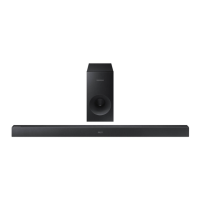
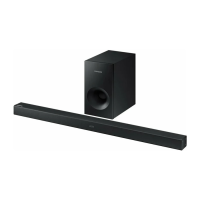
Samsung HW-KM37
35 pages
Print Icon
To Next Page IconTo Next Page
Loading...
Wireless Audio - Soundbar
Imagine the possibilities
Thank you for purchasing this Samsung product.
To receive more complete service, please register your product at
www.samsung.com/register
User manual
HW-K370 / KM37 / KM37C
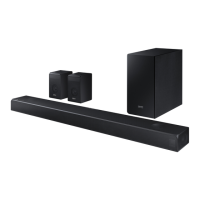
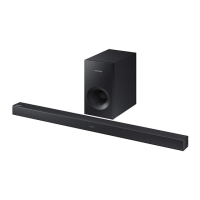
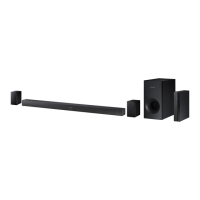
Wireless Subwoofer
(PS-WK360)
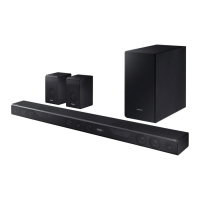
Wireless Receiver Module
(SWA-8000S)

Questions and Answers

  • B
    Bryan QuinnAug 14, 2025
    How to fix no sound on my Samsung Speaker System?
    • K
      katelynhooverAug 14, 2025
      If your Samsung Speaker System is not producing sound, check if the Mute function is on or if the volume is set to minimum. To resolve this, press the (Mute) button to cancel the Mute function or adjust the volume.
  • J
    Jacob ParkerAug 17, 2025
    Why is there no sound coming from my Samsung Speaker System?
    • G
      Gary BartlettAug 18, 2025
      If your Samsung Speaker System isn't producing sound, ensure that the Mute function is off by pressing the (Mute) button. Also, check that the volume isn't set to the minimum and adjust it accordingly.
  • A
    aguilarmelissaAug 20, 2025
    Why is my Samsung HW-KM37 Speaker System remote control not working?
    • A
      andrew35Aug 21, 2025
      Your Samsung Speaker System remote control may not be working because the batteries are drained or the distance between the remote control and the main unit is too far. Try replacing the batteries with new ones or move closer to the unit.
  • H
    Hannah GarciaAug 25, 2025
    What to do if TV SoundConnect pairing failed on Samsung HW-KM37 Speaker System?
    • D
      Dominique SparksAug 25, 2025
      If TV SoundConnect pairing failed on your Samsung Speaker System, ensure that your TV supports TV SoundConnect (supported by some Samsung TVs released from 2012 on). Also, update your TV with the latest firmware. If an error occurs when connecting, reset TV SoundConnect and connect again by pressing and holding the p button for 5 seconds.
  • M
    Matthew JohnsonAug 28, 2025
    Why is the blue light off on my Samsung Speaker System subwoofer and no sound is coming out?
    • A
      amandareedAug 28, 2025
      The blue indicator on the rear of the subwoofer may not be lit and the subwoofer may not be producing sound because the main unit power is off or your subwoofer may not be connected to the main unit. Check the power cord and ensure it is plugged in correctly. If the main unit is off (in standby mode), the subwoofer will also be in standby mode and the blue LED won't be lit. Also, try to connect your subwoofer again.
  • M
    Michael KingAug 31, 2025
    What to do if the Samsung HW-KM37 Speaker System remote control does not work?
    • D
      Dominique RogersAug 31, 2025
      If the remote control for your Samsung Speaker System isn't working, first, replace the batteries with new ones. If that doesn't solve the issue, try moving closer to the main unit.
  • B
    Beth WhitakerSep 3, 2025
    How to fix Samsung Speaker System TV SoundConnect (TV pairing) failed?
    • C
      Courtney WillisSep 3, 2025
      If the TV SoundConnect (TV pairing) failed on your Samsung Speaker System, first ensure your TV supports TV SoundConnect (available on some Samsung TVs released from 2012). Then, update your TV with the latest firmware. To reset the TV SoundConnect connection, press and hold the p button for 5 seconds and connect again.
  • E
    Elizabeth GarciaSep 6, 2025
    What to do if a function does not work when the button is pressed on Samsung HW-KM37 Speaker System?
    • M
      munozrobertSep 6, 2025
      If a function on your Samsung Speaker System isn't working when you press the button, it might be due to static electricity in the air. Disconnect the power plug and then reconnect it.
  • C
    christina84Sep 10, 2025
    Why is the blue indicator on the rear of the Samsung HW-KM37 subwoofer not lit?
    • M
      Michael MckeeSep 10, 2025
      If the blue indicator on the rear of the subwoofer of your Samsung Speaker System is not lit and the subwoofer isn't producing sound, check that the main unit is powered on and the power cord is plugged in correctly. If the main unit is off (in standby mode), the subwoofer will also be in standby mode and the blue LED won't be lit.

Summary

GETTING STARTED

FEATURES OVERVIEW

Key features and functionalities of the soundbar.

BLUETOOTH FUNCTIONALITY

Connect and enjoy music from Bluetooth devices wirelessly.

LICENSES

Information regarding Dolby and DTS technology licenses.

SAFETY INFORMATION

Crucial warnings to prevent electric shock and injury.

IMPORTANT SAFETY INSTRUCTIONS

Detailed instructions for safe operation and maintenance.

PRECAUTIONS

Protect the unit from moisture, heat, and electrical interference.

PRODUCT DESCRIPTIONS

FRONT AND RIGHT SIDE PANEL

Explains the buttons and display on the front/right side.

BOTTOM PANEL DETAILS

Identifies connection ports on the bottom.

REMOTE CONTROL OPERATION

Explains the purpose of each button on the remote control.

ADVANCED REMOTE FUNCTIONS

Adjusts audio levels, EQ, and sync for optimal sound.

INSTALLATION GUIDE

CONTROL WITH TV REMOTE

Enables control of the soundbar using a TV remote.

REMOTE BATTERY INSTALLATION

Step-by-step guide for inserting the battery in the remote.

SOUNDBAR WALL MOUNT INSTALLATION

Instructions for securely mounting the soundbar on a wall.

WALL MOUNT REMOVAL

Procedure for safely removing the soundbar from its wall mount.

CONNECTIONS

CONNECTING SUBWOOFER & SWA-8000 S

Steps for wireless connection between subwoofer and main unit.

SURROUND SPEAKER CONNECTION

Guide to connect surround speakers to the wireless receiver.

CONNECTING TO A TV

Steps to connect the soundbar to a TV using an optical cable.

TV SOUNDCONNECT SETUP

Connect soundbar to Samsung TV wirelessly for audio.

CONNECTING EXTERNAL DEVICES

Connect to various external audio sources.

USB MUSIC PLAYBACK

Steps to connect USB devices for playing music files.

USB FILE FORMAT SUPPORT

Lists supported audio file formats for USB playback.

FUNCTIONS AND MODES

INPUT MODE SELECTION

Select audio input sources (D.IN, AUX, BT, TV, USB).

AUTO POWER DOWN FUNCTION

Automatic turn-off feature for power saving.

BLUETOOTH CONNECTION GUIDE

Step-by-step instructions to connect a Bluetooth device.

BLUETOOTH DEVICE MANAGEMENT

Procedures for disconnecting paired Bluetooth devices.

SAMSUNG AUDIO REMOTE APP

Guide to download, install, and use the remote app.

SOFTWARE AND FIRMWARE UPDATES

How to update the soundbar's firmware using a USB device.

TROUBLESHOOTING GUIDE

COMMON ISSUES AND SOLUTIONS

Addresses common problems like no power, no sound, or connection failures.

TV SOUNDCONNECT TROUBLESHOOTING

Specific solutions for TV SoundConnect pairing issues.

SUBWOOFER CONNECTION ISSUES

Solutions for when the subwoofer is not connecting or producing sound.

APPENDIX

PRODUCT SPECIFICATIONS

Technical details including dimensions, weight, and power output.

SERVICE AND SUPPORT INFORMATION

IMPORTANT NOTES ON SERVICE

Information on service fees, troubleshooting, and contacting support.

WARRANTY DETAILS

LIMITED WARRANTY TERMS

Explains the warranty period, coverage, and exclusions.

SAMSUNG CONTACT AND SUPPORT

QUESTIONS OR COMMENTS

Contact information for inquiries and support.

Samsung HW-KM37 Specifications

General IconGeneral
TypeSoundbar
Channels2.1
SubwooferWireless
BluetoothYes
HDMI Inputs1
Optical Inputs1
USB PortYes
Audio FeaturesDolby Digital, DTS
Sound TechnologySurround Sound Expansion
ConnectivityBluetooth, HDMI, Optical
HDMI ARCYes
Bluetooth Version4.0

Related product manuals