EasyManua.ls Logo

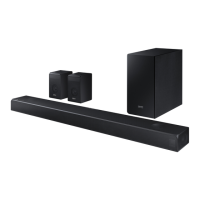
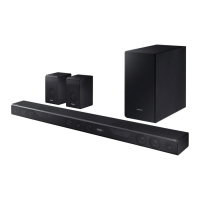
Samsung HW-K950 - User Manual

Samsung HW-K950
39 pages
Print Icon
To Next Page IconTo Next Page
Loading...
User manual
Imagine the possibilities
Thank you for purchasing this Samsung product.
To receive more complete service, please register your product at
www.samsung.com/register
HW-K950

Other manuals for Samsung HW-K950

Questions and Answers

  • H
    Hannah JonesAug 20, 2025
    How to fix sound not working on Samsung Speakers?
    • L
      Lynn QuinnAug 20, 2025
      If your Samsung Speakers are not producing sound, ensure that the Mute function is off by pressing the VOL button. Also, check that the volume isn't set to the minimum and adjust it accordingly.
  • C
    Crystal TorresAug 22, 2025
    Why is my Samsung HW-K950 remote not working?
    • C
      cassandra35Aug 22, 2025
      If your Samsung Speaker System remote isn't working, the batteries might be dead, so try replacing them with new ones. Also, make sure you're not too far from the main unit; try moving closer.
  • J
    Jamie HamiltonAug 25, 2025
    What to do if the Samsung Speakers remote control does not work?
    • S
      Scott JonesAug 25, 2025
      If your Samsung Speakers' remote control isn't working, the batteries may be drained, or you might be too far from the main unit. Try replacing the batteries with new ones and move closer to the unit.
  • A
    Amy SuttonAug 26, 2025
    What to do if my Samsung Speaker System has no sound?
    • B
      Benjamin DavisAug 26, 2025
      If your Samsung Speaker System isn't producing sound, check if the Mute function is on or if the volume is set to the minimum. To resolve this, press the VOL button to cancel the Mute function and adjust the volume to a suitable level.
  • S
    Seth DodsonAug 27, 2025
    How to adjust subwoofer vibration on Samsung Speaker System?
    • G
      garyjordanAug 27, 2025
      If the subwoofer of your Samsung Speaker System drones and vibrates noticeably, try adjusting the vibration. Use the WOOFER button on your remote control to adjust its value (between -12, -6 ~ +6).
  • P
    poncedustinAug 29, 2025
    What to do if the red LED is blinking on my Samsung Speakers subwoofer?
    • K
      Kristin HamiltonAug 29, 2025
      If the red LED on your Samsung Speakers' subwoofer is blinking and no sound is coming out, it might not be properly connected to the main unit. Try reconnecting the subwoofer.
  • X
    xbarkerAug 31, 2025
    How to stop Samsung Speakers subwoofer from droning?
    • Q
      qfletcherAug 31, 2025
      If your Samsung Speakers' subwoofer is droning and vibrating noticeably, adjust the woofer level using the WOOFER button on your remote control. You can set the value between -12, -6 and +6.
  • W
    wsmithSep 2, 2025
    How to fix no sound on Samsung HW-K950 Speaker System?
    • C
      Carol RichardsonSep 2, 2025
      If your Samsung Speaker System isn't producing sound, first check if the Mute function is on. If it is, press the VOL button to cancel it. Also, ensure the volume isn't set to the minimum; adjust the volume to an audible level.
  • M
    Mark WhiteSep 4, 2025
    Why is there no sound coming from my Samsung Speakers?
    • W
      Willie GloverSep 4, 2025
      If your Samsung Speakers are not producing sound, check if the Mute function is on or if the volume is set to minimum. To resolve this, press the VOL button to cancel the Mute function or adjust the volume.
  • A
    Amber KingSep 6, 2025
    Why is my Samsung HW-K950 remote control not working?
    • C
      Carla FigueroaSep 6, 2025
      If your Samsung Speaker System's remote control isn't working, the batteries might be dead, or you may be too far from the main unit. Try replacing the batteries with new ones and move closer to the unit.

Samsung HW-K950 Specifications

General IconGeneral
StyleWireless Soundbar
ColorBlack
Channels5.1.2004
Total Power500W
Speaker UnitsFront speakers: 80W (20W x 2 + 40W)
Internal Memory-
Radio Tuner-
Wireless ConnectivityBluetooth 4.1
Interface ConnectorsAudio Input
Sound Modes-
Max Sound Pressure Level (SPL)-
Signal to Noise Ratio-
Frequency Response-
Features3D Video Pass
Audio ProcessingDolby Digital
Water / Dust resistance-
Power Supply120 V AC + / - 10%
Power Consumption<1.0W (standby)
Battery Life-
Battery Capacity-
Weight and Dimensions IconWeight and Dimensions
Depth5.1 in
Height3.2 in
Width47.6 in
Net Weight14.7 lbs

Related product manuals