EasyManua.ls Logo

Samsung HW-K370 - User Manual

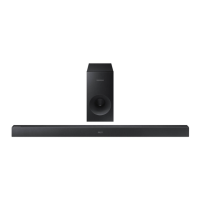
Samsung HW-K370
35 pages
Print Icon
To Next Page IconTo Next Page
Loading...
Wireless Audio - Soundbar
Imagine the possibilities
Thank you for purchasing this Samsung product.
To receive more complete service, please register your product at
www.samsung.com/register
User manual
HW-K370 / KM37 / KM37C
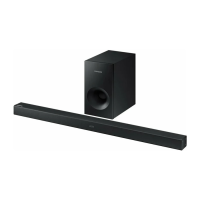
Wireless Subwoofer
(PS-WK360)
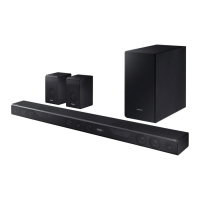
Wireless Receiver Module
(SWA-8000S)

Questions and Answers

  • B
    Brian HowardAug 2, 2025
    Why is there no sound coming from my Samsung Speaker System?
    • M
      Mary SharpAug 2, 2025
      If your Samsung Speaker System isn't producing sound, ensure that the Mute function is off by pressing the (Mute) button. Also, check that the volume isn't set to the minimum and adjust it accordingly.
  • K
    Kelly HawkinsAug 7, 2025
    What to do if the Samsung Speaker System remote control does not work?
    • P
      Patrick LaraAug 7, 2025
      If the remote control for your Samsung Speaker System isn't working, first, replace the batteries with new ones. If that doesn't solve the issue, try moving closer to the main unit.
  • O
    Olivia BishopAug 14, 2025
    How to fix Samsung Speaker System TV SoundConnect (TV pairing) failed?
    • R
      rossbridgetAug 14, 2025
      If the TV SoundConnect (TV pairing) failed on your Samsung Speaker System, first ensure your TV supports TV SoundConnect (available on some Samsung TVs released from 2012). Then, update your TV with the latest firmware. To reset the TV SoundConnect connection, press and hold the p button for 5 seconds and connect again.
  • D
    Denise GarzaAug 20, 2025
    What to do if a function does not work when the button is pressed on Samsung HW-K370 Speaker System?
    • J
      Jessica BrownAug 20, 2025
      If a function on your Samsung Speaker System isn't working when you press the button, it might be due to static electricity in the air. Disconnect the power plug and then reconnect it.
  • S
    Steven WilliamsAug 26, 2025
    Why is the blue indicator on the rear of the Samsung HW-K370 subwoofer not lit?
    • H
      hicksamandaAug 26, 2025
      If the blue indicator on the rear of the subwoofer of your Samsung Speaker System is not lit and the subwoofer isn't producing sound, check that the main unit is powered on and the power cord is plugged in correctly. If the main unit is off (in standby mode), the subwoofer will also be in standby mode and the blue LED won't be lit.

Summary

Getting Started

Product Features and Licensing

Overview of product features, including Remote App, Surround Sound, TV SoundConnect, USB Host, and Bluetooth connectivity. Includes licensing info.

Safety Warnings and Precautions

Critical safety warnings, cautions, FCC notes, and general precautions for product installation and usage.

Key Safety Instructions

Essential numbered instructions for safe operation, handling, and maintenance of the product.

Descriptions

Front and Right Side Panel Controls

Explains the buttons (+/-, Source, Power) and display on the front/right side of the Soundbar.

Bottom Panel Ports

Details the ports (Digital Audio In, AUX In, Micro USB, DC 19V) on the bottom of the Soundbar.

Remote Control Operation

Describes the functions of each button on the remote control for operating the Soundbar.

Installation

Wall Mount Installation Guide

Step-by-step guide for securely mounting the Soundbar on a wall, including precautions.

Removing from Wall Mount

Instructions on how to safely remove the Soundbar from its wall mount.

Connections

Wireless Subwoofer & Receiver Setup

Instructions for connecting the subwoofer and SWA-8000S wireless receiver module.

Surround Speaker Connection

Guide for connecting the rear surround speakers to the wireless receiver module.

TV Audio Connectivity

Connecting the Soundbar to a TV via optical cable, TV SoundConnect, and Bluetooth Power On.

External Audio Inputs

How to connect external devices using AUX or Optical audio cables.

USB Media Playback

Connecting USB devices and playing music files, including format compatibility.

Functions

Input Mode Selection

How to select different audio input modes like D.IN, AUX, BT, TV, and USB.

Auto Power Down Feature

Explains how the unit automatically turns off to save power under certain conditions.

Bluetooth Device Pairing

Detailed steps to connect a Bluetooth device and play music.

Software Update Process

Instructions for updating the Soundbar's firmware using a USB device.

Troubleshooting

Common Operational Issues

Solutions for problems like the unit not turning on, no sound, or remote control issues.

Connectivity Troubleshooting

Resolving problems with TV SoundConnect pairing and subwoofer connectivity.

Appendix

Technical Specifications

Detailed technical specifications including weight, dimensions, power, and audio performance.

Open Source License Notice

Information regarding open source software used in the product.

Samsung HW-K370 Specifications

General IconGeneral
Audio decodersDTS, Dolby Digital
RMS rated power200 W
Audio output channels4.1 channels
Subwoofer includedYes
Subwoofer locationSeparate
Subwoofer connectivityWireless
Soundbar speaker RMS power- W
USB 2.0 ports quantity-
Connectivity technologyWired & Wireless
Digital audio coaxial in0
Digital audio optical in1
CertificationEnergy Star
Product colorBlack
Sound effectsFlanger/Digital Signal Processing (DSP)
Apple docking compatibilityNot supported
Package depth454.66 mm
Package width965.2 mm
Package height210.82 mm
Package weight9071.85 g
Cables includedOptical
Weight and Dimensions IconWeight and Dimensions
Depth53.34 mm
Width906.78 mm
Height71.12 mm
Soundbar weight1496.85 g
Subwoofer depth299.72 mm
Subwoofer width154.94 mm
Subwoofer height292.1 mm
Subwoofer weight2903 g

Related product manuals