EasyManua.ls Logo

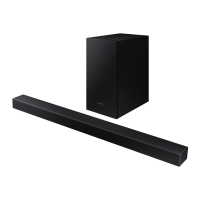
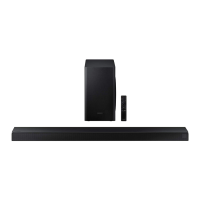
Samsung HW-T550 - User Manual

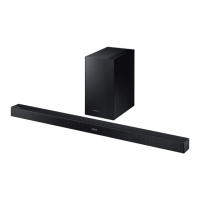
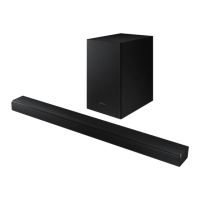
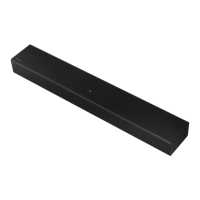
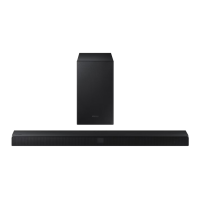
Samsung HW-T550
76 pages
Print Icon
To Next Page IconTo Next Page
Loading...

Table of Contents

Other manuals for Samsung HW-T550

Questions and Answers

  • W
    williambrooksJul 28, 2025
    Why is there no sound coming from my Samsung Speaker System?
    • D
      Dr. Peter MillsJul 28, 2025
      If your Samsung Speaker System isn't producing sound, first check if the Mute function is enabled and, if so, disable it by pressing the Mute button. Also, verify that the volume isn't set to the minimum level and adjust it accordingly.
  • Z
    Zachary TaylorAug 3, 2025
    What to do if the Samsung HW-T550 Speaker System remote control does not work?
    • J
      James TuckerAug 3, 2025
      If the remote control for your Samsung Speaker System isn't working, the first thing to check is the batteries. If they are drained, replace them with new ones. Also, make sure that you are not too far from the Sound bar main unit. Try moving closer to it.
  • G
    Gregory HoustonAug 9, 2025
    How to fix a Samsung HW-T550 that will not turn on?
    • C
      Christopher ValdezAug 9, 2025
      If the Samsung Speaker System unit will not turn on, make sure the power cord is firmly plugged into both the wall outlet and the power adapter. Try unplugging and reconnecting the power cord to ensure a secure connection. Also, check the connection of the power adapter to the Soundbar main unit.
  • A
    Ashley VaughnAug 15, 2025
    What does it mean when the red LED on my Samsung HW-T550 Speaker System subwoofer blinks?
    • D
      Dr. Dustin Collins Jr.Aug 15, 2025
      If the red LED on the subwoofer of your Samsung Speaker System is blinking and the subwoofer isn't producing sound, this could mean that the subwoofer isn't properly connected to the Sound bar main unit. Disconnect the power adapter from the Sound bar, and reconnect it to ensure it is firmly and securely connected. You can also try to connect your subwoofer again.
  • R
    Robert StevensAug 22, 2025
    Why does my Samsung Speaker System subwoofer drone and vibrate?
    • J
      Juan LambAug 22, 2025
      If the subwoofer of your Samsung Speaker System drones and vibrates noticeably, it could be due to static electricity. Disconnect the power plug and connect it again. Also, try to adjust the vibration of your subwoofer.

Summary

SAFETY INFORMATION

SAFETY WARNINGS

General warnings and precautions for safe operation and to reduce risks.

WARNING

Specific warnings regarding fire, electric shock, and chemical exposure.

CAUTION

Precautions against water exposure, liquid objects, and proper power plug handling.

CHECKING THE COMPONENTS

Soundbar Main Unit, Subwoofer, Remote Control;Batteries

Identifies the primary components of the soundbar system.

Power Cord, AC;DC Adapter, Optical Cable

Lists essential cables and power adapter for the soundbar.

Wall Mount Guide, Holder-Screw, Screw, Bracket-Wall Mount

Details mounting hardware included for wall installation.

PRODUCT OVERVIEW

CONNECTING THE SOUNDBAR

Connecting Electrical Power

Step-by-step guide for connecting the soundbar and subwoofer to power.

CONNECTING TO YOUR TV

CONNECTING A MOBILE DEVICE

USING THE REMOTE CONTROL

How to Use the Remote Control

Explanation of each button and its function on the remote control.

INSTALLING THE WALL MOUNT

TROUBLESHOOTING

Unit Not Turning On; Remote Control Issues

Solutions for power, remote control, and sound output problems.

Subwoofer Connection and Vibration Issues

Troubleshooting steps for subwoofer connectivity and vibration.

SPECIFICATIONS AND GUIDE

Samsung HW-T550 Specifications

General IconGeneral
Game modeYes
Audio decodersDolby Digital
RMS rated power320 W
Audio output channels2.1 channels
Wi-FiNo
Connectivity technologyWired & Wireless
Soundbar speaker RMS power25 W
Subwoofer typeActive subwoofer
Subwoofer connectivityWireless
Power consumption (standby)0.5 W
Subwoofer power consumption28 W
Product colorBlack
TV stand usage-
Audio formats supportedAAC, AIFF, FLAC, MP3, OGG, WAV
Package depth271 mm
Package width923 mm
Package height435 mm
Package weight9500 g
Weight and Dimensions IconWeight and Dimensions
Depth85 mm
Width860 mm
Height55 mm
Soundbar weight2100 g
Subwoofer depth290 mm
Subwoofer width200.6 mm
Subwoofer height353 mm
Subwoofer weight5000 g

Related product manuals