EasyManua.ls Logo

Samsung IEA Series - User Manual

Samsung IEA Series
18 pages
Print Icon
To Next Page IconTo Next Page
Loading...
User Manual
© Samsung
Samsung owns the copyright for this manual. Use or reproduction of this manual in parts or entirety without the authorization of Samsung is prohibited. Trademarks other than Samsung are property of their respective owners.
IEA (IE015A IE020A IE025A IE040A)
IEA-F (IE015A-F IE020A-F IE025A-F IE040A-F)
The colour and the appearance may differ depending on the product, and the content in the
manual is subject to change without prior notice to improve the performance.
An administration fee may be charged in the following situations:
(a) An engineer is called out at your request, but it is found that the product has no defect (i.e.,
where the user manual has not been read).
(b) You bring the unit to a repair centre, but it is found that the product has no defect (i.e.,
where the user manual has not been read).
You will be informed of the administration fee amount before a technician visits.
Question and Answer IconNeed help?

Do you have a question about the Samsung IEA Series and is the answer not in the manual?

Summary

Before Using the Product

Safety Precautions and Symbols

Instructions for personal safety and explanation of warning symbols.

Electricity and Safety

Guidelines for safe electrical usage and hazard prevention.

Installation

Procedures and precautions for product installation.

Operation

Instructions and warnings for safe and proper product operation.

Cleaning

Procedures for safe cleaning and display care.

Preparations

Ports Identification

Overview of input/output ports for IEA and IEA-F models.

IEA Model Ports

Details on the specific ports for the IEA model and their functions.

IEA-F Model Ports

Details on the specific ports for the IEA-F model and their functions.

Connecting Devices

Cabinet Handling Precautions

Safety guidelines for handling cabinets to prevent damage or injury.

Cabinet Installation

Instructions and recommendations for professional cabinet installation.

Connecting Cabinets

Instructions for connecting cabinets using S-Box, I/G cards, and OCM cables.

Supported Resolutions

Table detailing supported resolutions for various cabinet configurations.

Power Cable Connection

Guidelines for connecting power cables and maximum daisy chain configurations.

Specifications

General Specifications

Technical details including refresh rate, pixel pitch, and power supply.

Environmental Considerations

Operating and storage conditions for temperature and humidity.

Appendix

Pay Service Responsibility

Cases where service charges may apply for visits or repairs.

Product Damage Causes

Defines non-defect issues and product damage due to customer fault.

Licence Information

Notice regarding open source software licenses used in the product.

Correct Disposal (WEEE)

Guidelines for responsible disposal of the product and accessories.

Summary

Before Using the Product

Safety Precautions and Symbols

Instructions for personal safety and explanation of warning symbols.

Electricity and Safety

Guidelines for safe electrical usage and hazard prevention.

Installation

Procedures and precautions for product installation.

Operation

Instructions and warnings for safe and proper product operation.

Cleaning

Procedures for safe cleaning and display care.

Preparations

Ports Identification

Overview of input/output ports for IEA and IEA-F models.

IEA Model Ports

Details on the specific ports for the IEA model and their functions.

IEA-F Model Ports

Details on the specific ports for the IEA-F model and their functions.

Connecting Devices

Cabinet Handling Precautions

Safety guidelines for handling cabinets to prevent damage or injury.

Cabinet Installation

Instructions and recommendations for professional cabinet installation.

Connecting Cabinets

Instructions for connecting cabinets using S-Box, I/G cards, and OCM cables.

Supported Resolutions

Table detailing supported resolutions for various cabinet configurations.

Power Cable Connection

Guidelines for connecting power cables and maximum daisy chain configurations.

Specifications

General Specifications

Technical details including refresh rate, pixel pitch, and power supply.

Environmental Considerations

Operating and storage conditions for temperature and humidity.

Appendix

Pay Service Responsibility

Cases where service charges may apply for visits or repairs.

Product Damage Causes

Defines non-defect issues and product damage due to customer fault.

Licence Information

Notice regarding open source software licenses used in the product.

Correct Disposal (WEEE)

Guidelines for responsible disposal of the product and accessories.

Overview

This document serves as a comprehensive User Manual for the Samsung IEA (IE015A, IE020A, IE025A, IE040A) and IEA-F (IE015A-F, IE020A-F, IE025A-F, IE040A-F) series of LED signage products. It outlines essential safety precautions, installation procedures, operational guidelines, and maintenance advice to ensure proper and safe use of the device.

Function Description

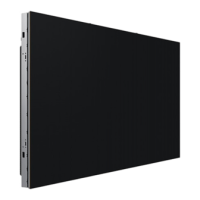
The Samsung IEA and IEA-F series are LED signage products designed for displaying visual content. These devices are composed of individual cabinets that can be connected to form larger displays, offering flexibility in size and resolution. The core function of these products is to provide high-quality visual output for various applications, such as advertising, information display, and entertainment.

The system relies on an S-Box (SNOW-1810U) to manage video signal transmission to the cabinets. The S-Box connects to Interface Gender (I/G) cards, which then distribute data to individual cabinets using OCM cables. This modular design allows for scalable installations, accommodating different display requirements. The power distribution within the system is also designed for flexibility, allowing for daisy-chain connections between cabinets to support AC power.

The devices are designed to be Plug-and-Play compatible, meaning they can be installed and used with compatible PC systems, with two-way data exchange optimizing monitor settings automatically. Users can also customize installation settings as desired.

Usage Features

The manual emphasizes several key usage features and considerations:

  • Modular Installation: The LED signage is built from individual cabinets that are installed using a frame kit provided by the manufacturer. This modularity allows for custom display configurations.
  • Connectivity: The S-Box acts as the central hub for video data, connecting to I/G cards and then to the cabinets. HDBT ports on the S-Box and I/G cards are connected using LAN cables (CAT 6 or higher, STP type recommended) for stable signal transmission. The manual specifies a recommended LAN cable length of 15-100m for optimal signal quality and advises using recommended cables from the HDBaseT website.
  • Power Connection: Power is supplied to the cabinets via a daisy-chain connection. The manual provides guidelines for connecting power cables and warns against exceeding the recommended maximum number of devices in a daisy chain to prevent overvoltage and potential damage. It also highlights that the POWER OUT socket of the last cabinet should not be used.
  • Resolution Support: The manual details supported resolutions per installation for different models (IE015A, IE015A-F, IE020A, IE020A-F, IE025A, IE025A-F, IE040A, IE040A-F), indicating the quantity of cabinets required for specific resolutions. It notes that one S-Box supports up to UHD resolution and additional S-Boxes are needed for resolutions exceeding UHD.
  • Operating Modes: The cabinets feature a "SWITCH" port that allows users to enter factory mode (by pressing and holding for 5 seconds) or factory reset mode (by pressing and holding for 10 seconds).
  • Environmental Considerations: The product is designed to operate within specific temperature and humidity ranges, both during operation and storage. Users are advised to consider these factors for optimal performance and longevity.
  • Image Quality in Pivot Configuration: When cabinets are installed in a Pivot configuration, the image quality on the right and left sides may vary depending on the viewing angle.

Maintenance Features

The manual provides crucial information regarding device maintenance and care:

  • Safety Precautions: A significant portion of the manual is dedicated to safety, using symbols like "Warning," "Caution," "Prohibition," and "Instruction" to highlight potential risks. These cover electrical safety (e.g., avoiding damaged cords, proper grounding, not touching with wet hands), installation safety (e.g., avoiding unstable surfaces, proper ventilation, keeping away from heat sources), and operational safety (e.g., not disassembling, avoiding heavy objects on top, proper handling during movement).
  • Cleaning: The LED structure on the front of the monitor is delicate, and users are cautioned not to touch it directly to prevent damage. For cleaning the exterior, a soft cleaning cloth provided with the monitor should be used gently. Internal cleaning, if required, should be handled by the Samsung Customer Service Centre, and a service fee may be charged.
  • Handling Cabinets: Specific precautions are outlined for handling the cabinets, especially after removing protective brackets. Users are warned against exposing the product to external shocks or vibrations, dropping it, or placing it with the LED facing down. Anti-static gloves are recommended when touching the product to prevent damage from static electricity. Special care should also be taken to protect the corners of the cabinets from damage.
  • Dehumidification: After installation, it is recommended to dehumidify the LED Signage product before use. This helps prevent moisture damage and maintain optimal performance. The installation manual provides details on product dehumidification.
  • Troubleshooting and Service: The manual advises users to contact the Samsung Customer Service Centre if the product generates abnormal sounds, a burning smell, or smoke. It also clarifies situations where an administration fee may be charged for service calls, such as when no product defect is found or when the user manual has not been read.
  • Warranty and Repair: Samsung is not liable for damage or injury incurred during self-installation. The manual also outlines conditions under which a pay service may be charged, even within the warranty period, including product damage caused by customer mishandling, unauthorized repairs, or external factors not related to product defects.
  • Disposal (WEEE): The manual includes guidelines for the correct disposal of the product and its electronic accessories (Waste Electrical & Electronic Equipment) in countries with separate collection systems. This ensures environmentally safe recycling and prevents harm from uncontrolled waste disposal.
  • Open Source License Notice: The manual informs users about open-source software components used in the product, providing information on how to obtain the corresponding source code.

Samsung IEA Series Specifications

General IconGeneral
Viewing Angle (H/V)178°/178°
Frequency50/60Hz
Screen Size43", 55", 65", 75", 85"
Brightness350nit (Typ.)
Response Time8ms
ConnectivityHDMI, USB
Operating SystemTizen
Internal Memory4GB
Speaker10W x2
VESA Mount200 x 200 mm (43"), 200 x 200 mm (50"), 200 x 200 mm (55"), 400 x 300 mm (65"), 400 x 400 mm (75"), 600 x 400 mm (85")
Display TypeEdge LED
Operating Temperature0°C to 40°C
Storage Temperature-20°C to 45°C
Standby Power Consumption0.5W
Input VoltageAC100-240V
Weight (Without Stand)Varies by size (e.g., 55": 17.5 kg)
MagicInfoYes
Remote ManagementYes
Warranty3 Years
Power ConsumptionVaries by size (e.g., 55": 130W)

Related product manuals